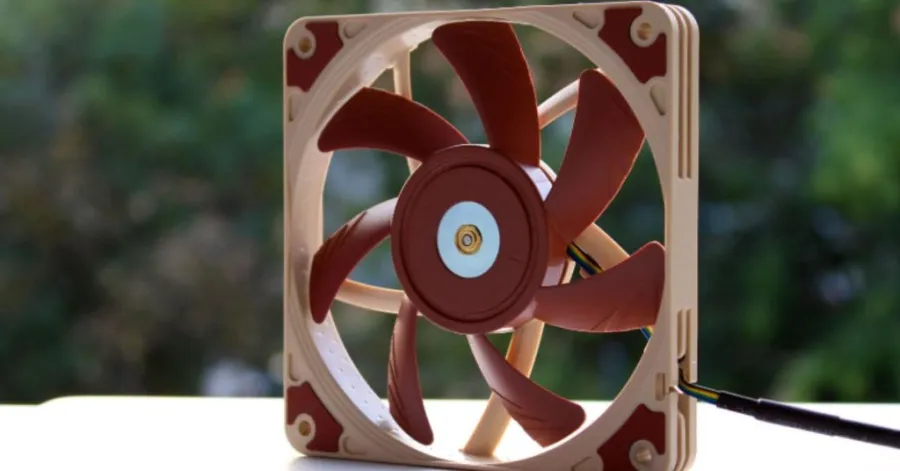
To ensure that PCs run well and do not overheat, it is worth selecting the appropriate cooling fan. To better understand what works best with their setup, many PC builders compare static-pressure vs. airflow fans. Although both types of fans serve a purpose in enhancing cooling, they are suitably used in different environments within a computer case.
The same principles of airflow apply to wall-mounted fans; the ventilating power and effective air movement are also significant in cooling a larger area. In confined spaces, such as radiators and heatsinks, static-pressure fans are more effective than airflow fans in open cases. Learning to use the airflow fans and when to use the static pressure fans will help you enhance cooling capacity, minimize excessive heat, and improve air circulation for gaming PCs and high-performance systems.
Understanding Static Pressure Fans
Stirring fans are important in PC cooling, particularly in systems with limited airflow. It is essential to learn the functionality of these fans and their area of optimal performance before selecting the appropriate cooling system. To determine the most appropriate product to install in the system, many PC builders compare the static pressure vs airflow of fans.
These fans have been uniquely designed to ensure good airflow even when obstacles hinder it. This is why they are usually applied to gaming PCs, radiators, and compact cases.
How Static Pressure Fans Work
The aim of the static-pressure fans is to achieve high air pressure, which can assist in moving air through the restricted space. These fans can move air efficiently even when the path is blocked, unlike typical airflow fans. They are typically broad-bladed, sharply bent, and positioned near each other. This type of blade maximizes airflow and enables the fan to move air into small spaces such as radiators, heatsinks, and dust filters.
This is why most PC builders ask when to use an airflow or static-pressure fan in a new build. When airflow is being resisted within the case, using static-pressure fans is recommended. They might not necessarily transport the most air, yet they are wonderful at maintaining steady cooling in the regions where it is most needed. In contemporary systems, particularly liquid-cooled systems, these fans can be used to enhance thermal performance and minimize heat concentration around high-performance components.
Main Features of Static Pressure Fans
There are several characteristics that distinguish the use of static-pressure fans from that of normal airflow fans. The most prominent characteristic of them is that they have a high ability to resist airflow. Such fans tend to be rated at higher static pressure, in mmH2O, indicating the degree to which they can force air to move through the constricted sections.
The other significant benefit is the focused airflow design. This ensures that they are very effective in radiators, CPU coolers, and filtered PC cases. These fans are popular among many users seeking to find the difference between the two when searching on the internet on the terms of statical pressure vs airflow in gaming PC setups, since many gaming systems tend to produce a lot of heat when it comes to heavy workload. Another reason why the use of static pressure fans appears to be more effective in tight cases where the airflow routes are not extensive is the increased efficiency of such fans. Their design is such that the cool air reaches vital parts without pressure loss on the way.
Best Places to Use Static Pressure Fans
Fans used in situations that require air to move through obstacles or other narrow spaces are known as dynamic pressure fans. The most common examples are radiators, heating, and dust filters. Do I need to use static pressure fans to cool my radiators? You may be asking yourself. The answer is usually yes. Radiators provide resistance, and special attention is given to the fact that the task of the fans is to overcome this resistance without the loss of the most effective cooling performance.
These fans are also a good option in small gaming systems or constructions with limited airflow. It is a common question: which fan would be better in a restricted airflow case? The answer is usually the fans with static pressure, as they can push air through tight layouts more effectively. Although the question of whether airflow fans are good for cooling PC cases is widespread, they work better in open areas with minimal obstacles. In radiators and dense cooling systems, the most appropriate fan type is the static-pressure fan used in liquid-cooling radiators and high-performance PCs.
Understanding Airflow Fans
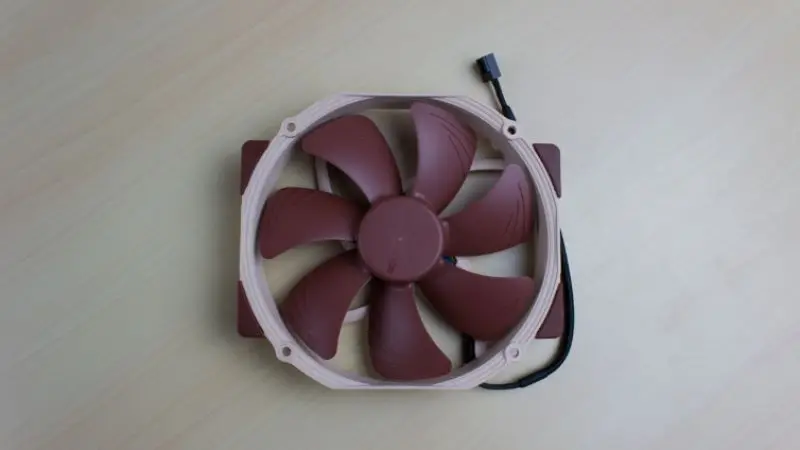
Computer cooling systems often use fans to circulate large amounts of air through open spaces. They are meant to be used in PC cases where airflow is not too obstructed. Most constructors compare the difference between the two types of fans, namely, the static pressure and airflow, to select the appropriate cooling system operating on performance and temperature regulation. These fans are common in gaming PCs and general systems due to their ability to maintain consistent airflow and system stability without requiring much attention to resistance-intensive cooling components, such as radiators.
How Airflow Fans Work
Airflow fans are meant to efficiently move air in open spaces with minimal barriers. They have a straight directional airflow, which helps circulate cool air and remove hot air from the case. The most prevalent are the axial fans, which move the air forward with high airflow, and radial fans, which move the air at an angle to fit small systems. Airflow is expressed in CFM, which indicates the amount of air that a fan can deliver. Greater CFM implies enhanced cooling of open PC cases. This makes them perfect for using static pressure fans vs airflow fans under unrestricted airflow conditions.
Main Features of Airflow Fans
Airflow fans have broad blades and an open configuration that facilitates the easy movement of large quantities of air. They also do not deal with force, but the volume of airflow, as opposed to the static pressure fans that deal with resistance. Airflow fans are rated in CFM, and the strength of the pressure in the static pressure fans is measured in mmH 2 O. Airflow fans are ideal in situations where there is free flow of air in the ventilation, and in cases where fans are required to drive air in front of radiators or filters, the use of static pressure fans can be useful. This is why, when comparing airflow to static pressure in a gaming PC setup, users usually opt for airflow fans to cool the case and maintain temperature balance.
Best Places to Use Airflow Fans
Airflow fans will perform best in PC cases where air can move freely. They facilitate the entry of cool air in the system and the removal of hot air, establishing uniform internal temperatures. The majority of installations have intake fans at the front or bottom and exhaust fans at the top or back to allow easy airflow. They suit well for general cooling and open cases. Outdoor cooling systems are similar to wall-mounted fans, which are most effective in areas where free flow of air is possible and there are no significant airflow obstructions. But, when users pose the question, ” Are airflow fans good in PC case cooling, the answer is yes; however, they are not the most efficient type of fan to use in a liquid cooling radiator, where a static pressure fan is more efficient.
Static Pressure vs Airflow Fans Explained Simply
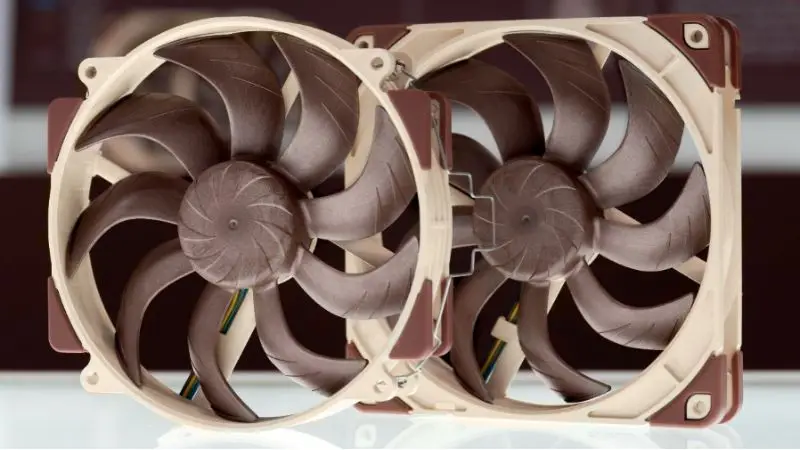
PC cooling is done by both static pressure and airflow fans; however, they operate quite differently. This is because knowing about the static pressure vs airflow fans will guide you in selecting the appropriate cooling configuration that will fit your system. The fans used to move air are known as static-pressure fans and are designed to push air past obstacles, such as radiators and filters, whereas airflow fans are designed to push air in an open space. The right type will be based on your case design and cooling requirements.
How Static Pressure and Airflow Fans Are Designed Differently
The designs of static-pressure fans and airflow fans differ significantly and affect airflow. The blades of a set of static pressure fans are thick, close together, and curved. This helps them force air through restricted areas such as heatsinks and radiators. Airflow fans, on the other hand, have a broader distance between the blades and are in a more open design that enables them to transfer a lot of air in open spaces with ease.
To withstand resistance, strong motors and firmer frames are also employed in Static pressure fans. Airflow fans are more concerned with volume and not force, thus they are more suited to open cases with no obstructions. The choice between them depends on your PC’s design and airflow constraints.
How Static Pressure and Airflow Fans Perform
Comparing the performance of fans based on static pressure and airflow, the work of a fan greatly depends on the area of application. The use of static-pressure fans works well in limited spaces since they can maintain airflow even with dust filters, radiators, and dense heatsinks. Airflow fans are effective in open cases where air is able to flow freely.
The fans of the static-pressure type can sustain airflow even at lower RPMs, which reduces noise while still forcing air to flow over the barriers. Airflow fans are silent when used in open configurations, and in any restricted areas, they lack efficiency and may become noisier. This is why CPU coolers and radiators are often fitted with static-pressure fans, and general case ventilation is handled by airflow fans.
Where to Use Static Pressure and Airflow Fans
The selection of the appropriate fan is contingent on your PC setup and airflow direction. The resistance areas, such as radiators, heatsinks, and dust-filtered intake areas, must have static-pressure fans applied. They also come in handy in small constructions where the natural airflow is limited.
Open cases with fewer obstacles are more suited to airflow fans. They are used as case intake and exhaust fans in mid-tower or full-tower systems where air is able to move freely. The question many users have is which fan is better in a restricted airflow case, and in that case, the better option would be the static pressure fans.
The most common error is failing to account for airflow direction or selecting the wrong type of fan to install. The optimal way to match the fan type with your case design is to guarantee the cooling performance and stability of the system.
How to Choose the Right PC Cooling Fan
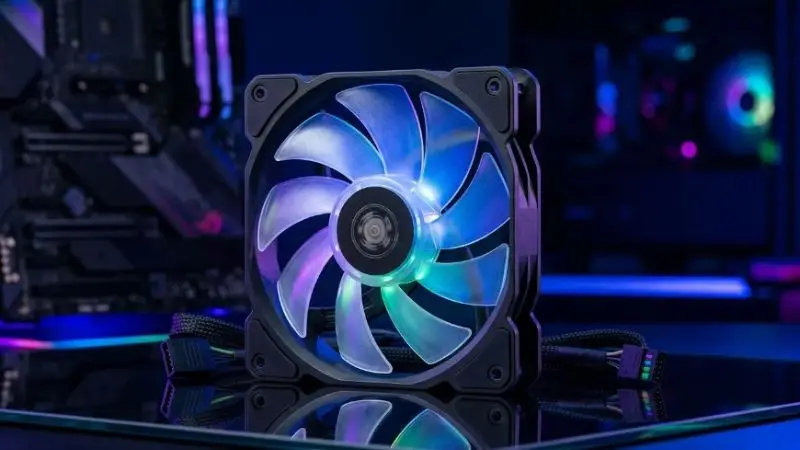
Selecting the right fan is important for cooling your PC and keeping it running smoothly. A lot of constructors make comparisons between static pressure and airflow fans to determine which one is more suitable for their construction. The right decision will be based on your case plan, cooling elements, and air blockages. The same concept applies to the choice of wall-mounted fans, as airflow direction and room layout are also important factors in determining cooling efficiency.
An effective cooling system will reduce temperatures and noise levels and make your PC run more efficiently, whether gaming or under heavy workloads.
How to choose the most appropriate fan for your PC setup?
Before purchasing a fan, you ought to verify the location where the fan will be mounted and the level of air resistance within the case. There are places that require a great amount of pressure, and there are places that require smooth movement of air only.
Apply static pressure fans to:
- Radiators
- CPU heatsinks
- Dust-filtered intake areas
- Small cases with limited airflow.
- Airflow fans should be used to:
- Open PC cases
- Rear exhaust positions
- Big cases that are well ventilated.
- General case cooling
Many users who ask when to use static-pressure fans and airflow fans choose the former for cooling components with airflow resistance and the latter for open, ventilated spaces.
Fan noise, construction, and airflow rates are other considerations in making a final decision.
Important Things to Check Before Buying a Fan
Not every PC fan works equally, and, therefore, it might be a good idea to review some of its key features to make a more informed decision. Better-bearing fans tend to be longer-lasting and produce less noise. Lower dBA ratings also help reduce the total system noise.
In the case of gaming or high-performance systems, more powerful airflow and cooling efficiency are crucial. Users who compare the difference between a static pressure and airflow to gaming PC setups usually balance the airflow, pressure, and noise output to achieve a stable temperature in a prolonged gaming environment.
A good cooling fan must offer:
- Reliable airflow performance
- Low noise levels
- Strong build quality
- Cooling your type of case efficiently.
- Correct airflow direction towards the intake or exhaust.
The appropriate selection of fans can improve airflow balance and minimize heat buildup within the case.
Common Mistakes People Make When Choosing Fans
Most individuals opt to use fans without scrutinizing their case design or cooling needs. This can usually cause ineffective airflow, increased noise, and an increase in temperatures.
A common error is using airflow fans on radiators or heatsinks. As these areas create resistance, airflow is generated inefficiently within a short period. This is why, whenever a user asks whether they need to use static-pressure fans to cool their radiators, they are mostly advised to use them.
Another error is the installation of static-pressure fans in fully open cases, which would be more effective at transferring air than installing airflow fans. Another frequently asked question is which fan is superior in a limited-airflow case, and in most cases, static-pressure fans work better in tight spaces.
The proper placement of fans and the selection of fan type can contribute to more efficient air circulation and overall cooling.
Wrap Up
Both airflow and static-pressure fans are important for cooling a PC, but one must select the correct type of fan based on the system design and airflow requirements. When your construction has radiators, dust filters, or a small area, the cooling performance of a static-pressure fan is superior. In open PC cases that are not as airflow-restricted, the presence of fans will move a larger volume of air more efficiently. This is also why most individuals use wall-mounted fans to improve ventilation in their homes, offices, and other open areas. With this knowledge of your case layout and cooling needs, you can choose the appropriate fan configuration to keep temperatures low and PC performance at its best.
@ashtonbrown007 VEVOR Wall-Mount Misting Fan #VevorMistingFan #WallMountFan #Vevor #PatioMistingFan #MistingFan
♬ original sound – AshtonBrown007
FAQ
What is the primary difference between airflow fans and static pressure fans?
You will see that there are fans that press air up through restricted crevices. In open spaces, air is moved using airflow fans. Each fan is effective in various circumstances.
Are there any case ventilation uses of case fans that are not powered by movement?
Case ventilation can be done using the case with a static pressure fan, but airflow fans are better in open cases. Radiators or filters are best used with the fans of the static pressure.
What type of fan do you require?
Check PC layout. When you find radiators, heatsinks, and dust filters, then select static pressure fans. For open cases, select airflow fans. Always ensure that you fit the fan to your setup.
Are there noisier fans when in a non-air-conditioned environment?
At high speeds, fans of the static type might produce more noise. One of the ways to minimize noise is to run them at lower RPMs. Find fans with good bearings to operate more quietly.
What is the best CFM to use?
Increased CFM equates to more airflow, yet it is not necessarily good. In case your PC is hindered, you require static pressure. Select the appropriate proportions for your cooling.