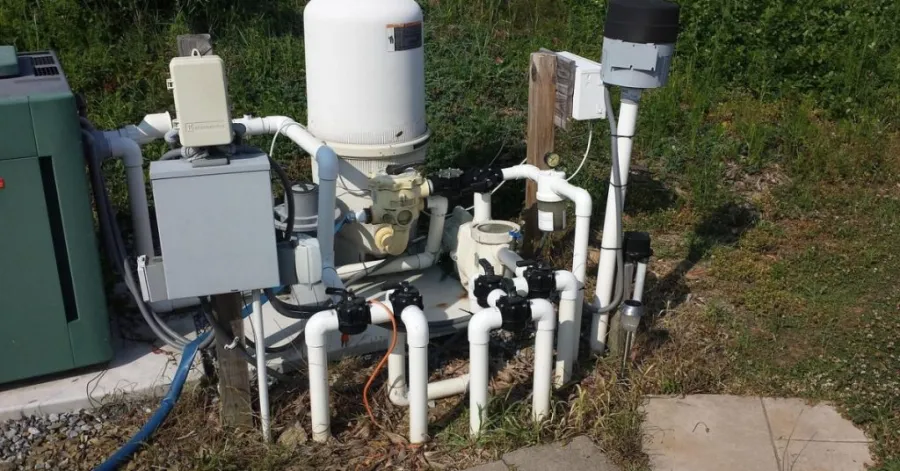
You can set up your pool system by following a sand filter above-ground pool pump setup diagram. Clear steps help you avoid mistakes and keep your pool water clean. Diagrams show you where each part connects, so you do not get confused. How to connect a sand filter to an above-ground pool? Start with the right tools and read each instruction carefully. This guide makes setup simple for beginners. When your pump, filter, and hoses are connected correctly, water circulates properly and stays clean and clear. This also improves filtration performance and extends the life of your pool equipment.
Whether you are installing a new system or replacing an old one, following the correct setup steps is essential. In this beginner-friendly guide, you will learn how to read the setup diagram, connect every component, avoid common errors, and keep your above-ground pool running efficiently.
Table of Contents
What Is a Sand Filter Above Ground Pool Pump Setup Diagram?
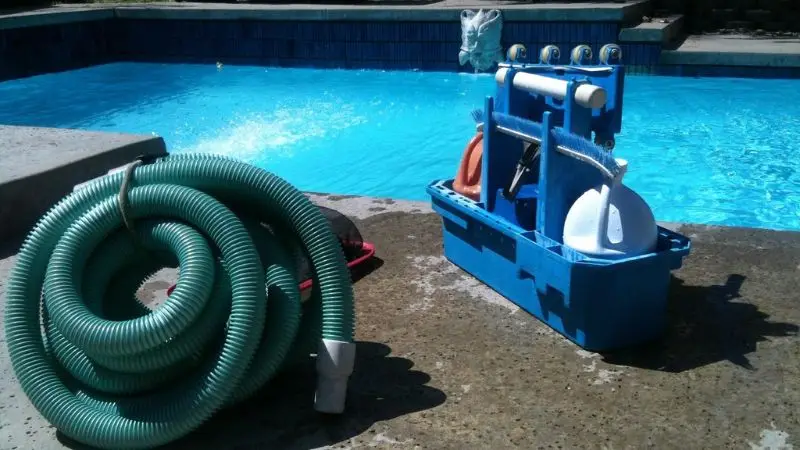
A sand above-ground pool pump system diagram illustrates the main parts of your pool filtration system and how they’re connected and function. It defines the required components of the system, like the skimmer, pool pump, filter pump, sand filter, and return jet and guides you correctly in the installation. The diagram helps minimise installation errors, optimise water flow, and prevent dirty, unsafe water in your pool.
Recommended For Your Project
Understanding the Main Parts of the System
Before viewing a sand filter above-ground pool pump schematic, you should be familiar with the major components. Each part has a role. Water is drawn from the skimmer and main drain into the pool. The pool pump circulates water through the system. The filter pump pushes water into the pool sand filter. Dirt and debris are caught in the sand within the filter. Your above-ground pool restores clean water.
These are the principal components that are likely to be found in many diagrams:
- Skimmer: Gathers leaves and debris on the top of the pool.
- Water pump: Circulates water.
- Filtration pump: Sprinkles water on the sand filter.
- Sand filter: Filters the water in a pool with special sand.
- Return Pool: Pumps clean water back to the pool.
Why You Need a Setup Diagram
A diagram for the pump system for an above-ground pool with a sand filter is provided to help you connect the parts. This shows where the hose is to be used. This will help you prevent errors. Connecting the hoses incorrectly will prevent the water from being cleaned by the filter. This could also damage the pump or filter. The sand filter hose connection diagram will make it easier for you to follow. When installing your system, be sure to have a setup diagram handy. You can verify each step along the way. Using a diagram will save time and help you avoid problems. It will also help to maintain the cleanliness and safety of your swimming pool. The setup diagram indicates the proper sequence of all connections, and you can install your equipment with confidence. Another benefit is that it helps prevent costly errors.
Sand Filter Above Ground Pool Pump Setup Diagram Explained
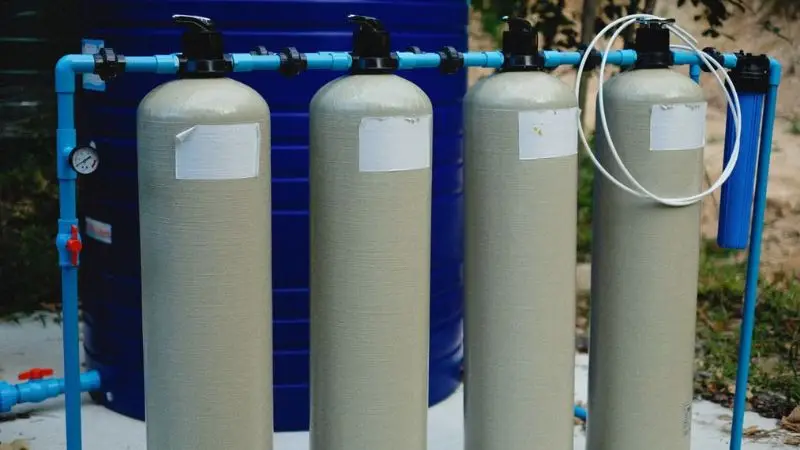
SAND FILTER ABOVE GROUND PUMP DIAGRAM: This diagram shows a sand filter above-ground pool pump system that filters water from the pool pump, through the sand filter, and back to the pool through the return jet. It displays the proper hose connections and water flow direction to help with installation and avoid setup errors. Using the diagram to assist with efficient filtration, good water circulation, and clean and healthy pool water.
How Water Flows Through the System
It’s important to understand the flow of water in your pool system. Your above-ground pool begins to fill with water. The skimmer sucks water out of the pool and conveys it to the pool pump. The pool pump pumps water through the filter pump. How do you install an above-ground pool sand filter? The filter pump pumps water to the pool sand filter. Dirt and small particles get caught in the filter sand. The sand filter filters the water and then returns it to your pool through the return jet. Always verify the water direction. Don’t connect the hoses backward, or the sand filter pump will not perform well. Each part is visible in the following diagram of a sand filter above-ground pool pump. Follow the water’s flow with the help of the diagram! You will be able to identify each hose’s connection point. This makes it simple to set up and avoid errors.
Simple Sand Filter Above Ground Pool Pump Setup Diagram
A simple sand filter above-ground pool pump diagram will help you identify and understand the components and connections. Use a diagram of an above-ground pool pump and sand filter to visualise the entire system. You’ll have your setup completed sooner and maintain clean pool water. This list can be used as a reference for when you are setting up your system. In most diagrams, the arrows indicate the direction of the water flow. The parts need to be connected in their appropriate sequence according to the arrows.
It is a very basic outline:
- Skimmer (takes water from the pool)
- Water pump (moves water forward)
- Filter pump (sends water to the filter)
- Sand filter (cleans the water)
- Return jet (puts clean water back in the pool)
How to Connect a Sand Filter to an Above Ground Pool Pump
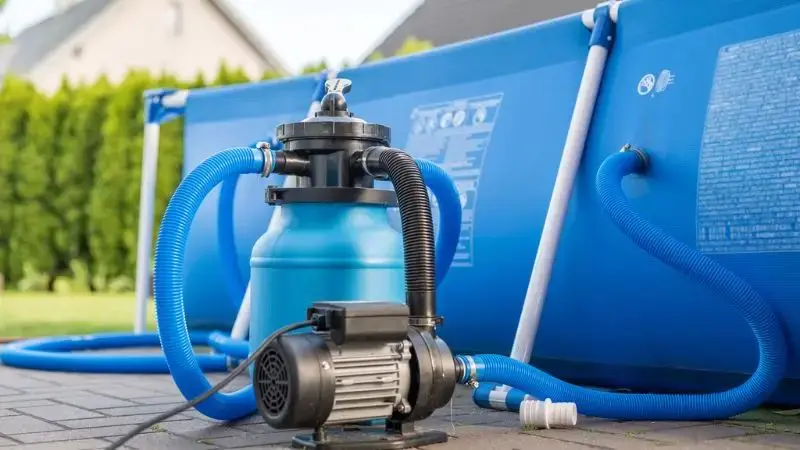
The first step to connecting a sand filter to an above-ground pool pump is to assemble the proper equipment and materials, such as hoses, clamps, Teflon tape, and filter sand. Following the wiring diagram step-by-step helps ensure that each hose and part is installed in the proper sequence. Before turning on the system, inspect all fittings for leaks to ensure correct water flow, effective filtration and equipment longevity.
Tools and Materials You Will Need
Your above-ground pool system requires the proper equipment and supplies to get started. Prepare all the materials in advance. Installing an above-ground pool sand filter? This will help you work faster and avoid losing parts. Review the filter/pump manual and determine if there are special tools. Some brands might require additional components. This is also a straightforward preparation that can minimise errors and boost confidence, particularly when installing a pool filtration system for the first time. Here you will learn how to install a pool pump with a sand filter step-by-step.
- Screwdriver
- Adjustable wrench
- Teflon tape
- Hose clamps
- Pool hoses
- Fill your pool sand filter with sand
- Clean filter pump and pool pump
- Sand filter pump
- Setup diagram
Step-by-Step Installation Guide
To connect the sand filter pump to your pool, follow these steps: Check for leaks before running the pool. Fix any loose fittings right away. Complete setup by following this above-ground pool sand filter installation guide. This will help you maintain clean pool water and protect your pool equipment. That will make installation much simpler, particularly for someone who has never installed a pool filtration system.
Read each step and cross-check your diagram along the way.
- Install your filter pump and pool sand filter close to your swimming pool. Make sure the area is flat.
- Connect the pool hose from the skimmer to the pool pump inlet.
- Plug the pool pump outlet into the pool filter pump inlet.
- Connect the sand filter pump outlet to the filter pump inlet.
- Fill the pool sand filter with the proper sand. Please use your filter according to the instructions.
- Make sure that the sand filter outlet is connected to the return jet of your pool.
- Tighten all hose clamps. Install Teflon tape on threaded connections to prevent leaks.
- Check all connections. Be sure that all of the hoses are in accordance with the drawing.
- Plug in the pump and filter pump. Check the system for leaks.
Common Sand Filter Setup Mistakes to Avoid
Common mistakes in sand filter setups include incorrect hose hookups, the wrong type of filter sand, not conducting leak tests, and failing to prime the pump. These mishaps can decrease water circulation, harm the filtration system, and affect the quality of the water in the pool. Attention to detail with the setup diagram and use of appropriate materials also helps to ensure smooth operation and long service life.
Incorrect Hose Connections
Hoses may be mistakenly plugged into the wrong ports. This error prevents water from flowing through the filter pump. Make sure to refer to your setup diagram before connecting each hose. When water is running in reverse or not at all, you must repair the connections. Follow the sand filter hose connection diagram. Correct hose connections can prevent numerous installation issues. This also ensures the pool filtration system is efficient from its first day. The most important advantage of correctly connecting the hoses is proper water circulation. The water in the pool should flow in its proper sequence. The pump sucks water out of the pool. Always double-check each hose before operating the pump. This will save you time and keep your pool clean.
Using the Wrong Filter Sand
The correct sand should be used for the filter. What is the best way to have a sand filter connected to an above-ground pool? Sand used for pool filters is a unique size and shape. Using play sand or construction sand will mean that your filter will not catch dirt. If the wrong sand is used, it may clog the filter pump and damage your system. Follow the filter directions and purchase the proper sand.
- Pool filter sand – Yes, this is the right type of sand to use for pool filters. It is specially designed to catch dirt and clean the pool water.
- Sand – NO! Don’t use sand. It is too thin and may block the filter or allow dirt to flow through the filter.
- Construction sand is not good as a filter sand for pools. It has non-uniform particles that can affect the filter’s ability to work and can damage the system.
Skipping Leak Checks
It is important to test for leaks after hooking up your filter pump. This can cause leaks and damage pool equipment. Look at each hose and fitting. If you see water droplets, tighten the clamps or use Teflon tape. Do not skip this step. Knowing how to set up an above-ground pool with a sand filter is easy with a diagram to keep you focused on checking all connections before you leave the system running. This is an easy trick that will help keep equipment safe, preserve water, and help keep the pool clean. A small leak can lose a lot of water. It may not seem like much, but over a couple of days, many gallons of water can be lost in a pool from just a few drips per minute. This will require more frequent pool filling and will lead to higher water bills and additional work.
Forgetting to Prime the Pump
The pump must be primed before operating the system. Priming is filling the pump with water so it can pump water through the filter. This step is omitted at your own risk, as the pump will run dry and could break. Fill the pump with water and then turn it on. Look for dripping water. Priming protects your filter pump and keeps your swimming pool clean. By following the diagram and testing as you go,o you can prevent these errors. You’ll enjoy a swimming pool that is more efficient and durable. The diagram for a sand filterabove-groundd pool pump will help remind the user where and when to prime the pump to ensure that the entire system functions properly—a good priming of the pump results in a rapid start-up of the water flow. The sand filter will effectively filter dirt and help maintain clean, clear pool water once the water is flowing.
Best Placement for Your Above Ground Pool Pump and Sand Filter
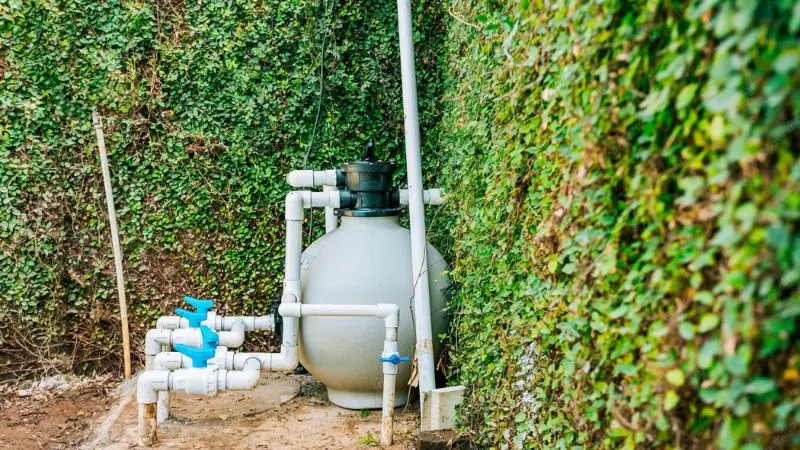
Getting your above-ground pool pump and sand filter set up correctly makes your pool safer, more efficient, and helps it last longer. Select a spot that is level, dry, and near the pool. The pump/filter needs to be on a level surface, and keep the area clear of obstacles. Keep the system protected from extreme weather conditions and ensure adequate ventilation to support efficient water exchange and minimise the chance of damage.
Choosing a Safe Location
Pick a secure location for a pool’s equipment. Position the pump and filter near the pool, but not as close as possible to the water. Free of obstacles. Ensure access to the filter pump for easy cleaning and maintenance. Make sure the system is not in the vicinity of trees or bushes. Leaves and branches can fall in the pool and plug the filter. Select a location that allows for easy manoeuvre around the equipment, without tripping. Look for electrical outlets in the vicinity. You want to connect the pump, but don’t want to use long extension cords. A sand filter above-ground pool pump setup diagram is used to determine the optimal location for the pump before installation. By selecting the appropriate location, you can enhance safety, protect equipment, and improve the entire pool system.
Keeping the Equipment Level
Make sure the pool pump and filter are placed on a level surface. Uneven ground can cause the filter pump to shake or tip over. Make sure the ground is level with a level. Add sand or gravel to level the area if it is uneven. The above-ground pool pump and sand filter setup should be laid out on a level base to prevent issues with water flow. When everything is balanced, your equipment will not be harmed.
- Pool pump – Make sure it is level; otherwise it will vibrate and not run smoothly.
- Water flow filter pump – Level to ensure constant water flow through the system.
- Filter – Do not level up; otherwise it will leak, spill and seal poorly.
Protecting the System from Weather
Rain, sun, and wind should be prevented from damaging your pool equipment. The filter and pump may heat up in the sun. Rust or electrical issues can occur during the rainy season. Place a cover over the pump and filter. If possible, use a small shed or waterproof box. Provide good air movement around the equipment. Avoid overheating by providing good air circulation. How to install anabove-groundd pool sand filter? Weather protection can extend the life of your pool system. Avoid covering the equipment so that water cannot escape. The filter pump may accumulate moisture, which can cause it to become damaged. A safe and strong setup is achieved by selecting the appropriate location, ensuring the equipment is level, and covering the equipment from the weather. Your pool is clean, and your filter is functioning.
How to Start Your Sand Filter for the First Time
When starting a sand filter system for the first time, backwash the filter to remove dust, adjust the multiport valve to the designated “Filter” position, and verify the filter’s water flow. Check all hoses and fittings before regular use for possible leaks. These are the startup precautions to take to ensure that your pool equipment is protected, filtration performs better and helps maintain clean, safe pool water.
Backwash Before First Use
Never use a filter without first backwashing it. Backwashing cleans out any dust or dirt on the new sand. This will prevent polluted water from entering your pool. To backwash, place the multiport valve in the “Backwash” position. Always shut down the pool pump before changing the valve. Follow the instructions in your filter manual to determine the correct backwash time. Most filters require approximately 2-3 minutes. Once the valve has been set, start the pump. Observe the water in the sight glass. If the water is clear, shut off the pump. Move the valve to the “Rinse” position. Once again, turn the pump on for approximately 1 minute. This will help settle the sand and prevent dust from returning to the pool. Shut off the pump and position the valve to “Filter.” This is the most convenient and best way to install a sand filter on an above-ground pool.
Set the Multiport Valve Correctly
The multiport valve should be put in the proper position before beginning normal filtering. The “Filter” setting allows water to circulate through the filter back to the pool. When turning the filter pump on, please read the label on the valve. This can cause dirty water to re-enter the pool if the valve is set incorrectly. The multiport valve is used to regulate the flow of water in your pool system. There are alternate settings, like Filter, Backwash, Rinse, Waste, Recirculate, and Closed. Each setting serves a different purpose. Use the sand filter above-ground pool pump diagram to know what to set during installation and regular pool use. The correct valve position will ensure the system is functioning as intended and reduce the risk of damage to equipment.
Run the Pump and Check Water Flow
The filter pump can now be switched on. Observe the return jet of your pool. Water should be flowing back into the pool. Check all hoses and fittings for leaks. If water is dripping, shut off the pool pump and tighten the connections. If the water flows well, your filter is working well. Getting the filter started properly makes pool maintenance easier and ensures your pool remains clean. You have completed the first start-up. Now your pool system is available to use. The sand filter above-ground pool pump diagram helps users with this last inspection, making it easier to identify issues before they get serious. A few minutes spent monitoring the water flow contribute to the safe, clean and protected operation of the equipment.
Troubleshooting Common Sand Filter Pump Problems
There are a couple of common problems you may encounter when installing your sand filter pump system. If you know what to do about these issues, you can keep your pool clean and your equipment safe. Knowing about common sand filter pump problems enables you to recognise and resolve them quickly. This section will help you with the most common troubleshooting solutions.
Pump Not Priming
If the pump will not prime, water will not flow through the filter pump. Turn the pump on after filling the pump housing with water. How do you hook up a sand filter to an above-ground pool? Inspect the lid and ensure it seals tightly. Look for air leaks in the hoses. If bubbles are seen, tighten connections. Clear any debris from the skimmer basket. In addition, you may be able to inspect the water level of your pool. It is best to have water up to the skimmer opening when the pump is in operation. Fill the pump with water before using. This will help prevent damage to your filter pump. A diagram of a sand filter pool pump above ground is used to assist users in understanding the proper installation process as well as the locations that the filter pump would be found if it fails to prime. This makes troubleshooting much easier, particularly for first-time pool owners.
Low Water Pressure
If the filter pump cannot maintain water pressure through the filter, it is a low water pressure situation. Test the sand filter for clogging. Wash the skimmer basket and pump strainer. If the sand in the filter appears to be dirty, backwash the filter. Ensure that there are no kinks or obstructions in the hoses. This is the best way to install a sand filter on an above-ground pool.
- Dirty sand – Backwash the filter to loosen the dirt that has accumulated and ensure proper water flow.
- Dirty skimmer or pump basket – Clean the basket to improve water circulation.
- Failing to clear blocked hose – Unclog and straighten out the hose so that water can pass through.
Water Leaking from Connections
Pools that leak at hose connections waste water and reduce the water pressure output of the pool’s pump. You need to check each fitting. Use a screwdriver to tighten hose clamps. Tie Teflon tape over threaded connections. Check hoses for any cracks. Replace any damaged parts immediately. Patch leaks promptly to prevent damage to the filter pump and maintain pool water level. At first, small leaks are not a problem, but over time they can cause problems and decrease the performance of your filtration system. A sand filter above-ground pool pump setup diagram will provide the user with the information he needs about the location of hoses, fittings, clamps, and valves. It also helps determine the cause of a leak and repair it promptly before any damage is done. The above-ground pump diagram for a sand filter pool system provides information about proper hose routing and connection points, which makes it easier to identify any holes.
Dirty Pool Water After Installation
Installing an above-ground pool sand filter? If the filter pump is installed but the pool water remains dirty, then it’s time to look into the sand filter. Be sure to select the proper sand. Flush the filter pump for a few hours. If necessary, backwash the filter. Clean the skimmer and ensure a strong water return through the return jet. Repeat these steps until the water appears clear. Most issues can be addressed by testing every component of your system. By maintaining your pool regularly, you can keep your pool clean and your filter pump operating effectively.
- Gather your tools
- Connect wires sequentially to the respective parts.
- Prime and test the pump.
- Regular general maintenance is required every week.
Wrap Up
When installing an above-ground sand filter pool pump, it is much easier to do this with a proper sand filter setup diagram and by taking the time to complete each setup step carefully. The various steps, from connecting the hoses and selecting the right filter sand to priming the pump and looking for leaks, are all crucial to make sure your pool stays clean. When installed correctly, this can improve water flow, protect your equipment, and reduce the likelihood of common issues. Filter backwashing and checking connections for leaks are among the maintenance activities that will help your system run optimally for years to come. Even a novice can install their pool filtration system with confidence, thanks to the tips and troubleshooting advice included in this guide. A sand filter pump will ensure you have clear, safe water in your pool for the entire swimming season.
FAQ
When should sand be changed in the filter of a swimming pool?
Change the sand every 3-5 years; Avoid using old sand because it does not hold dirt. Refer to your filter manual for the optimum schedule.
Can I use normal sand rather than sand for the pool filter?
No, you are to use pool filter sand. Sand does not clean water well, and it gets clogged if not used regularly. Never use any sand that is not designed for use in pool filters.
If your pump is noisy, what should you do?
Look for debris in the pump basket. Ensure that the pump is level. Tighten any loose fittings. If the noise persists, call the pool service technician.
Can the pump/filter be operated during rainy conditions?
If the equipment remains dry, you can still operate the pump in light rain. Cover the system with a waterproof house. Never use it when the pump is surrounded by stormy water.
What is a way to check whether the sand filter is functioning properly or not?
Check the water clarity of your pool. Check the pressure gauge on the filter. If the pressure increases, backwash the filter. Your filter is effective when it can function under clean water and steady pressure.