If you’re new and wondering how to use a heat press machine, don’t worry—it’s easier than you think. Start by reading the manual that comes with your machine and setting it up in a safe, clean space. Before turning anything on, double-check all the settings. Pay attention to time, pressure, and temperature for the material you’re pressing.
Whether you’re customizing shirts, bags, or other items, each step matters. With a bit of practice, beginner heat press printing becomes smooth and fun. This guide will help you press like a pro—even if it’s your very first try. Let’s get started.
What You Need to Get Started
Before you begin using a heat press, you need the right tools and setup. Starting with the basics ensures better results and a safer experience. From the type of machine to the materials you choose, each part plays a role in how smooth your printing process will be.
Understanding Heat Press Machine Basics
You can’t begin without knowing the basics. A heat press machine uses time, temperature, and pressure to apply designs to fabric. Most beginners use clamshell or swing-away styles. Choose one that has both a timer and adjustable temperature settings.
These help you control your results every time. Always follow the heat press machine instructions closely before turning it on. Skipping the manual can lead to mistakes or even damage. If you’re learning how to operate a heat press, start slow and pay attention to each setting. The more familiar you are, the better your prints will look.
Choosing the Right Materials and Transfers
Before printing, gather your materials. Start with blank t-shirts or similar items made from cotton or polyester. For designs, use heat transfer vinyl (HTV), sublimation paper, or sublimation HTV. Each one works with different fabrics and effects.
Heat press setup guides suggest keeping all materials flat, dry, and clean. Use HTV for simple logos or names, and sublimation for full-color prints. Sublimation HTV is great for cotton blends. If you’re learning how to use a heat press machine for t-shirts, choosing the right transfer makes a huge difference in how the finished product looks and feels.
Creating a Safe and Easy Workspace
A safe space makes pressing easier. Set your machine on a strong, flat surface like a counter or desk. Make sure the area around it is clear. Keep kids and pets away from your setup—heat press machines get very hot during use. If possible, wear heat-resistant gloves when opening the press.
Ventilate the room and stay close while the machine is running. If you’re just learning how to use a heat press machine at home, build safe habits early. A clean and organized space helps you focus on your designs without risking accidents or damaging materials.
Setup and Preparation
Getting your heat press machine ready is one of the most important steps before printing. A careful setup helps you stay safe, protect your materials, and ensure great results. Let’s walk through how to set up your machine and prep your fabric and designs.
Assembling Your Heat Press Machine
To start, place the heat press machine on a flat, stable table with plenty of space around it. Plug it in, but leave it off while checking all parts. Some models require attaching the handle or adjusting the pressure knob. Follow the manual closely and make sure all screws and knobs are secure.
Once everything looks good, turn on the machine and let it heat up while keeping the top open. This prevents heat from getting trapped. When setting up your heat press machine, safety comes first—never touch the heated plates with your bare hands.
Preparing Your Fabric and Design for Pressing
Now that the machine is heating, get your shirt or fabric ready. Lay it flat on the lower plate and smooth out wrinkles. Close the machine briefly without a design to remove moisture. This quick step helps the transfer stick better. Choose your design—heat transfer vinyls, sublimation paper, or sublimation HTV—based on the material.
Cut and place your design where you want it, making sure it’s centered. If you use sublimation paper, put the printed side down. Learning how to handle your materials is key when mastering how to use a heat press machine successfully and safely.
Covering the Design with a Protective Sheet
Before pressing your design, place a cover sheet over it. Use parchment paper, Teflon, or a silicone sheet to protect your design and the machine. The sheet keeps ink from sticking to the press and protects fabric from direct heat. It also keeps colors bright and even.
Different materials work better with different cover sheets, so check what works best for your chosen transfer type. This step helps ensure your heat press machine delivers clean results. Once the cover sheet is in place and your design is aligned, you’re ready to apply heat and finish your project.
Settings and Adjustments
Once your machine is ready, it’s time to focus on the three most important factors in heat pressing: time, temperature, and pressure. These settings decide how well your design transfers onto the fabric. Getting them right can mean the difference between a perfect print and a ruined shirt. Understanding each one will help you get clean, long-lasting results every time.
Time, Temperature, and Pressure Settings
Each setting plays a key role in the pressing process. Time controls how long the heat is applied, usually around 10–20 seconds. Temperature ranges from 300°F to 350°F for most materials. Pressure affects how firmly the heat and transfer material press onto the fabric. Adjust the knob for light, medium, or firm pressure.
Use the machine’s digital screen or dial to set these levels correctly. Before starting, always check your vinyl or transfer paper instructions. Learning to set time, temperature, and pressure correctly is a big step toward mastering how to use a heat press machine with confidence.
Matching Settings to Different Materials
Different fabrics and transfer types need different settings. A one-size-fits-all approach won’t give you the best results. Use the right time, temperature, and pressure for each job:
- Cotton with heat transfer vinyl: 320°F, 15 seconds, medium pressure
- Polyester using sublimation: 400°F, 45 seconds, light pressure
- Glitter vinyl on cotton: 330°F, 20 seconds, firm pressure
Testing on a scrap first can save your final piece from damage. As a beginner, note how each material reacts to different settings. This helps you adjust easily for future projects and avoid costly mistakes.
Keeping Your Results Consistent
Consistency makes your projects look clean and professional. To keep your prints looking the same every time:
- Preheat your heat press machine before starting
- Use the timer instead of guessing
- Align designs in the same spot on each item
- Keep the pressure level steady throughout
Even small changes can affect your results. For best success, write your favorite settings in a notebook. This way, you can repeat the same process for future designs. With consistent technique and practice, learning how to use a heat press machine becomes much easier and more rewarding.
How to Use a Heat Press Machine
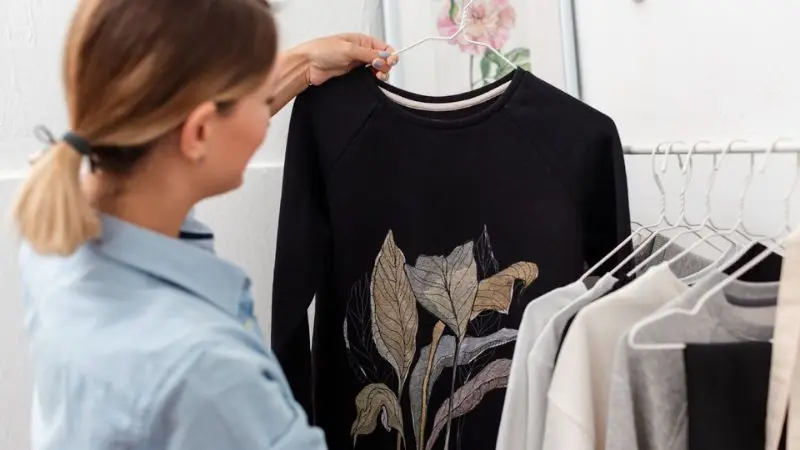
Once your machine is set and your materials are ready, it’s time to begin pressing. Knowing the steps ahead of time helps you stay organized and avoid mistakes. Let’s walk through the full process so you can feel confident each time you press a design.
Step-by-Step Heat Press Process
Start by turning on your heat press machine and setting the temperature and timer using the digital panel. Wait until the machine fully heats up before moving on. Next, place your shirt or fabric on the lower plate, keeping it flat and smooth. Carefully place the design in the center. Then cover it with a Teflon or parchment sheet to protect the surface.
Close the press firmly and wait for the timer to count down. Once it’s done, open the machine and slowly peel the backing, depending on whether it’s a hot or cold peel. That’s how to use a heat press machine correctly from start to finish.
How to Use a Heat Press Machine for T-Shirts
T-shirts are one of the easiest and most popular projects for beginners. Start by choosing a fabric that matches your design method—cotton works best with vinyl, while polyester is ideal for sublimation. Fold the shirt in half and press it quickly to make a center line. This helps you align your design.
Adjust your machine to medium pressure and the correct temperature and time. After pressing, slowly peel the backing to reveal your design. You can also use a cover sheet for a smooth finish. With practice, you’ll master how to use a heat press machine for t-shirts quickly.
Peeling and Finishing the Transfer
The last step is peeling, which locks in your design. Some transfers require you to peel the backing while hot, while others work best when cooled. Always peel from one corner and go slowly. If you notice parts lifting, re-cover the design and press again for a few seconds.
After peeling, allow the fabric to cool before folding or wearing it. A second quick press with a sheet can smooth the texture and soften the feel. Knowing when and how to peel is a crucial part of learning to use a heat press machine successfully, especially for fabric projects.
Common Mistakes and How to Fix Them
Even if you’re careful, it’s easy to run into problems when learning how to use a heat press machine. Small errors can affect your results, but most are simple to fix once you know what to look for. Don’t be discouraged—every mistake helps you improve your skills. Let’s walk through some of the most common problems and how you can fix them.
Troubleshooting Heat Press Problems
If your design didn’t come out right, you’re not alone. Many beginners face the same small issues, but they’re easy to solve:
- Design not sticking: You may need to increase the heat, pressure, or press time. Try pressing again with updated settings.
- Edges peeling up: This usually means pressure was too light. Adjust the pressure and make sure your design lies flat before pressing.
- Burn marks on fabric: Your temperature is likely too high. Lower it slightly and test on scrap fabric before trying again.
- Blurry or ghosted image: The transfer might have shifted. Hold the design steady and close the press slowly and smoothly.
- Uneven results: A tilted press plate or wrinkled fabric can cause this. Ensure your press is level and the fabric is flat.
Each time you adjust and try again, you get closer to clean, professional-looking results. These early errors are normal, and learning to fix them is the key to mastering heat press projects.
Beginner-Friendly Practice Projects
Starting with easy projects builds your confidence and helps you understand how different materials respond to pressure and heat. Try these beginner-friendly items:
- Old t-shirts: Great for testing your designs and settings.
- Tote bags: Flat, easy to press, and perfect for small designs.
- Pillowcases: Let you practice placement and spacing.
- Mouse pads: Quick to press and useful for testing new transfers.
As you keep practicing, you’ll learn more with each attempt. Even simple projects can teach you how to center, press evenly, and apply the right pressure. Every step forward improves your ability and shows you exactly how to use a heat press machine like a pro.
Wrap Up
Learning how to use a heat press machine gets easier with time and practice. At first, it may seem tricky, but small steps and simple projects help you build confidence. By setting the right temperature, pressure, and time, you can create great designs on shirts, bags, and more. Mistakes are normal and help you learn what works best.
Always check your materials and stay patient as you try new ideas. Over time, your skills will grow, and you’ll enjoy making custom items with ease. With the right care and attention, your heat press machine becomes a fun and useful tool.
FAQ
How do I clean a heat press machine?
You can wipe the plates with a soft, damp cloth after the machine cools. For sticky residue, use a little rubbing alcohol. Never use sharp tools. Always unplug the machine before cleaning.
Can I use a heat press on any fabric?
Not every fabric works well. Cotton and polyester work best. Delicate fabrics like silk or nylon may melt or scorch. Always test on a scrap piece first.
What should I do if my design peels off after washing?
Try these steps:
- Increase your pressing time or temperature.
- Use more pressure.
- Make sure you follow the transfer instructions.
Do I need special ink for sublimation transfers?
Yes, you need sublimation ink for sublimation paper. Regular ink will not work. Sublimation ink turns into gas with heat and bonds with polyester fabric.
How long does it take for a heat press to warm up?
Most heat press machines take about 5–10 minutes to reach the right temperature. You can check the display to know when it is ready.