




Top Picks for Pickup
Buy Online, Pickup In-Store
Pickup order will be ready as fast as within 1 hour
Step 1: Select Your Pickup Location
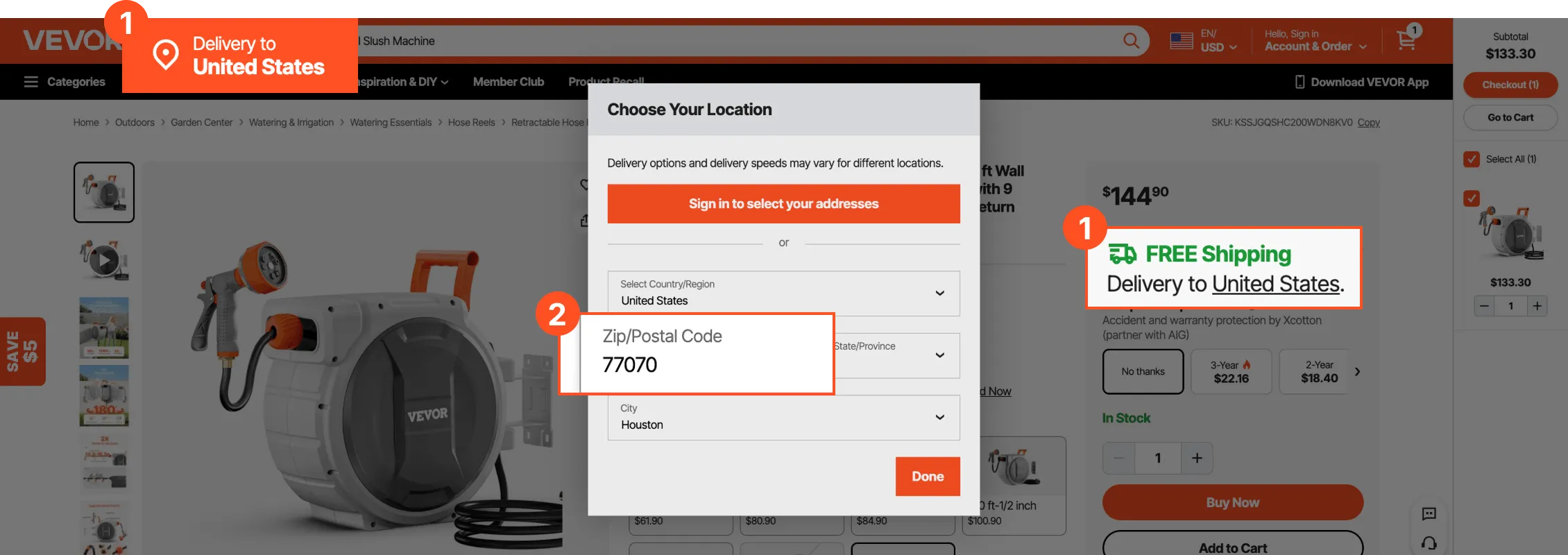
Click "Delivery To" at the top of the website or on the product page to set your pickup location. Enter your ZIP code to automatically detect your location, then click "Done" to confirm.
Step 2: Choose "Pickup" or "Ship to Store"
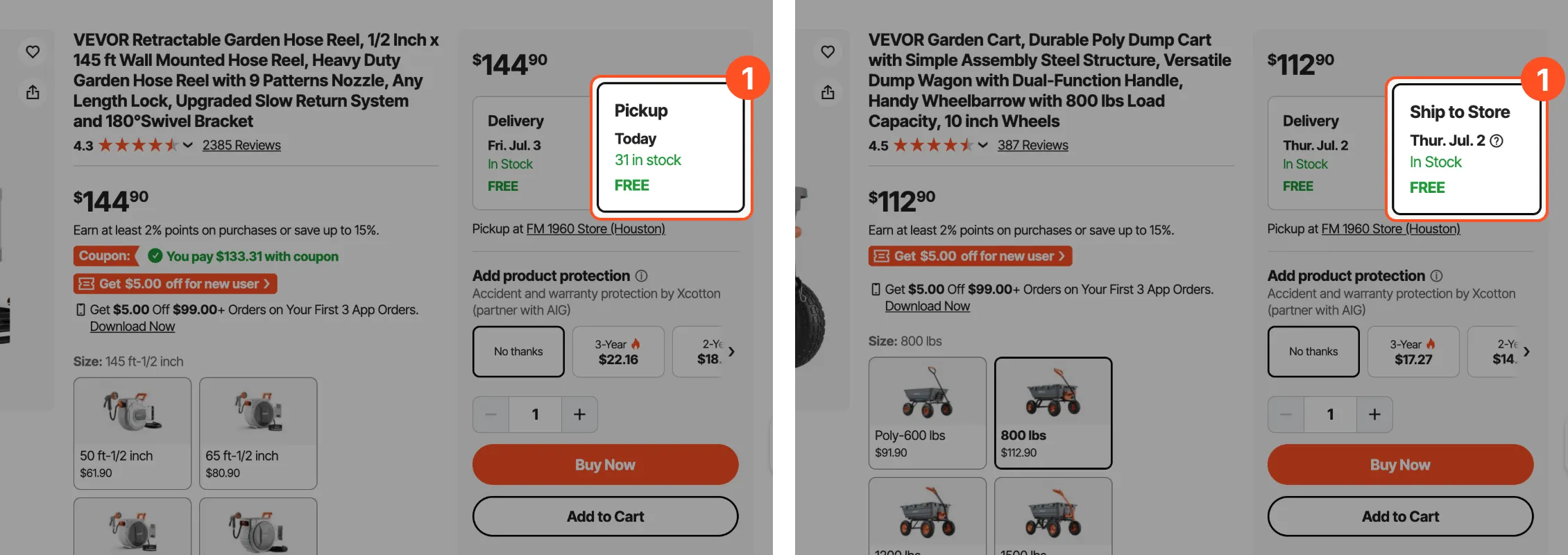
If your selected location is within 50 miles of a VEVOR store or pickup location, you'll see the "Pickup" or "Ship to Store" option on the product page. Simply select Pickup or Ship to Store and place your order.
Step 3: Pick Up Your Order
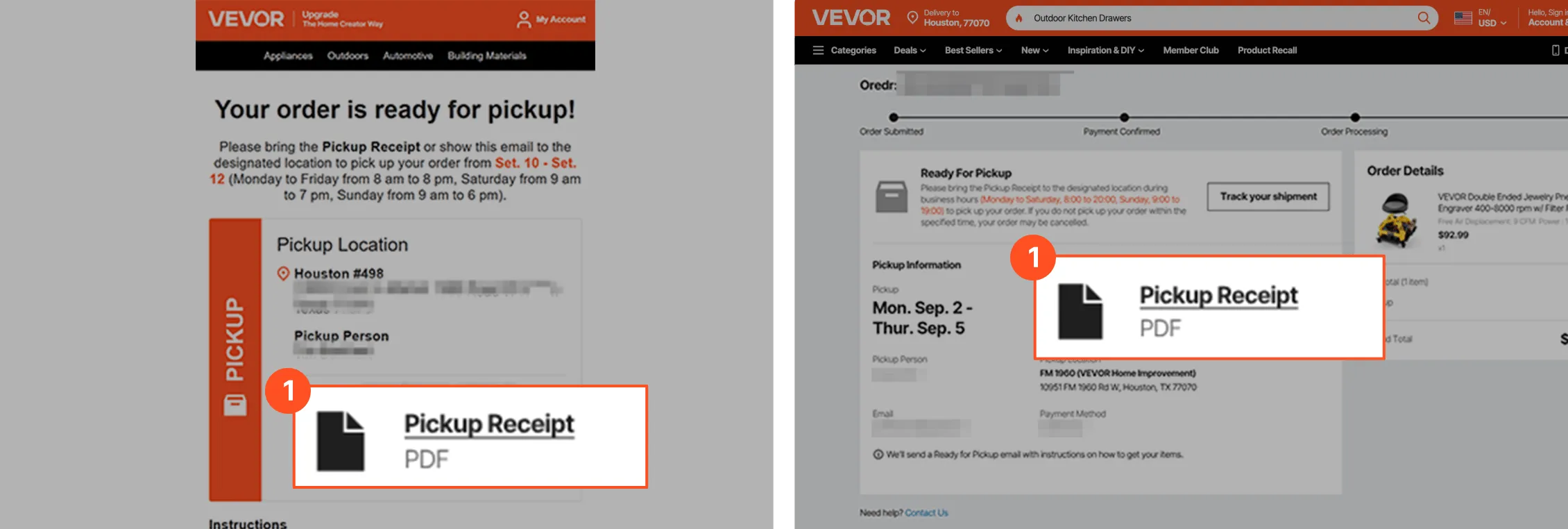
For store pickup orders, your items may be ready in as little as 2 hours after placing the order. When you arrive at the store, please show the staff your Pickup Receipt which can be found in your order confirmation email or order details to complete the pickup.
Pickup FAQ
Can someone else pick up for me?
A: Yes, they'll need your order number and Pickup Receipt.
Are all items available for Pickup?
A: Most items are eligible for Pickup. If you're within a 50-mile radius of store "FM 1960 Store (Houston)" or set your address to the store area, you'll see a "Pickup" or "Ship to Store" label on the product page.
If an item is not currently in stock in store, you can choose "Ship to Store" to place order. We'll notify you once your item arrives and is ready for pickup.
How do I return a Pickup order?
A: For orders picked up directly from store "FM 1960 Store (Houston)", you can return them in store. For "Ship to Store" orders, please contact our online customer support team for faster processing.