
Delivery to
Your Address
All
All
Appliances
Automotive
Bath
Building Materials
Cleaning
Doors & Windows
Electrical
Flooring
Furniture
Hardware
Health And Wellness
Heating, Venting & Cooling
Holiday Decorations
Home Decor
Industrial & Scientific
Kitchen
Lighting
Lumber & Composites
Musical Instruments
Other
Outdoors
Paint
Playground Sets
Plumbing
Safety Equipment
Smart Home
Sports & Outdoors
Storage & Organization
Tools
Window Treatments
Workwear
EN/
USD
Select the country/region, language, and currency you prefer for shopping.
Country Website
Language
Currency
Submit
Hello, Sign in
Account & Order
Categories
Deals
Deals by Categories
Shop All
Outdoors
Appliances
Automotive
Tools
Building Materials
Electrical
Heating, Venting & Cooling
Sports & Outdoors
Storage & Organization
More Ways to Save
Bulk Savings
Clearance
Best Sellers
Best Sellers by Categories
Shop All
Outdoors
Appliances
Automotive
Tools
Plumbing
Building Materials
Electrical
Heating, Venting & Cooling
Sports & Outdoors
New
New by Categories
Shop All
Outdoors
Appliances
Automotive
Tools
Plumbing
Building Materials
Electrical
Heating, Venting & Cooling
Sports & Outdoors
Inspiration & DIY
Inspiration
DIY Projects & Ideas
Member Club
Product Recall
Download VEVOR App
Get
$5.00
Off
$99.00
+ Orders on Your First 3 App Orders
Scan the QR code to download
Home
Tools
Power Tools
Inspection Cameras
Endoscope
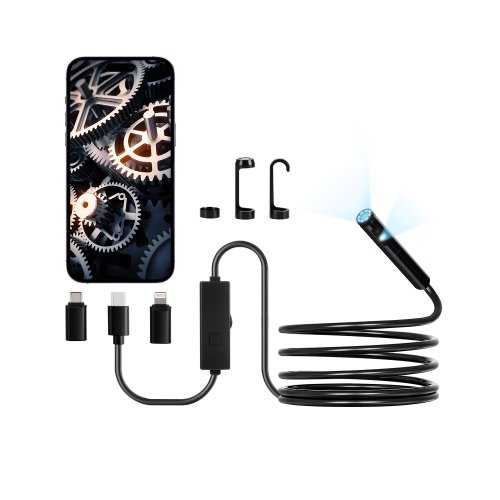
VEVOR Endoscope Camera with Light, Dual Lens Borescope for Android & IOS, 1920P HD Inspection Camera with 8 + 1 LED Lights, 2X Zoom, 10FT Snake Cable, IP67 Waterproof Snake Camera for Auto, Plumbing
Cable Length:
3 m
Type of Shot:
Dual Lens
Add to Cart
See all buying options
Questions and Answers
2
Questions
or
Ask a Question
Q:
Will the endoscope work with my laptop.
Answer This Question
A:
The endoscope is recommended for use with mobile devices, as it is compatible with Micro USB, Type-C, and Lightning interfaces.
By vevor
Helpful
?
0
Q:
the app provided only works with the front facing camera lens. why put a side facing lens when the app doesn't support it
Answer This Question
A:
Long press the camera to switch lenses, which is directly operated on the product and has nothing to do with the app.
By vevor

Helpful
?
0