You’re in the middle of a hot afternoon, and your upstairs room is hotter than an oven. When you go up to the attic, you see that the fan is either not moving at all or is moving like a kettle. If your attic fan is not working, it may increase your cooling costs and leave moisture in the attic, potentially causing damage, mold, or other problems to your home. The good news is that most faults are easy to find. This guide will cover the reasons you might find your gable attic fan not working, how to troubleshoot it, and when to replace it.
Why Is Your Attic Fan Not Working? 7 Common Causes
An attic fan not turning on is the most common complaint, and the cause is often simple. An attic vent fan not working usually comes down to one of these seven problems.
- Tripped breaker or no power: If the breaker is overloaded or the fuse is blown, the circuit will be turned off.
- Faulty or high thermostat setting: Bad or too high of a setting on the thermostat: If the setting is higher than the temperature in your attic, the fan is not supposed to run.
- Bad motor or failed capacitor: If the fan doesn’t spin when humming, it is likely to be a bad start capacitor or a burned-out motor.
- Rollers or blades that won’t move: Dirt, nests, or rust can cause rollers to get stuck.
- Shutters that are stuck or blocked: If a louver on a shutter fan gets stuck, it will either stop air from moving or overload the motor.
- Solar panel problems: A dirty panel or a shaded or misaligned panel starves the motor. Solar attic fans need several hours of continuous sun exposure to be effective.
- Overheated motor: Some motors include a thermal cutout, which will turn off the motor if it gets too hot. When they cool, they restart.
| Symptom | Likely Cause | Quick Fix | Difficulty |
|---|---|---|---|
| Fan completely silent | Tripped breaker or blown fuse | Reset the breaker and check the switch | Easy |
| Won’t start in normal heat | Thermostat set too high | Lower the setting to test it | Easy |
| Hums but won’t spin | Failed capacitor or motor | Replace the capacitor/motor diagnosis | Hard |
| Blades won’t turn by hand | Seized bearings or debris | Clean and lubricate, or replace | Medium |
| Runs, then stops | Overheating motor | Clear debris and check airflow | Medium |
| Solar fan idle in daytime | Dirty or shaded panel | Clean the panel and clear the shade | Easy |
If you’ve tried everything and your old attic fan not turning on, getting a new fan for your attic is an easy and reliable answer.
Do you still need help with your fan? This guide to attic ventilation fans explains everything and shows how the control works.
@vencedor707 ♬ sonido original – Vencedor 707
How to Fix Attic Fan Problems: Step-by-Step
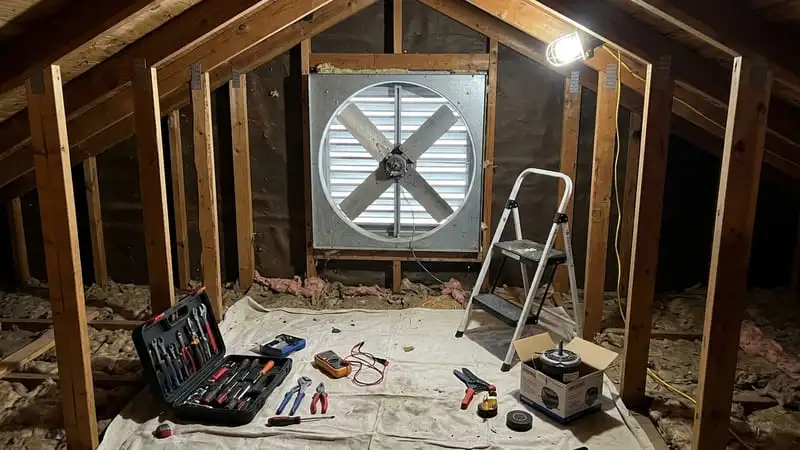
If your attic fan is not working, don’t panic; most attic exhaust fan repairs can be completed in less than an hour with basic precautions. Wear gloves, a dust mask and safety glasses, and always walk on the joists, never on the drywall or insulation. Follow this step-by-step inspection to safely fix attic fan not working:
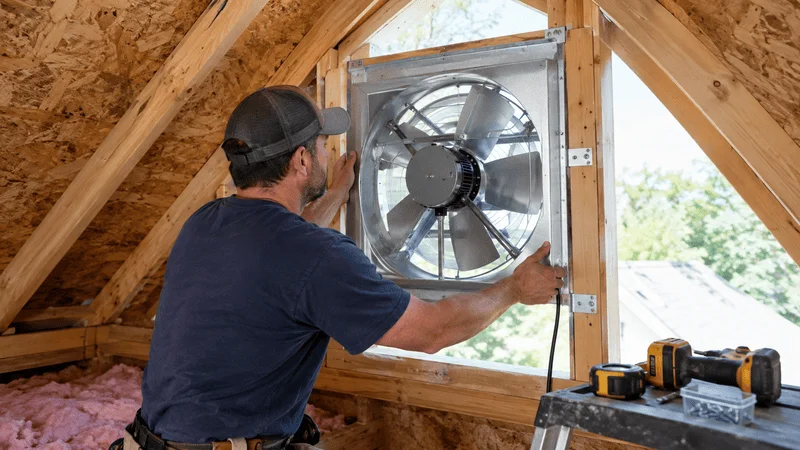
Step 1: Check the Breaker, Fuse or Switch
Go to the service panel. If a circuit breaker trips, reset it once. If it trips again, switch everything off and call a qualified electrician; repeated tripping indicates a more serious electrical fault that DIY cannot fix.
Step 2: Turn off and verify.
Turn power off at the service panel and always check with a non-contact voltage tester before touching anything. This is the most important safety step if your attic fan is not working.
Step 3. Manually spin the blades
Take the unit out of the wall and spin the blades by hand. They should be able to move without making any noise. Most of the time, worn bearings, bent blades, or trash stuck in the housing are to blame for blades that are stiff, noisy, or wobbly.
Step 4: Check the connections and the capacitor.
Check all of the wiring for connections that are loose or frayed. Tighten terminal screws lightly. Capacitors hold a charge even when powered down, so capacitor testing and replacement should be left to a pro.
Step 5. Clean the fan properly
Clean blades, motor housing and exterior screens of dust, nests and leaves. Poor airflow buildup is one of the most common reasons for complaints about an attic fan not working.
Step 6: Turn on and Check the thermostat.
Turn the breaker back on and adjust the thermostat to a temperature below the existing attic fan temperature. If the fan does not come on, it is likely the thermostat, humidistat, or motor at fault.
Step 7: How to Change a Faulty Thermostat
If your thermostat has failed, replace it with an easy to use gable mount fan installation for reliable automatic control and better long-term ventilation.
Recommended For Your Project
Why Is My Attic Fan Squealing or Making Noise?
Noise is a warning sign. When you hear an attic vent fan not working properly, it could be a rattle or a squeal long before it stops. Be sure to listen carefully. The most common cause of squealing is worn motor bearings, which dry out and start grinding and shrieking as the fan turns on in the summer.
If your attic gable vent fan is an older belt-drive model, the slipping belt can squeal as well. Most modern fans are direct-drive models and have no belt at all, so do not check these for newer models.
Rattling often indicates something simpler. Loose or bent blades may rattle or rub the housing; leaves, nests, or pieces of insulation can crash into blades as they turn. A loose bracket can make the whole frame shake from vibration.
Check for each one one by one: tighten the screws first, then clean the blades and housing, then only lubricate the bearings as directed by the manufacturer.
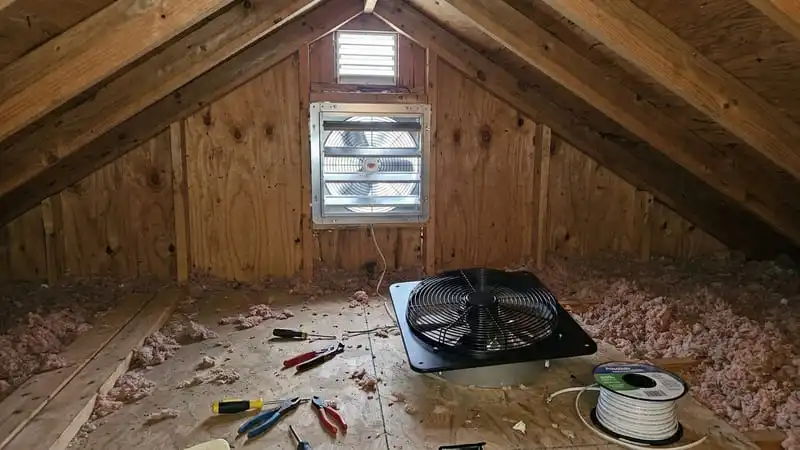
Repair Attic Fan or Replace It? How to Decide
You now know how to fix attic exhaust fan problems, but now you have to ask yourself if it is worth it. If your attic fan is not working well, use these rules.
Signs the motor needs repair:
- It hums but won’t spin.
- The motor is hot to the touch.
- It trips out the circuit breaker.
- You smell burning. Turn it off immediately.
Replace it if:
- The fan is very old and the motor has failed.
- Repairs will run at about the cost of a new unit.
- Noise still coming after cleaning and fixing
- Blades or housing are rusted or cracked.
When you shop, choose one that fits your attic size and has a thermostat. VEVOR sells various sizes. For mid-sized to large attics, the VEVOR 24-inch smart programming fan (7030 CFM) and the 20-inch version (4,800 CFM) offer both temperature control and a timer.
Summary
Many attic fan problems are fixed with a little power, your thermostat, or a dirty motor. Each of these things is easy to check, either individually or in combination. Follow these steps, and then choose whether to repair the parts or replace the whole attic fan. If you find that your attic fan stopped working for good, a thermostat-controlled model can get you back on track. Ready to upgrade? Check out VEVOR’s gable mount fans and keep your attic cool all summer long.
FAQs
How do I know if my attic fan belt needs replacing?
Most modern attic fans are direct-drive and have no belt. On older belt-driven models, look for squealing, sliding, cracks, or fraying. A glazed or loose belt needs replacing.
How can I tell if my attic fan motor needs to be repaired?
Listen for humming without spinning, and smell for heat, burning smells or a tripped breaker. If the blades spin freely at hand but will not start, the motor or capacitor is probably at fault.
When do I replace an attic fan making noise?
Replace it when noise returns after cleaning and tightening, or when the fan is over 10 to 15 years old. Read tips on using an attic fan for more.
Can I fix an attic fan myself?
Cleaning, tightening, and testing the thermostat are fine DIY jobs. Call an electrician if you want to fix the wiring or the capacitor on the motor, and always shut it off first.
What is the sign of poor attic ventilation?
Excessive attic heat buildup is a sign of poor attic ventilation. To test for proper intake ventilation, try lighting a smoke pencil or incense stick near the intakes on your soffit while the exhaust fan is on.