You want to stay safe when storms hit, right? You can turn on wireless emergency alerts in just a few taps. If you ask, “How do I get emergency weather alerts on my phone?” you’ll find the steps are easy. You don’t need tech skills. You just need a few minutes. Also, you can set up your own weather station and get accurate alerts wherever you go.
How do I get emergency weather alerts on my phone?
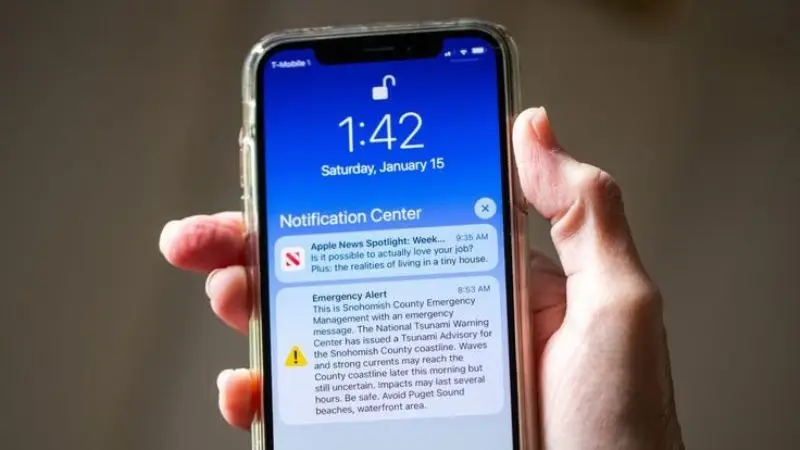
Do you want to know how I get emergency weather alerts on my phone? Many people want this too. Severe weather alerts help keep you safe during storms or floods. You can set up wireless emergency alerts on Android, iPhone, or Alexa. We will go through each step together.
Turn on emergency alerts on Android
If you have an Android phone, you can get severe weather alerts quickly. Here is how do i get emergency weather alerts on my phone if you use Android:
- Open the Settings app.
- Tap Connections.
- Choose Safety and Emergency.
- Tap Wireless Emergency Alerts.
You will see different alert choices. Make sure you turn on these:
- Emergency Alerts: Get warnings for bad weather.
- Public Safety Alerts: Learn about local emergencies.
- Always Play Sound: Hear alerts even if your phone is silent.
If you forget how do i get emergency weather alerts on your phone, just follow these steps. You will receive wireless emergency alerts and severe weather alerts immediately.
Turn on emergency alerts on iPhone
Do you use an iPhone? You can get severe weather alerts, too. Here is how to get emergency weather alerts on my phone with iOS:
- Go to Settings.
- Tap Notifications.
- Scroll to Government Alerts.
You will see switches for:
- Emergency Alerts
- Public Safety Alerts
Turn these on. How do you get tornado warnings on your phone? You will receive wireless emergency alerts for severe weather events, such as tornadoes or floods.
Alexa emergency alert setup
Alexa can help you get severe weather alerts at home. If you want to know how do i get emergency weather alerts on my phone or smart speaker, do this:
- Open the Alexa app on your phone.
- Tap More.
- Go to Settings.
- Tap Notifications.
- Tap Weather Alerts.
Turn on emergency alerts for severe weather alerts. Alexa will tell you about storms, floods, or other emergencies.
Set up severe weather alerts and stay prepared.
Best weather apps for alerts
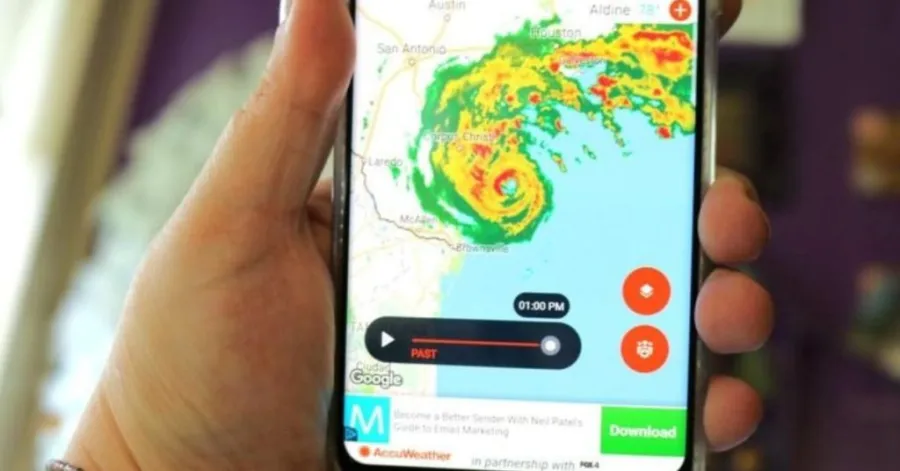
You want to get severe weather alerts fast. The best way is to use trusted weather apps. These apps send real-time storm notifications right to your phone. You can set up severe weather alerts in just a few taps.
Here are some top picks:
- FEMA App: This app gives you severe weather alerts and safety tips. You can also find shelter locations.
- The Weather Channel: Get severe weather alerts and radar maps. You can track storms in your area.
- AccuWeather: This app offers detailed forecasts and severe weather alerts for your location.
- NOAA Weather Radar Live: See live radar and get severe weather alerts as soon as they happen.
Emergency battery tips
When storms hit, your phone battery matters. You need power to get severe weather alerts. Try these tips to keep your phone charged:
- Lower your screen brightness.
- Close apps you do not use.
- Turn on battery saver mode.
- Keep a portable charger ready.
- Charge your phone before bad weather starts.
You can set up severe weather alerts and stay safe if your phone stays on. Always check your battery before a storm. Stay prepared and stay connected.
Final Thought
You should regularly check your alert settings and app notifications. Trusted weather apps, such as those from FEMA, help you stay safe.
- Download a reliable app for extra protection.
- Keep your phone charged and ready.
Staying prepared keeps you connected when severe weather strikes. You’ve got this!
FAQ
How do I know if my phone supports emergency weather alerts?
Most newer phones support emergency alerts. You can check your settings for Wireless Emergency Alerts.
Will I receive alerts if my phone is in silent mode?
Yes, you will still hear emergency alerts. Ensure that you enable “Always Play Sound” in your alert settings.
Can I turn off emergency weather alerts if I want?
You can turn off alerts in your phone’s settings. Remember, turning them off means you might miss essential warnings.