Ett av de enklaste sätten att automatisera poolunderhåll och minimera energikostnaderna är att använda en simbassäng. poolpump timer. Du kan programmera pumpen att bara köras när det behövs för att säkerställa korrekt vattencirkulation och filtrering, istället för att manuellt slå på och av den. Att veta hur man programmerar en poolpumptimer kommer att hålla din poolrengöring och förhindra onödig elförbrukning. Du kan ha en mekanisk, digital eller smart Wi-Fi-timer, men korrekt programmering är nyckeln till effektivitet och förlängning av livslängden på din poolutrustning. Den här guiden tar dig igenom varje steg för att säkerställa att du enkelt kan ställa in, justera och felsöka din poolpumptimer.
Innehållsförteckning
Typer av timers för poolpumpar
Att välja en effektiv timer för poolpumpen förenklar det dagliga poolunderhållet och säkerställer att det inte sker någon onödig energianvändning. Olika typer av timers erbjuder varierande grader av kontroll, bekvämlighet och automatisering beroende på din pools krav och budget.
Att veta hur varje timer fungerar kommer ytterligare att hjälpa dig att använda en pool pump timer för att säkerställa att din pool underhålls året runt och fungerar väl.
Mekaniska timers för poolpumpar
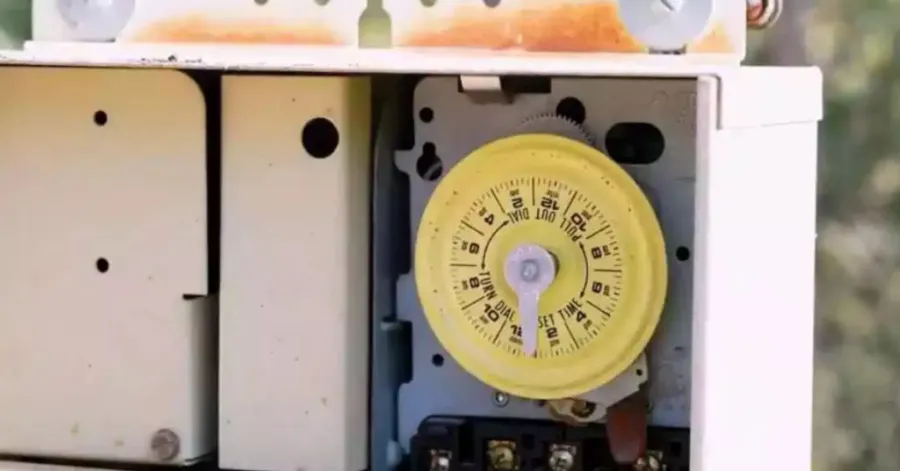
Den vanligaste och mest kostnadseffektiva typen av timer som används i bostadspooler är en mekanisk poolpump timer. De har en roterande ratt och små utlösningsbrytare med vilka pumpen slås på och av vid en inställd tid på dagen. De är pålitliga, enkla att serva och kan hålla i många år med väl underhållna, och kan ha färre funktioner än de digitala modellerna. När du lär dig att programmera en poolpumptimer kan du börja med en mekanisk timer, eftersom dess mekanism är enkel att använda. Allt du behöver göra är att ställa in tiden på dagen, placera på- och av-brytarna och se till att timern går som den ska. Det finns också flera justeringar som många husägare lär sig att göra på poolpumpens timer för att passa väderförhållanden och poolanvändning.
Rekommenderas för ditt projekt
Digitala timers för poolpumpar
Jämfört med mekaniska timers för poolpumpar är digitala timers mer exakta och flexibla. De har en elektronisk display som låter dig ställa in olika scheman varje dag, och de är perfekta för pooler med varierande driftskrav. Digitala timers har ofta batteribackup, så att ingen tid går förlorad vid strömavbrott. När du vet hur man programmerar en poolpumptimer att köras enligt ett dagligt schema, kan du enkelt skapa körtider baserat på vilka veckodagar som ska köras, vilka lediga dagar eller vilken säsong som ska köras. En annan fördel med dessa timers är att du enkelt kan bestämma den optimala tidpunkten för en poolpumptimer, eftersom driftstimmarna kan justeras med några få knapptryckningar. Deras noggrannhet kan användas för att hålla vattnet rent och minimera onödiga pump- och elkostnader.
Smarta Wi-Fi-timers för poolpumpar
Det mest bekväma poolpump Timrarna kommer att vara smarta Wi-Fi-poolpumpar, vilket gör att du kan hantera din pump på din smartphone. Du kan ändra scheman, fjärrstyra pumpen och få meddelanden om systemaktivitet var du än befinner dig. Dessa högteknologiska timers är ett utmärkt alternativ för husägare som vill ha högsta möjliga kontrollnivå utan att behöva justera utrustningen manuellt. Att utbilda människor i hur man använder en poolpumptimer för att spara energi är mycket enklare eftersom intelligenta system låter dig optimera pumpens drifttid baserat på väder, poolanvändning och elpriser. De förenklar också processen att ställa in en poolpumptimer genom att tillåta schemaändringar direkt utan att öppna timerhöljet.
Vad du behöver innan du ställer in timern
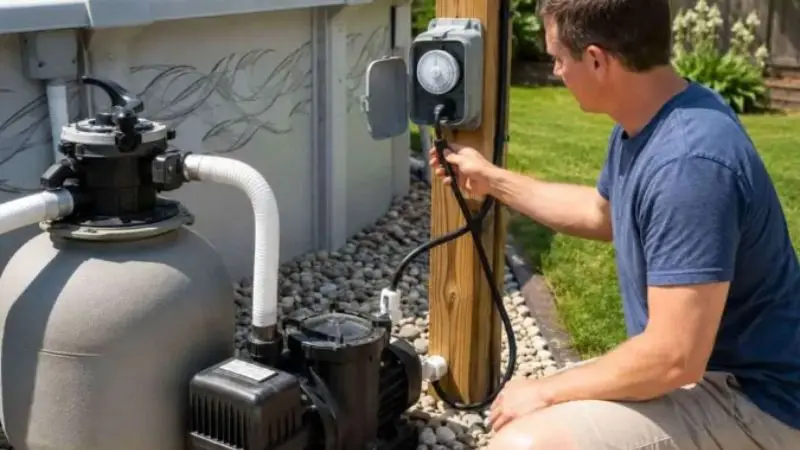
Du bör ha ett par grundläggande detaljer redo innan du börjar justera din poolpump timer. Genom att bara spendera ett par minuter på att kontrollera tiden, bekanta dig med din pools dagliga cirkulationsbehov och följa tillverkarens instruktioner blir hela installationsprocessen mycket enklare.
Dessa enkla steg lär dig hur du programmerar en timer för en poolpump korrekt utan att göra schemaläggningsfel som kan påverka vattenkvaliteten eller leda till högre elräkningar.
Kontrollera aktuell tid
Det första steget är att se till att timern visar rätt tid. Alla timerscheman kräver noggrann tidtagning, och därför kan även ett litet misstag få pumpen i din pool att gå eller stanna vid fel tidpunkt. För mekaniska timers, vrid ratten tills indikatorn och den aktuella tiden är i linje. För digitala timers, tryck på kontrollknapparna för att uppdatera klockan och ställ sedan in eventuella scheman. Det första steget för en poolpumptimer är att verifiera tiden; på så sätt kan man ställa in en pool pump Timern blir desto enklare och gör att alla programmerade cykler körs precis vid den tid du förväntar dig. Glöm inte att justera klockan vid strömavbrott eller sommartid när din timer inte justeras automatiskt.
Känn till den rekommenderade dagliga körtiden
Ocuco-landskapet poolpumpar bör cirkulera och filtrera hela vattnet i poolen utan att slösa energi. En genomsnittlig bostadspool behöver bara sex till åtta timmars drifttid per dag, men större pooler, flitig användning av badare och varmt väder kan kräva mer drifttid. Att förstå din pools cirkulationskrav kan hjälpa dig att bestämma det lämpligaste schemat för en poolpumptimer att följa utan att slösa el. Ett balanserat schema bibehåller vattnets renhet, förbättrar distributionen av kemikalier och förlänger utrustningens livslängd. Med en pump med variabel hastighet kan du välja längre driftstimmar med reducerad hastighet för att njuta av ökad effektivitet och jämn filtrering.
Läs pumptillverkarens instruktioner
Varje poolpump och timermodellen kommer att skilja sig något i sina programmerade steg och bruksanvisningar. Läs tillverkarens manual innan du gör några justeringar för att lära dig mer om funktionerna hos din utrustning, säkerhetssystem och schemaläggningsalternativ. Andra timers har batteristöd, mer än ett program per dag eller säsongsbetonade driftalternativ, vilket kan förbättra prestandan. Det hjälper dig att förhindra programmeringsfel och utrustningsskador, enligt tillverkarens rekommendationer. Det kan också ge dig mer insikt i hur du programmerar timern på en poolpump när du använder poolen på olika sätt under året. Det kan ta några minuter att gå igenom manualen, men det sparar mycket tid vid felsökning.
Hur man ställer in en mekanisk poolpumptimer
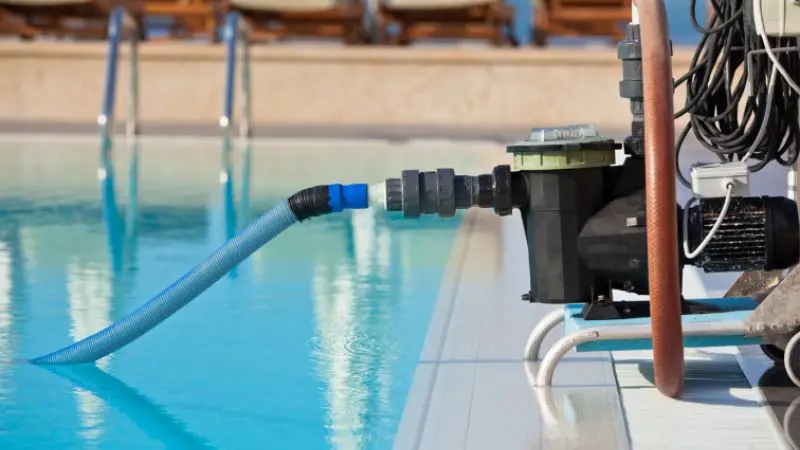
Mekaniska timers anses fortfarande vara bland de enklaste och säkraste metoderna för att automatisera poolcirkulationen. De har mycket lågt underhåll och tillförlitlig daglig schemaläggning, även om de fungerar med en enkel roterande ratt snarare än elektroniska kontroller.
När du känner till varje steg, programmering av en pool pump Timern är en enkel process som kan slutföras på ett par minuter.
Stäng av strömmen före justeringar
Det viktigaste med all elektrisk poolutrustning är att säkerheten prioriteras innan man arbetar med någon av utrustningen. Stäng av strömmen vid säkringen för att undvika oavsiktlig elektrisk stöt när du ställer in timern. Öppna inte timerlocket och rör inte vid interna delar när strömmen är på. Det är lämpligt att koppla bort timern och kontrollera den därefter innan du vidtar några åtgärder för att säkerställa att det inte finns några lösa anslutningar, slitna utlösare eller uppenbara skador på den. Att starta säkert skyddar dock dig och din utrustning och gör det lättare att ställa in en timer för att slå på en ... pool pump enkelt. När du är säker på att allt är kontrollerat kan du fortsätta med tillförsikt.
Ställ in aktuell tid på ratten
När du har kopplat bort strömmen, fortsätt att vrida timern tills den aktuella tiden stämmer överens med den fasta visaren eller tidsmarkören. De flesta mekaniska timers visar AM och PM; se därför till att du väljer rätt halva dagen. En klocka som är felaktigt inställd kommer att få pumpen att gå vid olämpliga tider, vilket gör filtreringen mindre effektiv. En paus för att kontrollera timerns position är bra för att säkerställa att timern fungerar enligt ditt schema. Detta är ett av de viktigaste stegen för att lära sig hur man klockar en poolpump korrekt och uppnår regelbunden daglig cirkulation.
Installera PÅ- och AV-utlösare
Mekaniska timers har små utlösare av metall eller plast som orsakar pump för att starta vid en inställd tid. Installera PÅ-utlösaren där du vill att pumpen ska starta och AV-utlösaren där du vill att pumpen ska stoppa, och skruva sedan ihop dem ordentligt så att de inte flyttar sig under drift. Innan du ansluter strömmen igen, se till att båda utlösarknapparna är ordentligt fästa på ratten. För att lära dig hur du programmerar en poolpumptimer för att fungera dagligen utan fel är det viktigt att placera den korrekt. Om du behöver säsongsbetonade ändringar i din pool, flytta bara utlösarknapparna för att skapa ett nytt schema.
Ställ in timern på automatiskt läge
När ratten och utlösaren är på plats, ställ in timern på automatisk drift. Denna inställning gör att timern kan reglera pumpen enligt det förprogrammerade schemat, vilket eliminerar behovet av att manuellt slå på och av pumpen dagligen. Se till att väljaren är helt inkopplad i automatiskt läge innan du återaktiverar strömmen. Det programmerade schemat fungerar inte korrekt om timern är i manuellt läge. Denna sista modifiering garanterar att timern för en pool pump är pålitlig, automatisk och fungerar varje dag.
Testa timerschemat
Återanslut strömmen och se timern slutföra en driftscykel, eller vrid manuellt på ratten för att säkerställa att PÅ- och AV-utlösarna fungerar korrekt för att slå på och av pumpen. Hör pumpen slå på och av vid de förväntade platserna på ratten. Gör i så fall mindre ändringar tills schemat är justerat till dina önskade driftstider. Realtidstestning av timern hjälper till att upptäcka programmeringsfel innan det påverkar vattenkvaliteten. Den verifierar också hur man programmerar den ideala tiden för en poolpumptimer för att säkerställa att din pool är ren utan att slösa mer energi än nödvändigt.
Hur man ställer in en digital poolpumptimer
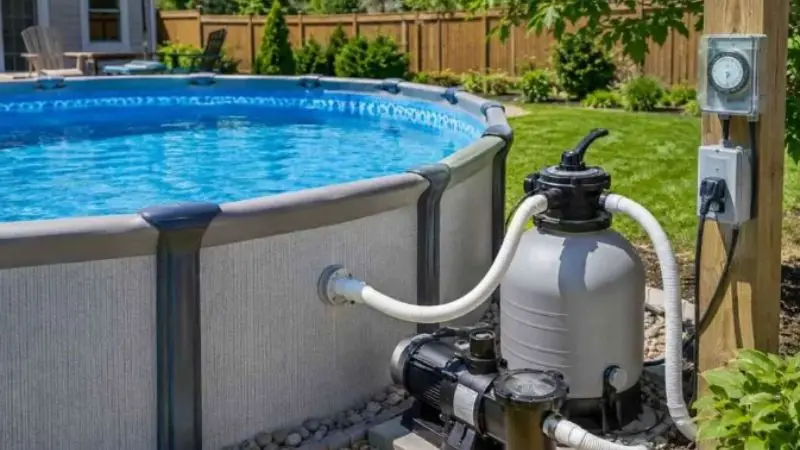
Digitala timers för poolpumpar erbjuder mer exakt tidtagning och större flexibilitet än mekaniska. Deras elektroniska styrning gör det möjligt att fastställa olika driftstimmar och säsongsscheman, vilket ökar effektiviteten.
När du känner till det allmänna programmet kan du programmera en poolpump en timer att köra dagligen; det blir mycket lättare att lära sig och implementera programmet.
Ställ in datum och aktuell tid
För att använda timern, ställ först in datum och tid med timerns programmeringsknappar. Rätt tidsinställningar säkerställer att alla schemalagda cykler börjar och slutar vid rätt tidpunkt. Många digitala tidtagare låter dig också välja rätt veckodag för olika driftsprogram. Kontrollera informationen som visas innan du går vidare till nästa steg för att säkerställa noggrannhet. De grundläggande byggstenarna för att ställa in en poolpumptimer korrekt är korrekta klockinställningar, vilket säkerställer att din pool inte är i drift utanför den tidsram du vill att den ska vara i drift.
Programmera PÅ-tiden
Gå till programmeringsmenyn och ställ in den tid du vill att pumpen ska gå varje dag. Välj ett schema som erbjuder tillräcklig filtrering, med hänsyn till din lokala elpris och poolaktivitet. Många husägare väljer att ...starta pumpen under dagtid, när skräp och föroreningar lättare kan komma in i vattnet. En lämplig starttid är en viktig del av att fastställa det bästa schemat för en poolpumptimer, eftersom det förbättrar vattencirkulationen utan onödiga ökningar av driftskostnaderna.
Programmera AVSTÄNGNINGSTIDEN
När du har valt starttid anger du önskad stopptid efter att ha övervägt hur länge din pool behöver vara igång på en dag. Sex till åtta timmars cirkulation i de flesta pooler är effektivt, men behovet beror på individen. Kontrollera drifttiden som visas och verifiera programmet. Rätt val av stopptid gör det också möjligt att upprätthålla en ren och balanserad vattenförsörjning och undvika överanvändning av pumpen. Detta steg visar också hur man använder en poolpumptimer för att spara energi genom att eliminera onödiga driftstimmar.
Spara schemat
Efter att alla driftstider har angetts, spara programmet enligt timertillverkarens instruktioner. Andra modeller behöver trycka på en specifik spara-knapp, medan vissa av dem automatiskt sparar schemat efter bekräftelse. Kontrollera de programmerade inställningarna, lämna menyn och verifiera att alla inställningar är korrekta. Att spara schemat förhindrar oavsiktlig dataförlust och säkerställer att timern följer det önskade driftsschemat dagligen. Det är en viktig milstolpe mot att lära sig programmera en poolpumptimer för att fungera korrekt dagligen.
Verifiera automatisk drift
När du har sparat schemat, ställ in timern på automatiskt och observera dess prestanda under nästa schemalagda cykel. Se till att pump startar och stoppar automatiskt vid den schemalagda tiden utan mänsklig inblandning. Om schemat inte fungerar korrekt, kontrollera klockinställningarna och den programmerade tiden och justera dem sedan. Avaktivering av automatisk drift ger dig en känsla av att din programmering är korrekt och kommer att underlätta din användning av en poolpumptimer för att spara energi och hålla din pool ren och välcirkulerad.
Vanliga problem med poolpumpens timer
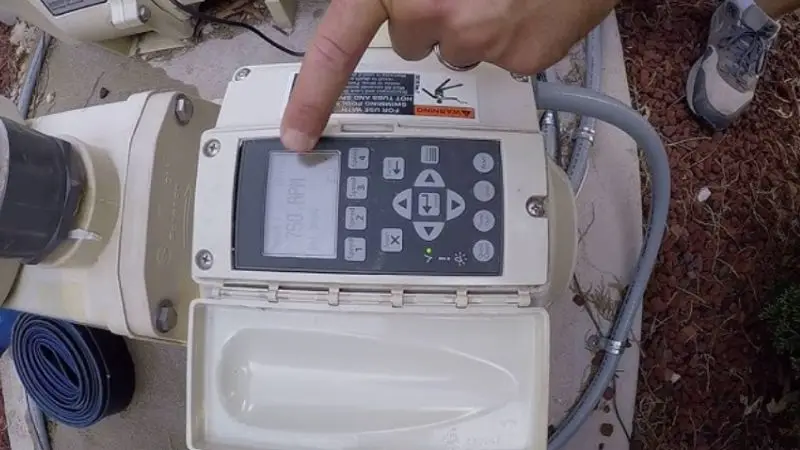
Ibland kan en korrekt installerad poolpumptimer uppleva problem som påverkar dess funktion. Majoriteten av problemen beror på fel programmering, en skadad timer och strömavbrott eller elektriska fel, men inte ett totalt fel på utrustningen.
Att vara medveten om de mest sannolika problemen kan hjälpa dig att felsöka systemet och återställa normal drift utan onödiga reparationer. Det hjälper dig också att komma ihåg hur man programmerar en poolpumptimer för att säkerställa konsekvent daglig drift.
Timern slår inte på pumpen
Om man antar att timern inte slår på poolpumpen, se till att strömförsörjningen och säkringen fungerar som de ska. Se sedan till att timern är i automatiskt läge, inte manuellt. Det bör finnas säkra PÅ- och AV-utlösare i mekaniska timers, och rätt schema och aktuell tid bör anges i digitala timers. Aktivering kan också förhindras av lösa kablar, skadade reläer eller slitna timermotorer. Enkla programmeringsfel är lätta att åtgärda och kan ofta upptäckas genom att granska hur man ställer in en poolpumptimer. Om timern fortfarande inte svarar efter att dessa punkter har kontrollerats kan det vara nödvändigt att byta ut timermekanismen eller de elektriska delarna.
Timern går vid fel tidpunkt
Klockan på en timer som går på udda tider är normalt felprogrammerad, eller så är det problem med klockan. Se till att tiden, AM/PM och det programmerade schemat är korrekta. Automatisk justering av driftstider kan också ske på grund av ändringar i sommartid, strömavbrott etc., såvida inte timern justeras manuellt. Vridratten kan flyttas på mekaniska timers och klockan återställas innan schemat kan sparas igen. Ibland krävs digitala timers för att återställa klockan. Att veta hur man ställer in timern på en poolpump kan hjälpa till att återställa korrekt drift och säkerställa att filtreringen fungerar för din önskade dagliga rutin.
Pumpen går kontinuerligt
Timern i manuellt läge eller ett felprogrammerat schema orsakar vanligtvis en poolpump att köras kontinuerligt. Mekaniska timers kan också sakna eller ha skadade AV-utlösare, vilket inte tillåter timern att stänga av pumpen. I datoriserade modeller, kontrollera varje programmerad cykel för att säkerställa att överlappande scheman inte håller pumpen igång kontinuerligt. Dessa misstag vid tidsplanering kan undvikas genom att lära sig att programmera en poolpumptimer att köras varje dag, så att pumpen bara körs de timmar den behöver. Korrekt programmering minimerar otillbörligt slitage på pumpen och elförbrukningen.
Timern förlorar inställningar efter strömavbrott
Andra digitala tidtagare sparar inte sina programmerade scheman vid strömavbrott, särskilt i fall där det interna backupbatteriet är felaktigt. Efter ett strömavbrott, kontrollera den aktuella tiden igen och se till att alla programmerade PÅ- och AV-cykler har lagrats. Byt backupbatteri (om din timermodell har ett) när det fortsätter att förlora sina inställningar. Det sista steget i processen att fastställa det optimala schemat för en poolpumptimer är att granska schemat efter varje avbrott, vilket hjälper till att undvika oväntade driftsproblem. Att ha timern korrekt programmerad är också ett sätt att visa hur man programmerar en pool pump timern för att spara energi genom att inte använda pumpen när strömmen återställs.
Wrap-Up
Även om detta kan låta som en myt, är följande anledningar till varför det rekommenderas att ställa in en timer för poolpumpen: 1) för att hålla poolvattnet kristallklart, 2) för att spara pengar på el och 3) för att förlänga livslängden på din poolutrustning. Genom att känna till din typ av timer och även rätt programmeringssteg kan du utveckla ett schema som passar din poolstorlek, användning och säsongsbehov. Ställ in en korrekt pool pump Genom att använda en timer och göra några ändringar under året säkerställs att filtreringssystemet fungerar effektivt. Om det är en mekanisk, digital eller smart timer, säkerställer täta kontroller och korrekt schemaläggning att prestandan är tillförlitlig, och du kan använda en timer för poolpumpen för att spara energi varje dag.
FAQ
Hur många timmar per dag måste jag köra min poolpump?
De flesta bostadspooler kräver sex till åtta timmars cirkulation per dag. Längre drifttider kan behövas vid större pooler, varmt väder eller flitig användning för att effektivt filtrera poolen.
Är det möjligt att ändra säsongsbetonade timerinställningar för poolpumpen?
Ja. Ändra timern med varierande temperaturer och poolanvändning. Kortare lektioner tenderar att användas under de kallare årstiderna, medan sommaren tenderar att behöva mer tid för att vara på filtret.
Vad blir resultatet om min pooltimer är felaktigt inställd?
Felaktiga inställningar kan bromsa vattenflödet, öka elkostnaderna och generera dålig filtrering, vilket resulterar i ogenomskinligt vatten och ytterligare tryck på poolpumpen.
Ska jag stänga av strömmen och sedan justera timern?
Ja. Strömmen till kretsbrytaren måste alltid stängas av innan man byter eller underhåller en mekanisk poolpumptimer för att minimera risken för elektriska stötar.
Minskar en smart poolpumptimer elkostnaderna?
Ja. Smarta timers gör det möjligt att optimera driftstimmar, justera scheman på distans och förhindra onödig pumpdrift, vilket förbättrar effektiviteten och minskar energianvändningen.