Imagine that you want to see inside a motor or find a leak on a wall without having to disassemble it. The endoscope inspection camera is perfect for viewing into hard-to-reach spaces. You can use an endoscope to inspect small spaces at home, repair cars, or do jobs in factories. With a flexible cable and a small camera, the endoscope camera allows you to quickly find problems. The clear images make it easy to thoroughly check and remain safe.
- Key Benefits of Using an Endoscope Inspection Camera
- Common Uses of an Endoscope Inspection Camera
- Types of Endoscope Inspection Cameras
- Features to Look for in the Best Endoscope Inspection Camera
- How to Choose the Right Endoscope Inspection Camera for Your Needs
- How to Use an Endoscope Inspection Camera Effectively
Key Benefits of Using an Endoscope Inspection Camera
Here are the key benefits of using an endoscope inspection camera: it will make your inspection process easier.
Non-Destructive Inspection in Hard-to-Reach Areas
You may have problems that you can’t see. An endoscope Inspection Camera allows you to look inside walls or pipes without damaging anything. The camera can be moved through tight spaces to see the inside. You can use this tool to protect your car, home, or machine from damage. This tool allows you to find the problem quickly and easily without having to disassemble anything.
Use the flexible cable to get around corners and behind objects. Checking hard-to-reach places is much easier with this tool.
Saves Time and Repair Costs
You save time by using an endoscope. It is not necessary to disassemble large objects or to guess the location of the problem. You can fix the problem right where it is. Only fix what’s broken. You will spend less and prevent more damage.
- Find leaks and blockages quickly.
- Check engine parts without removing them.
- Seize problems early before they worsen.
Improves Accuracy and Safety
You can see hidden areas with the help of inspection cameras. This allows you to make more informed decisions. You can avoid making mistakes. This also keeps you safe, as you don’t have to reach into dirty or dangerous places. You can let the camera do all of the work.
Real-Time Visual Diagnosis
With an inspection camera, you can get immediate results. Live video allows you to see the action as you move your camera. You can share the video with others or save images for later. This real-time viewing helps you to fix problems more quickly and explain them better.
Many endoscope cameras allow you to record video or photos. It’s a great way to share your findings with the repair team or keep records.
Common Uses of an Endoscope Inspection Camera
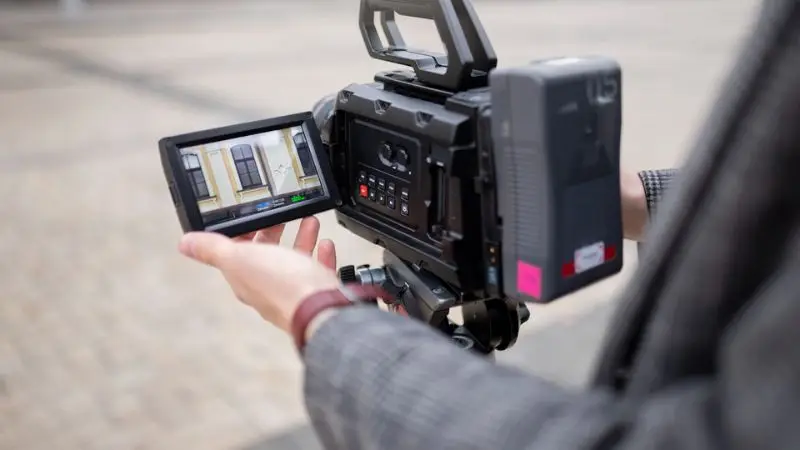
Inspection cameras are used for different purposes across homes, vehicles, and industrial systems. Some common applications are outlined below.
Automotive Inspections (Engines, Cylinders, Valves)
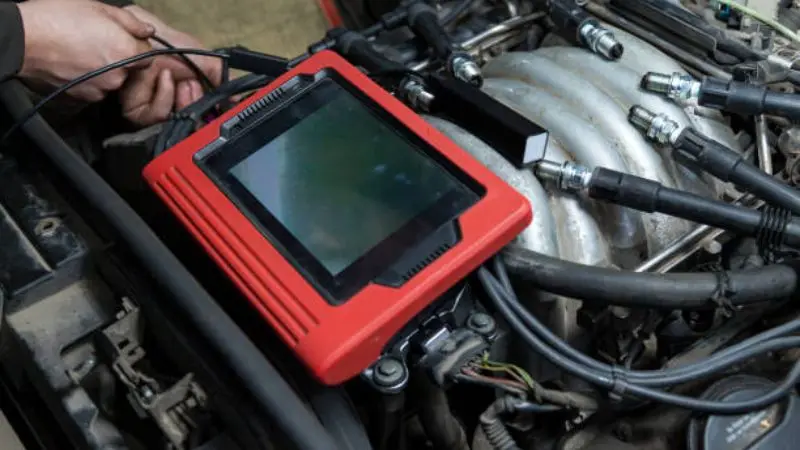
An high resolution endoscope inspection camera can be used to inspect the engine of your vehicle. You can also see inside the cylinders and valves. You can use this inspection tool to find issues like carbon or worn-out parts. The engine does not have to be disassembled. For quick inspections, many mechanics use auto inspection cameras. This saves you time and prevents costly mistakes. The use of endoscopes in car inspections makes your job more accurate and easier.
Use the camera to check for leaks and blockages in tight engine areas.
Home and DIY Applications (Pipes, Walls, Drains)
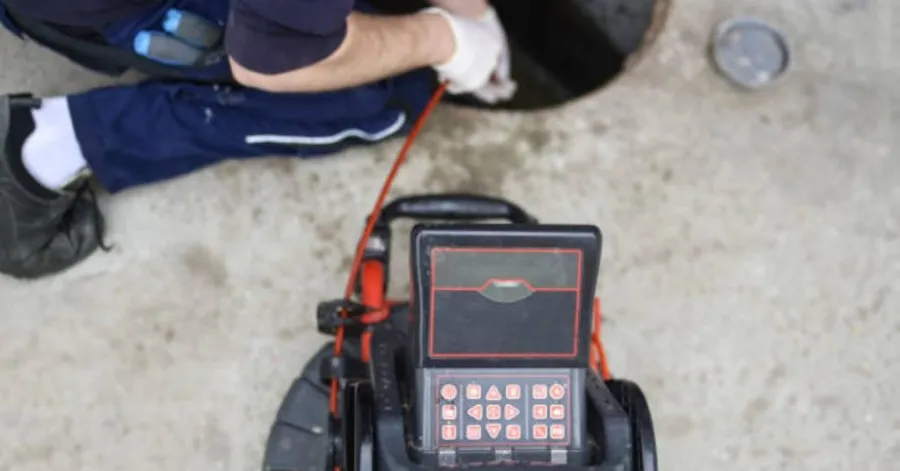
An endoscope can be used at home to check drains, walls, and pipes. Find clogs or leaks and pests without damaging anything. You can see what’s inside drains and pipes with inspection cameras. It is easier and cheaper to take care of your house. Plumbing inspection cameras are used by many people to ensure the safety of their homes.
- What to do if you find something in the drain?
- Check for mold behind walls
- Check air ducts
Industrial and Mechanical Inspections
You need to inspect machines and equipment frequently in factories. An endoscope inspection camera for industrial use allows you to see inside gears, turbines, and other components. Also, you can look at other difficult-to-reach areas. You can use industrial endoscopy to find cracks or wear. It keeps your machinery running well and prevents breakdowns.
HVAC, Plumbing, and Electrical Work
HVAC workers use an inspection camera to inspect air ducts, vents, and other components. They are used by plumbers to detect leaks and blockages. They are used by electricians to inspect wires hidden behind walls. An inspection camera can be used for a variety of tasks. You can do your job faster and safer.
Use caution when using a camera to inspect near electricity or water.
Professional vs Personal Use Cases
Industrial endoscopes are used by professionals to perform thorough checks in factories and workshops. An endoscope inspection camera with LED light can be used by homeowners for simple repairs and home care. Choose the best camera for you. Some cameras are compatible with your smartphone. Some cameras have their own screen.
| Use Case | Who Uses It | Common Tasks |
| Automotive | Mechanics, DIYers | Engine checks, diagnostics |
| Home/DIY | Homeowners | Pipe, wall, and drain inspection |
| Industrial | Technicians | Machine, equipment checks |
Types of Endoscope Inspection Cameras
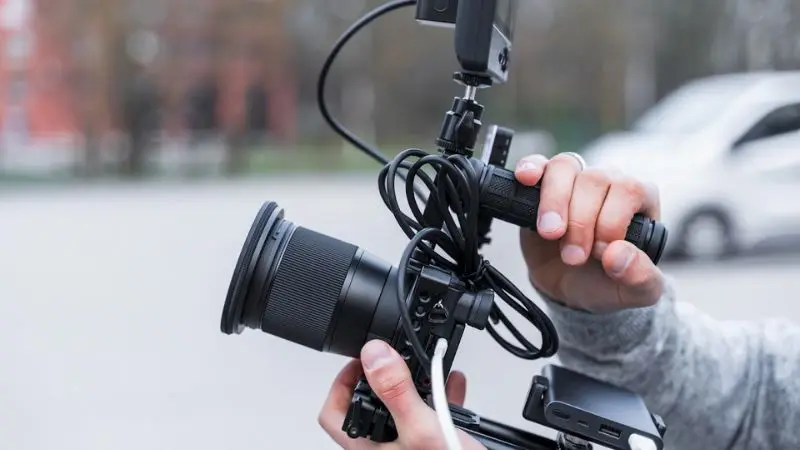
There are several types of endoscope inspection cameras based on design, flexibility, and usage. Below are the common types of cameras used for inspections.
Rigid vs Flexible Endoscope Cameras
Choose between a rigid or Flexible Inspection Camera. The rigid endoscope works well in straight spaces. It is best used in straight pipes or machines. It cannot be used around corners. Flexible inspection cameras bend and twist easily. With turns, it can be moved through walls, drains, or engines. A flexible probe inspection camera is used by many people at home and on their cars. Flexible inspection cameras are also popular with factory workers for difficult-to-access machines.
Choose a flexible camera for inspecting around objects or inside curved areas.
Wired vs Wireless Endoscope Inspection Cameras
Wireless and wired inspection cameras are available. A wired inspection camera is connected to a device or screen. The signal is always strong. Batteries are not required for the camera. Wireless inspection cameras send pictures directly to your smartphone or tablet. WiFi is used to connect. Wireless inspection cameras allow you to move around the area more. It’s great for large areas or to show other people what you see.
USB, WiFi, and Smartphone-Compatible Models
Various inspection cameras can be connected in various ways. Some use a USB cable to plug into a computer. Some use WiFi to transfer pictures to their smartphone. Some of these apps work on your smartphone. These features allow you to save photos, record videos, or share your discoveries. Choose the best connection for you.
| Model Type | How It Connects | Best For |
| USB | Computer/Laptop | Home, industrial use |
| WiFi | Wireless to phone | Automotive, DIY, sharing |
| Smartphone App | Direct to phone | Quick checks, on-the-go |
Single-Lens vs Dual-Lens Endoscope Cameras
A single-lens camera looks straight ahead. This camera is suitable for the majority of jobs. Dual-lens cameras can be used to see both forward and sideways. You can switch views without moving your camera. You can easily find small or difficult problems. Many industrial endoscope cameras use dual-lens designs for better results.
Choose a camera with dual lenses if you want to be able to view more angles during your inspection.
Features to Look for in the Best Endoscope Inspection Camera
The right features ensure clear visuals, easy handling, and accurate inspections. Here are the essential features you must consider before choosing an endoscope inspection camera.
Camera Resolution and Image Quality
When using an endoscope camera, you need to have clear images. Look for hd resolution. Images can help you detect small leaks or cracks. You can get hd photos and video from many cameras. These can be used to check things or fix problems. Hd images can help you inspect factories better if you are a factory worker.
Choose a camera that has at least 1080p HD for the best results.
Adjustable LED Lighting
You can see better in the dark with bright lights. You can change the brightness of LED lights on many endoscope cameras. You can adjust the brightness of the LED lights. You can use this to see inside walls, pipes, or engines. The bright LEDs help you find problems.
- Buy a camera that has at least six LEDs.
- You have more control when you can change the brightness.
Cable Length and Flexibility
Cable length is very important. A long, bendable cable helps you reach deep spots. Flexible cables allow you to go around corners. Choose a cable for your task if you are checking machines. Short cables work well for quick checks. Longer cables are useful for larger jobs.
| Cable Type | Best Use |
| Short | Home, quick checks |
| Long | Industrial, deep areas |
Waterproof and Heat-Resistant Design
You may need to inspect places that are wet or warm. A waterproof endoscope inspection camera is useful in drains and pipes. Heat-resistant cameras work well with engines and machines. These features will keep you and your camera safe.
Be sure to check the camera’s waterproof rating before you use it in the water.
Screen Display vs App-Based Viewing
Some endoscopes have their own screens. Some endoscope cameras have their own screens. Screens let you see pictures right away. Apps allow you to save and share the images you view. Select the app that best suits your needs.
Battery Life and Power Options
You can inspect for longer with a strong battery. You can recharge some cameras’ batteries. Some cameras are powered by plugging in. Get a camera that has a long-lasting battery if you work in a factory. A simple rechargeable battery will do for the home.
- Look for cameras that have a battery life of at least 2 hours.
- You can save money by using rechargeable batteries.
How to Choose the Right Endoscope Inspection Camera for Your Needs
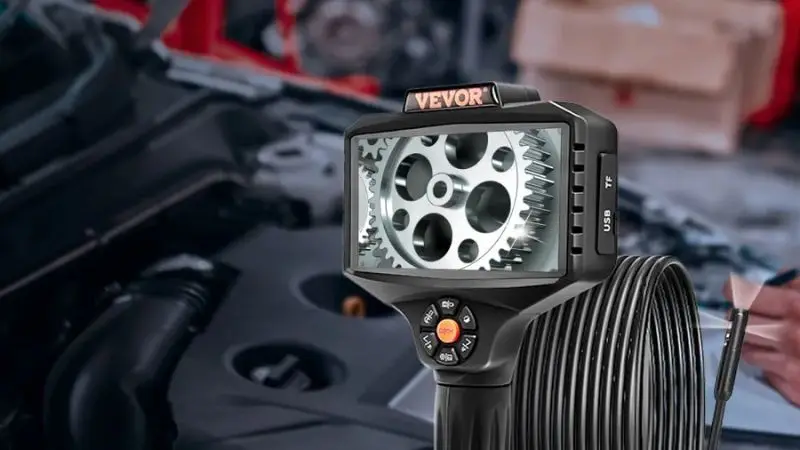
Selecting the right endoscope inspection camera depends on how and where you plan to use it. Below are the points to help you pick the right endoscope inspection camera.
Best Endoscope Inspection Camera for Home Use
Choose a camera with a simple interface. You should be able to use it for a variety of tasks at home. Find a Flexible Endoscope that has a cable length that isn’t too long or too short. Choose a model that can be connected to your smartphone. You can easily see inside drains, pipes, or behind walls. You can see better in dimly lit areas with cameras that have adjustable LED lighting. Rechargeable batteries are popular for cameras used at home. These cameras are lightweight and easy to carry.
Tip: To check drains and sinks, invest in a waterproof inspection camera.
Best Endoscope Inspection Camera for Automotive Repair
You need a camera that fits into small engine spaces to fix cars. Select an endoscope that has a flexible and thin cable. You can see small problems in valves and cylinders with a camera that has a high resolution. Many auto workers use cameras connected to a smartphone or tablet. You can save the pictures and look them up later. You can view more angles with some cameras that have two lenses.
Best Endoscope Inspection Camera for Professionals
You need a camera that is strong and durable if you work in a factory. A long cable is usually used with industrial endoscopes. They can be used in workshops or factories for tough jobs. Choose cameras that have clear video and bright lighting. Many professional cameras come with their own screen. You can see the details immediately. You may also need a video camera to record reports or check problems.
| Feature | Home Use | Automotive | Professional |
| Cable Length | Medium | Short | Long |
| Resolution | Standard | High | HD |
| Durability | Basic | Moderate | Industrial |
| Viewing Option | App | App | Built-in |
Budget vs Premium Endoscope Cameras
Budget cameras are great for simple tasks. These cameras are cheaper and only have basic features. They are great for quick home checks. These cameras offer better images and more features. These cameras are more durable and better suited for heavy-duty jobs. Consider how you’ll use the camera, and for what. Choose the camera with the best value.
Note: If your camera is used a lot, you may be able to save money by purchasing a high-end model.
How to Use an Endoscope Inspection Camera Effectively
Proper handling and setup improve image clarity and inspection efficiency. The guide below explains how to use endoscope inspection camera effectively.
Step-by-Step Setup and Usage Guide
Follow these simple steps to quickly set up your endoscope inspection camera:
- Replace the batteries or charge your camera.
- Connect the camera with your smartphone, tablet, or integrated screen.
- Adjust the brightness of the LEDs by turning on the device.
- Insert the cable gently in the area that you wish to inspect.
- Move the cable slowly to get a clearer view.
Test your camera in a wide space before you use it in confined spaces. You can learn how to use the controls by testing them in an open space.
Tips for Clear Images and Accurate Inspection
Keep the lens clean to get better results. Before each use, wipe the lens with a lint-free cloth. Adjust the LED light to reduce shadows or glare. Avoid blurry pictures by moving the cable slowly. When you want to record video or take pictures, hold the camera steady.
| Tip | Why It Helps |
| Clean the lens | Clearer images |
| Adjust LED brightness | Better visibility |
| Move slowly | Avoids blurry pictures |
| Hold steady | Accurate inspection |
Common Mistakes to Avoid
Most people rush through the inspection process. Take your time. Avoid forcing the cable through tight spaces. The camera can be damaged. Use the endoscope only in places that are not very humid or hot. Check the connection before you start.
Safety Tips When Using an Endoscope Camera
Wear gloves when inspecting dirty or sharp surfaces. Keep the cable clear of moving parts on machines. Never place the camera close to live electrical wires. Use industrial models only if you follow safety regulations at work.
After use, store your endoscope inspection camera in a dry place. It will continue to work well.
Conclusion
Now you know how an endoscope inspection camera can help you see into tight spaces in your home, car, or office. Before you choose a model, consider the jobs that you will be performing. Compare features and reviews to find out which model is best for you. You can save time by using the right inspection tool. You can explore the different inspection cameras based on your needs.
FAQ
How do you clean an endoscope inspection camera?
Use a wet, soft cloth to wipe the lens. Use mild cleaners. Before storing the camera, make sure it is completely dry. Carefully read your manual to learn how to clean the camera.
Can you use an endoscope camera underwater?
Some endoscopes can be submerged in water. Check the IP rating first. Use it only in water when the manual states it’s okay.
What devices can you connect an endoscope camera to?
The majority of endoscope cameras are compatible with smartphones, tablet computers, and laptops. Some endoscope cameras use USB, and others use WiFi or an app. Before purchasing the camera, check its compatibility with your device.
How long does the battery last on an endoscope camera?
Battery life varies by model. When fully charged, most inspection cameras can operate for between 1 and 4 hours. For best results, charge the battery immediately after using it.
Do you need special training to use an endoscope inspection camera?
No special training is required to operate an inspection camera. The majority of cameras are easy to use. Try it out in a wide open space and read the manual. You can learn how to use the controls by doing this.