
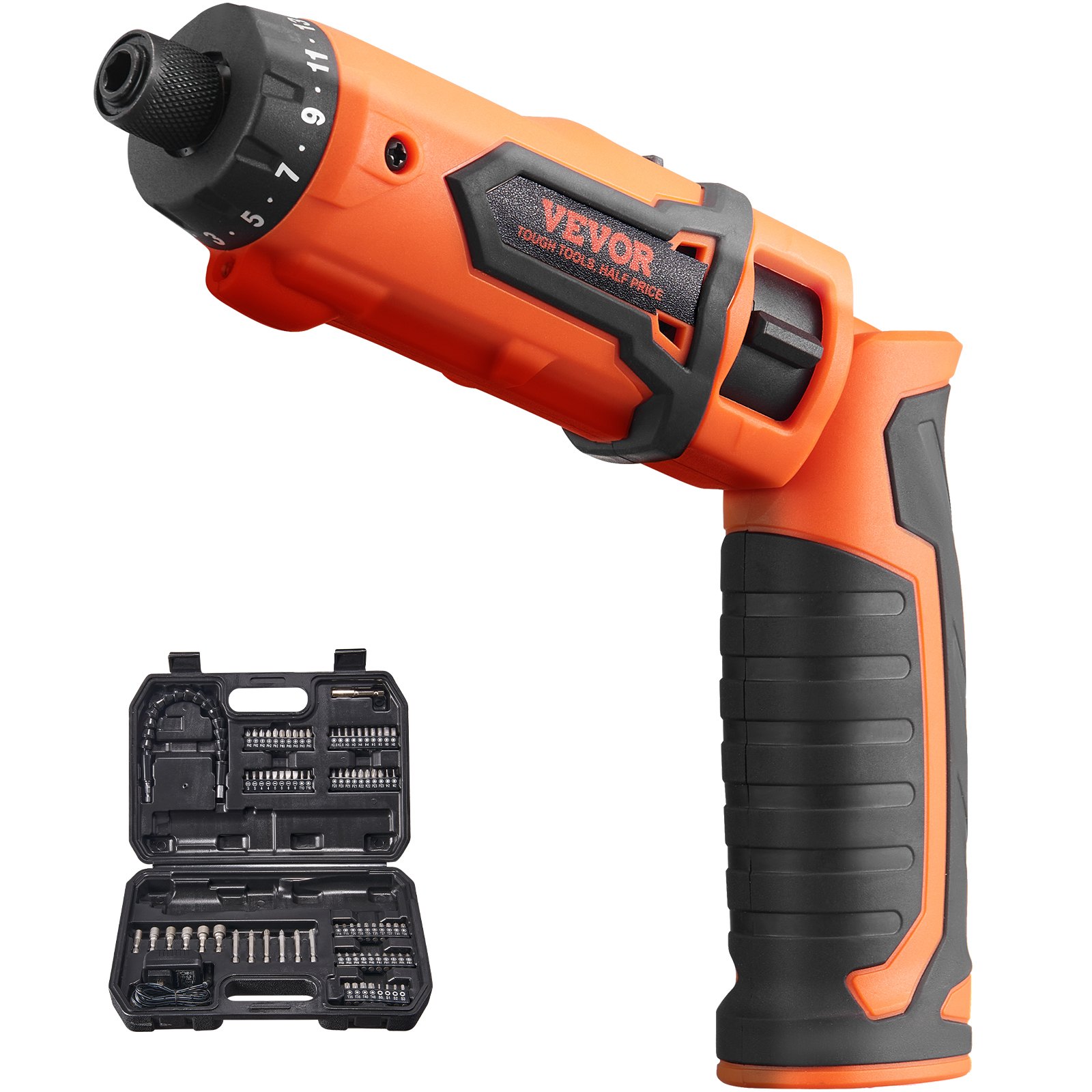
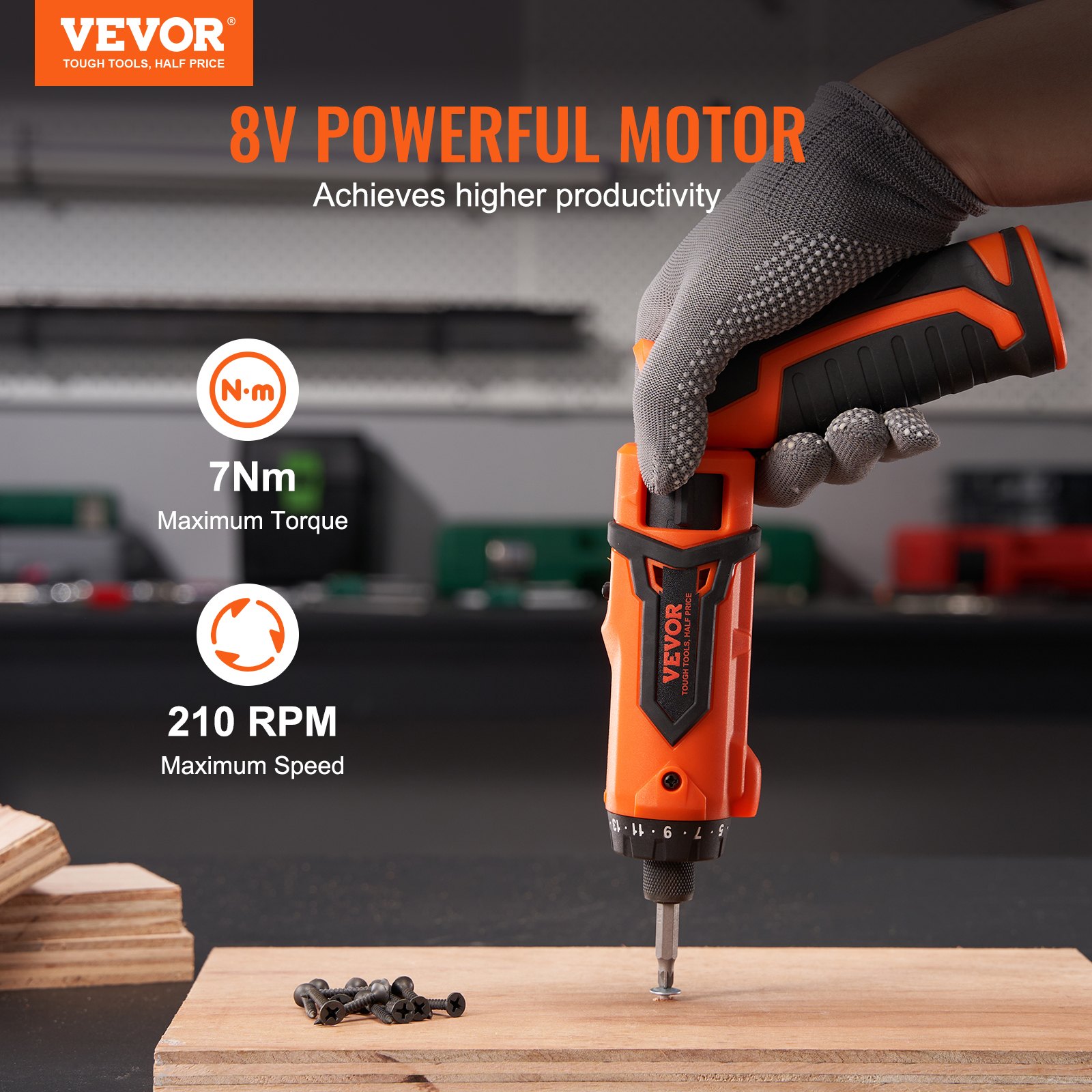

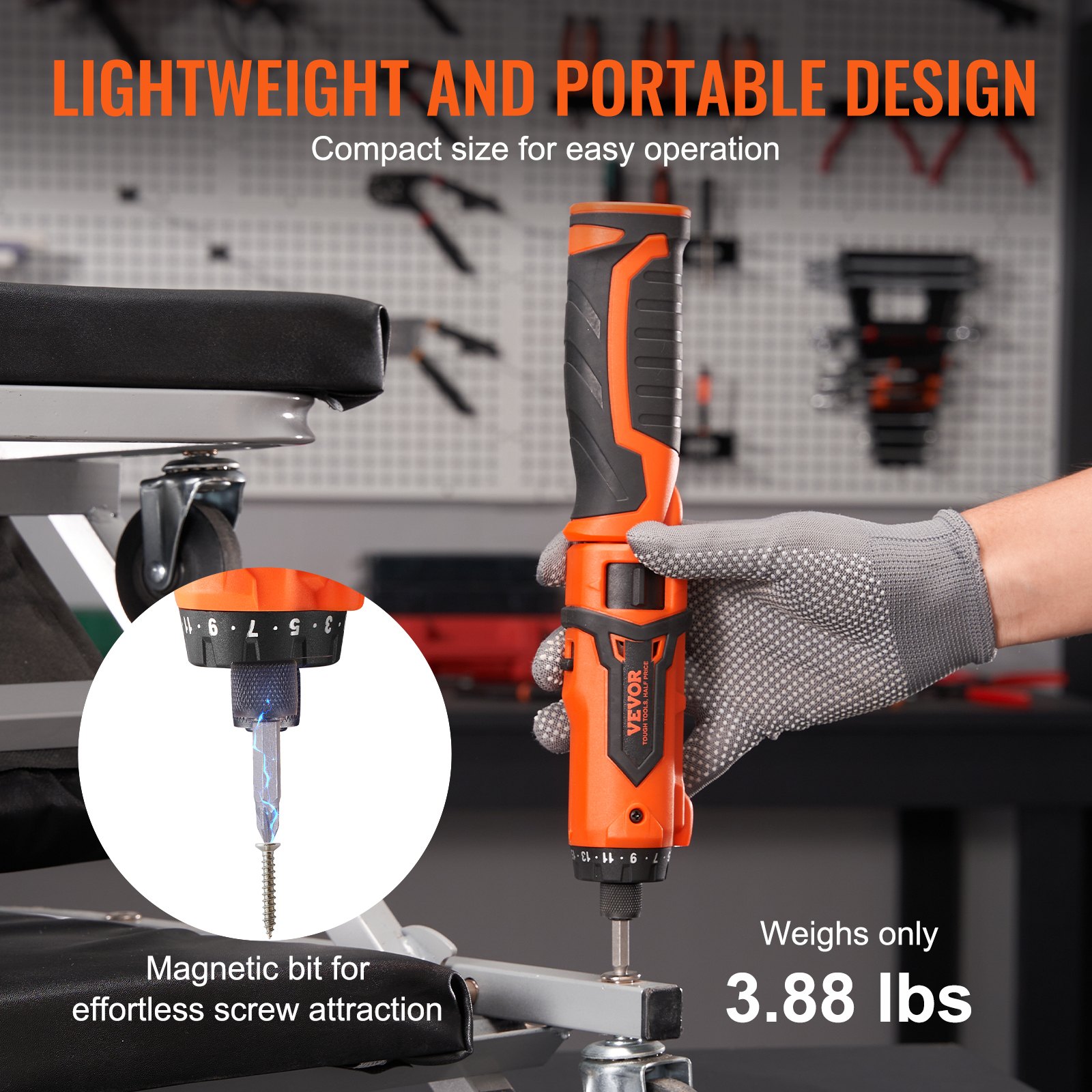
Unlock the full potential of your VEVOR Cordless Screwdriver with our comprehensive product manual download. The 8V 7Nm Electric Screwdriver Rechargeable Set, complete with an 82 Accessory Kit and Charging Cable, is designed for optimal home repair and DIY projects. This detailed guide covers everything from initial setup to advanced optimization, ensuring you get the most out of your tool.
The manual features a user-friendly layout and provides step-by-step instructions, troubleshooting tips, and maintenance advice. Sections dedicated to the nuts, magnetic bit holder, and LED light dual-position handle make it easy to navigate through common tasks and complex repairs.
Download now to simplify your repair tasks and enhance your tool’s performance.
CORDLESS SCREWDRIVER USER MANUAL
KWSD03-72
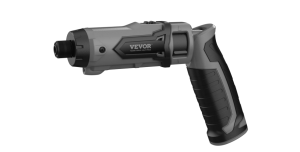
APPLICATION
The cordless screwdriver is intended to drive and drill through wood and plastics. It is not designed for professional use.
WARNING! For your own safety, read this manual and the general safety instructions carefully before using the appliance. Your power tool should only be passed on together with these instructions.
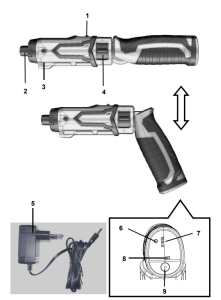
DESCRIPTION (FIG A)
- Switch lock button
- Bit holder (chuck)
- Working light
- Switch knob
- Charger
- Power display button
- Charge status display & Power display
- Working light switch
- Charging socket
PACKAGE CONTENT LIST
- Remove all packaging materials.
- Remove remaining packing and package inserts (if included).
- Check that the package contents are complete.
- Check the Cordless Screwdriver, power cord, the power plug and all accessories for transportation damage.
- Keep the packing materials as far as possible till the end of the warranty period.
Dispose it into your local waste disposal system afterwards.
WARNING: Packaging materials are not toys! Children must not play with plastic bags! Danger of suffocation!
GENERAL POWER TOOL SAFETY WARNINGS
Read all safety warnings and instructions. Failure to heed warnings and follow instructions may result in electric shock, fire and/or serious injury. Keep safety warnings and instructions for future reference. The term”power tool” in the safety warnings refers to the main power tool you operate (corded or battery-operated).
Working area
- Keep the working area clean and well lit. Untidy and dark areas can lead to accidents.
- Do not operate power tools in potentially explosive surroundings, such as inflammable liquids, gases, or dust. Power tools create sparks, which may ignite the dust or fumes.
- When operating the power tool, keep children and bystanders at a distance. Distractions can cause you to lose control.
Electrical safety While using the Cordless Screwdriver
- Always check that the power supply corresponds to the voltage on the rating plate.
- Power tool plugs must match the outlet. Never modify the plug in any way. Do not use adapter plugs with earthed power tools. Unmodified plugs and matching outlets will reduce the risk of an electric shock.
- Avoid body contact with earthed surfaces such as pipes, radiators, kitchen ranges, and refrigerators. If your body is earthed, you are at an increased risk of electric shock.
- Do not expose power tools to rain or wet conditions. If water gets inside a tool, it can cause an electric shock.
- Do not damage the cord. Never use it for carrying, pulling, or unplugging the power tool. Keep the cord away from heat, oil, sharp edges, or moving parts. Damaged or entangled cords increase the risk of an electric shock.
- When operating a power tool outdoors, use an extension cable suitable for outdoor use. Using a cord suitable for outdoor use reduces the risk of an electric shock.
- If operating a power tool in a damp location is unavoidable, use a power supply protected by a residual current device (RCD). An RCD reduces the risk of electric shock.
Personal safety
- Stay alert, watch what you are doing and use common sense when operating a power tool. Do not use a power tool when you are tired or under the influence of drugs, alcohol or medication. A moment of inattention when operating a powerful tool may result in serious personal injury.
- Use safety equipment. Always wear eye protection. Using safety equipment such as a dust mask, non-skid safety shoes, a hard hat, or hearing protection whenever it is needed will reduce the risk of personal injury.
- Ensure the switch is off before inserting the plug to avoid accidental starts. Carrying power tools with your finger on the switch or plugging in power tools when the switch is in the on position makes accidents more likely.
- Remove any adjusting keys or spanners before turning on the power tool. A spanner or key left attached to a rotating part of the power tool may result in personal injury.
- Do not reach out too far. Keep your feet firmly on the ground at all times. This will enable you to retain control over the power tool in unexpected situations.
- Dress properly. Do not wear loose clothing or jewellery. Keep your hair, clothing, and gloves away from the power tool. Loose clothes, jewellery or long hair can become entangled in the moving parts.
- If there are devices for connecting dust extraction and collection facilities, please ensure they are attached and used correctly. Using such devices can reduce dust-related hazards.
Power tool use and care
- Do not expect the power tool to do more than it can. Use the correct power tool for what you want to do. A power tool will achieve better results and be safer if used in the context for which it was designed.
- Do not use the power tool if the switch cannot turn it on and off. A power tool with a broken switch is dangerous and must be repaired.
- Disconnect the plug from the power source before adjusting, changing accessories, or storing power tools. This preventive safety measure reduces the risk of starting the power tool accidentally.
- When not in use, store power tools out of the reach of children, and do not allow people who are not familiar with the tool or these instructions to operate it. Power tools are potentially dangerous in the hands of untrained users.
- Maintain power tools. Check for misalignment, jammed moving parts, breakages, or any other feature that might affect their operation. If they are damaged, they must be repaired. Poorly maintained power tools cause many accidents.
- Keep cutting tools sharp and clean. Properly maintained cutting tools with sharp edges are less likely to jam and are easier to control.
- Use the power tool, accessories, cutting tools, etc., per these instructions and in the manner intended for the particular type of power tool, taking into account the working conditions and the work which needs to be done. Using a power tool in ways for which it was not intended can lead to potentially hazardous situations.
Service
A qualified specialist should service your power tool using only standard spare parts. This will ensure that it meets the required safety standards.
MACHINE-SPECIFIC SAFETY WARNINGS
- When operating a power tool where a fastener may contact hidden wiring, hold it by insulating gripping surfaces, fasteners contacting a “live” wire may make exposed metal parts of the power tool “live” and could give the operator an electric shock.
- Protect the battery charger from rain and moisture. Water penetration in a battery charger increases the risk of electric shock.
- Recharge only with the charger specified by the manufacturer. A charger suitable for one type of battery may create a risk of fire when used with another battery.
- Do not charge other batteries. The battery charger is suitable only for charging our lithium-ion batteries within the listed voltage range. Otherwise, there is a danger of fire and explosion.
- Keep the battery charger clean. Contamination may pose a danger of electric shock.
- Check the battery charger, cable, and plug each time before using them. Do not use the battery charger when defects are detected. Please do not open the battery and charge it yourself; have it repaired only by qualified personnel using original spare parts. Damaged battery chargers, cables, and plugs increase the risk of electric shock.
- Do not operate the battery charger on easily inflammable surfaces(e.g., paper, textiles, etc.) or in combustible environments. The battery charger’s heating during charging can cause a fire.
- Under abusive conditions, liquid may be ejected from the battery; avoid contact. If contact accidentally occurs, flush with water. If liquid contacts the eyes, additionally, seek medical help. Liquid ejected from the battery may cause irritation or burns.
- Do not open the battery yourself. There is a danger of a short circuit.
- Protect the battery from high temperatures, such as constant sunlight and fire, which can cause an explosion.
- Do not short-circuit the battery. There is a danger of explosion.
- Vapours may be emitted from damaged batteries and improper battery use. If you have complaints, provide fresh air and consult a physician. The vapours can irritate the respiratory system.
Cordless Screwdriver Operation
Charging procedure
The battery charger supplied matches the battery installed in the machine. Do not use other battery chargers. The Li-ion battery is protected against deep discharging. When the battery is empty, the machine is switched off utilizing a protective circuit: The bit no longer moves.
WARNING: The battery can be damaged if the On/Off switch is subjected to continued use. The charging process starts as soon as the mains plug of the battery charger is inserted in the socket and the machine is connected to the charger. The battery charge indicator lights up green to indicate the charging procedure. The battery is fully charged as soon as the battery charge indicator is all lit.
WARNING: During the charging procedure, the machine’s handle warms up. This is normal. When the charging is finished, disconnect the battery charger from the socket. Do not use the machine during the charging procedure.
Battery power status display
By pressing the Power display button. Three multi-coloured LEDs display the charge status:
- Red LED is on <20%
- Red + yellow LED′s are on 20%-70%
- All three LED′s are on >70%
Once only the red LED is lit, the screwdriver must be recharged.
Inserting and extracting bits
Important! Always turn off the switch before you change the screwbit to avoid unintentional starting of the machine. When the machine is completelystopped, insert or extract the screw bit.
WARNING: Only use tool bits that can be securely fastened in the chuck and for which the bits have been designed. Before using the machine, check whether the screw bit is inserted correctly. Avoid overtightening screws; otherwise, the screw head may be damaged, or stripping of the threads may occur.
Switch knob
Use the rotary switch to turn or reverse the machine, loosen the rotary switch, and the machine will stop quickly.
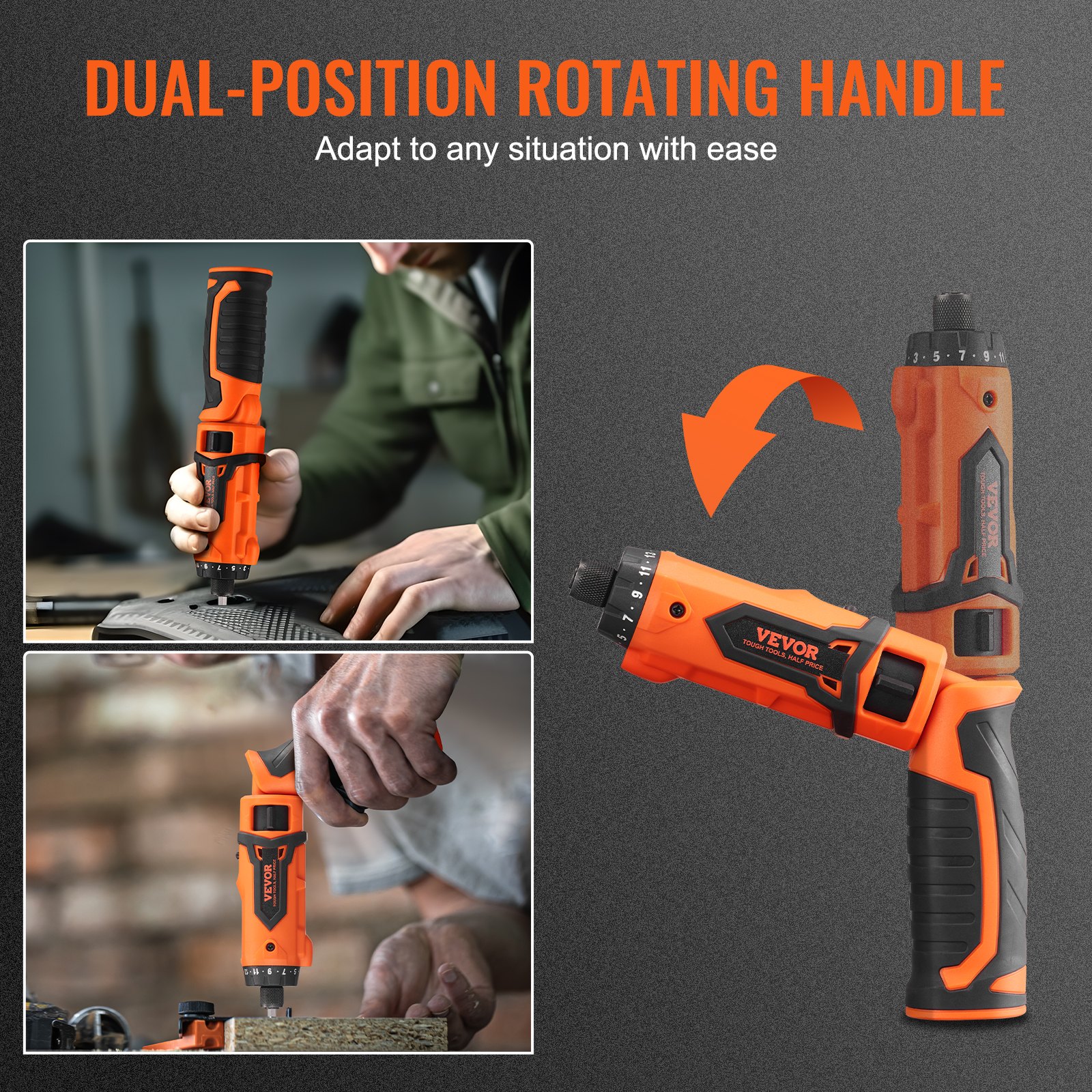
Changing the angle of the tool
Turn the handle clockwise or counterclockwise to change the tool’s angle. Stop the machine first to change the tool’s angle.
WARNING: Do not change the angle of the tool when it is operating!
Working spot light
Turn the working light switch to the ON position to turn on the working spot light. Turn the working light switch to the OFF position to turn off the working spot light.
Screw insertion
Set the screwdriver’s rotation direction to clockwise. Insert the screw bit into the slot in the head of the screw. Hold the screw bit perpendicular to the head of the screw; otherwise, the screw or the screw head may be damaged. Press the screw bit against the screw with a constant pressure while driving in the screw.
WARNING: When the screw is completely screwed in, hold the machine firmly and release the On/Off trigger. Otherwise, the screw or the screwhead may be damaged. If the On/Off trigger is not released immediately, a high torque could also damage the screw bit or the screwdriver.
Screw removal
Set the screwdriver’s rotation direction to anticlockwise. Insert the screw bit into the slot in the head of the screw. Hold the screw bit perpendicular to the head of the screw; otherwise, the screw or the screwhead may be damaged. Press the screw bit against the screw with a constant pressure while removing the screw.
CLEANING AND MAINTENANCE
Cleaning
- Keep the cordless screwdriver’s ventilation slots clean to prevent engine overheating.
- Regularly clean the machine housing with a soft cloth, preferably after each use.
- Keep the ventilation slots free from dust and dirt.
- If the dirt does not come off use a soft cloth moistened with soapywater.
- Never use solvents such as petrol, alcohol, ammonia water, etc. These solvents may damage the plastic parts.
Maintenance
Attention! Always switch off the screwdriver and lock the switch in the OFF position before working on the machine.
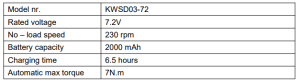
Cordless Screwdriver Technical Details
ENVIRONMENT
NOTICE: This product is subject to European Directive 2012/19/EU provisions. The symbol showing a wheelie bin crossed through indicates that the product requires separate refuse collection in the European Union.
This applies to the product and all accessories marked with this symbol. Products marked as such may not be discarded with regular domestic waste, but must be taken to a collection point for recycling electrical and electronic devices.
Recommended For Your Project
VEVOR Cordless Screwdriver, 8V 7Nm Electric Screwdriver Rechargeable Set with 82 Accessory Kit Manual

Reviews
There are no reviews yet.