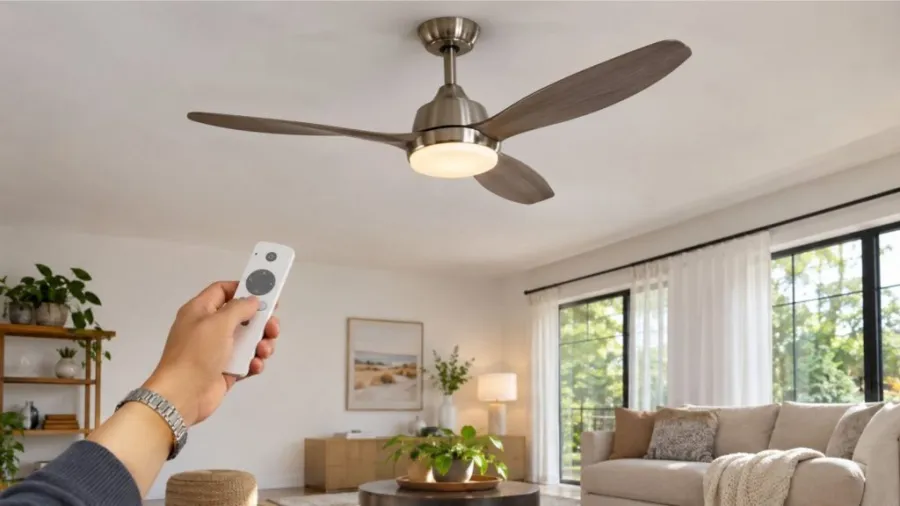
You settle in for the night, reach for the handset, and nothing happens: dead batteries, a lost remote, or a fan that never shipped with one. A ceiling fan with remote should make cooling a room effortless, yet the controls trip up more people than the blades do. This guide covers how remote-control ceiling fans work, how to replace a remote, and how to pick the right model. A look at these مراوح سقف بدون إضاءة shows one common setup. From there, it’s about matching the control to the room. A step-by-step install walkthrough then explains the wiring, so you’ll finish knowing what to buy.
How a Ceiling Fan With Remote Works
Every remote fan has two halves that talk to each other. Once you picture those parts, both buying and fixing one get simpler. Here’s the short version before the brand-specific stuff.
Inside the Remote and the Receiver
A ceiling fan with remote works by pairing a handheld transmitter with a small receiver tucked inside the fan’s canopy. Press a button and the remote sends a radio or infrared signal; the receiver reads it and tells the motor to speed up, slow down, reverse, or dim the light.
Most current remote-controlled ceiling fans use radio frequency, so you don’t need a clear line of sight; the signal passes through the canopy and even a nearby wall. Cheaper or older units rely on infrared, which requires a direct line of sight. Pairing usually means lining up a few tiny DIP switches or holding a button for several seconds after power-up. If you’re weighing blade spans and styles, a دليل أنواع مراوح السقف breaks down the choices.
- Fan speed, often 3 to 6 settings.
- Light on and off, with dimming on a ceiling fan with light and remote.
- Blade direction for summer and winter.
- A timer or sleep mode.
Larger rooms suit a 96-inch aluminum fan with a reversible DC motor, which adds a direction button for moving warm air down in winter. The same handset also dims the bulbs on a lit model, and swapping those bulbs later is a quick job with a ceiling fan light kit.
3 Control Options: Remote, Wall, and App
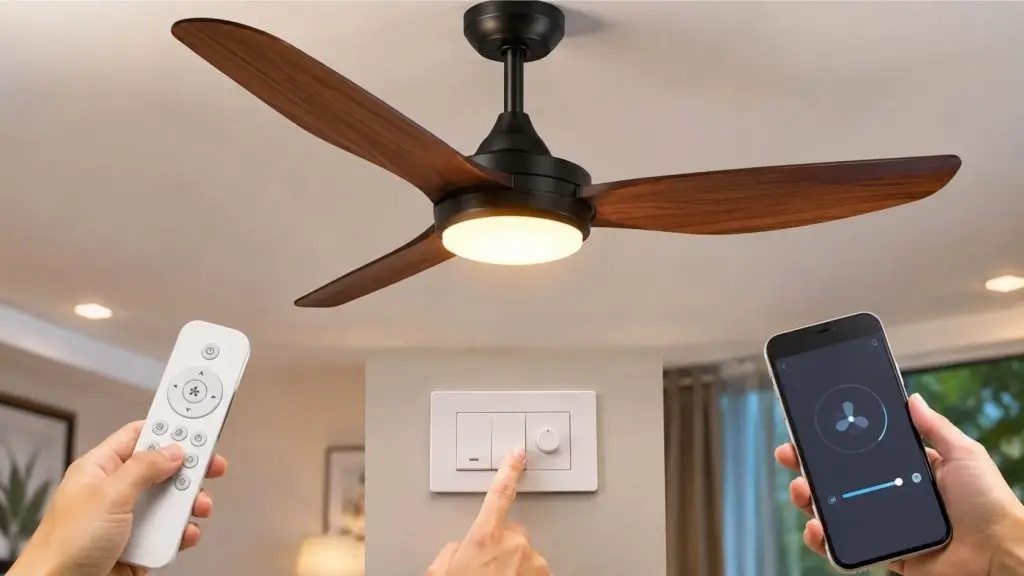
A handset isn’t the only way to run one of these fans. Wall plates and phone apps suit different rooms and habits. The full range of ceiling fans covers all three control styles, so start by comparing them.
Wall and Ceiling Fans with Wall Control and Lighting
Wall-controlled fans run from a switch plate where a light switch would normally sit; instead of a handset you can lose in the couch. Many pair that wall control with a dimmable light, so a single panel runs both airflow and brightness.
The wall plate wires into the same receiver a remote uses, so plenty of remote-control ceiling fans accept both, the plate for daily use and a remote as backup. In a bedroom or living room where a مروحة سقف مع ضوء earns its keep, that pairing keeps controls in one findable spot. Low-profile rooms do well with a تصميم التثبيت المسطح that sits close to the ceiling.
For most rooms, a handheld remote covers the basics, a wall control suits households that keep misplacing handsets, and app control fits smart-home users. A model like the مروحة سقف من الألومنيوم مقاس 84 بوصة ships with a 6-speed remote and works with a wall-mounted receiver, which helps on high ceilings. Here’s how the three stack up.
| اكتب control | كيف يعمل | أفضل ل | التحكم في الإضاءة |
| جهاز تحكم عن بعد محمول باليد | RF or IR signal to canopy receiver | Quick setup, any room | Yes, if the fan has a light |
| وحدة تحكم جدارية | Wired switch plate to the receiver | A fixed, lose-proof spot | غالباً ما تكون قابلة للتعتيم |
| Smart/app control | Wi-Fi or hub to the receiver | Voice and phone users | Yes, via the app |
| VEVOR remote fan, wall-ready | 6-speed remote, reversible DC motor | غرف كبيرة وأسقف عالية | Light-free model |
Can I control Roomratv ceiling fans with a smartphone?
In most cases, yes, but it depends on the receiver inside the fan. Roomratv ceiling fans that ship with a Wi-Fi or Bluetooth receiver connect directly to the brand’s app, while models with only a basic RF remote need a smart hub or a swapped-in smart receiver to reach your phone.
Check the listing or manual for words like Wi-Fi, app, or smart; that’s the quick tell. If it mentions only a handheld remote, you can still add phone control by replacing the receiver with a universal smart kit that bridges the fan to your home network. Build quality and receiver type vary widely, and a rundown of ceiling fan types helps you spot which models come smart-ready. A plain pull-chain fan won’t talk to a phone on its own. These are the common routes to smartphone control:
| اقامة | ماذا تحتاج | يعمل مع | مجهود |
| Built-in Wi-Fi fan | Brand app and home network | Smart-ready fans | منخفض |
| Smart receiver swap | Universal smart kit in the canopy | Most RF remote fans | متوسط |
| Hub or smart switch | Bridge plus existing remote | RF remote fans | متوسط |
| Voice assistant link | Compatible smart hub | App-enabled fans | منخفض |
Replacing a Remote or Parts
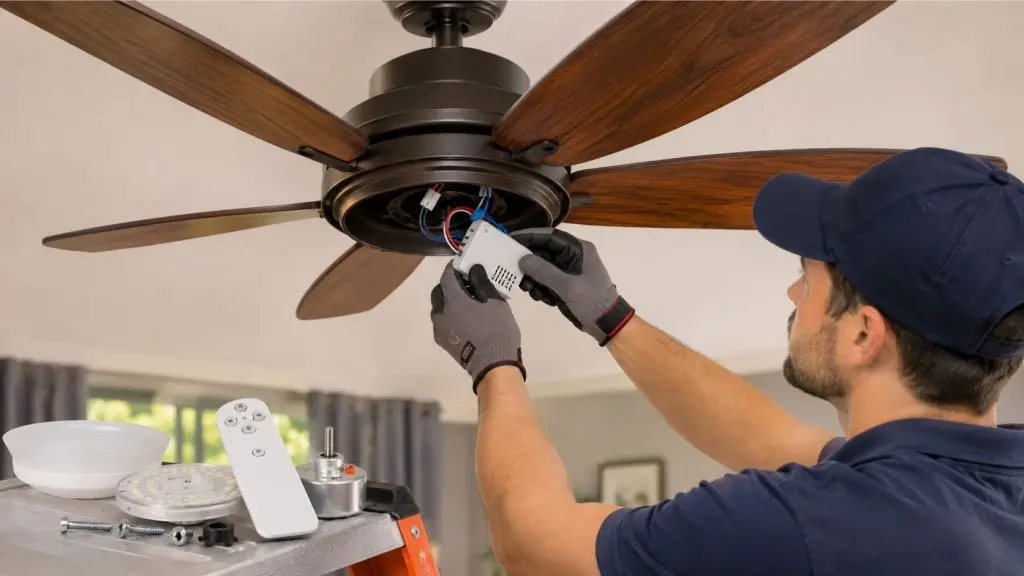
Remotes get lost, batteries corrode, and receivers quit. The good news: you rarely need a whole new fan. Most controls and parts can be matched and swapped on their own.
Remote Control Replacements for Ceiling Fans and Devices
You have three routes to replace a remote: buy the exact OEM handset for your model, fit a universal remote kit that includes a new receiver, or match a compatible remote by frequency. The OEM path is simplest when your brand still sells the part; a universal kit is the fallback when it doesn’t.
A universal kit helps because it swaps the receiver too, which sidesteps the pairing trouble that comes from mixing an old receiver with a new handset. For VEVOR remote-control ceiling fans and many others, replacement remotes and receivers sit in the أجزاء مروحة السقف range, next to blades, light kits, and capacitors. Wiring a fresh receiver follows the same steps as a standard bracket install. Match the voltage and the function list first; a remote that only runs speed won’t control a light.
| مسار بديل | ما الذي ستحصل عليه؟ | الاقتران | أفضل عندما |
| OEM remote | Exact handset match | Easy, pre-matched | The brand still sells it |
| Universal remote kit | New remote and receiver | Set the DIP switches | OEM is unavailable |
| Compatible RF remote | Handset only | Match the frequency | The receiver still works |
| VEVOR replacement remote | Brand remote or parts | Pre-matched to the fan | You own a VEVOR fan |
الموصى بها لمشروعك
Allen & Roth Ceiling Fans and Remotes
Allen & Roth is Lowe’s house brand, so its ceiling fans range without lights and matching remotes are sold and supported mainly through Lowe’s rather than a standalone maker’s site. That shapes where you look when a handset or receiver fails.
This is the exact spot that trips up owners when a handset goes missing. Where can I find replacement remotes for Allen & Roth ceiling fans? Start with the Lowe’s parts desk or your model’s support page; if the original is discontinued, a universal RF kit matched to the fan’s frequency is the dependable backup. A quick overview of the typical setups:
| Allen & Roth setup | التحكم النموذجي | مباراة بديلة |
| مروحة بإضاءة | Handheld RF remote | OEM or universal RF kit |
| Fan, no light | Remote or pull chain | Speed-only remote |
| Wall-switch model | Wall control plate | Compatible wall control |
If the fan itself is near the end of its life, upgrading to a remote-ready model like this 96-inch brushed-nickel fan often costs less hassle than hunting for a discontinued part. Here’s where to actually source a remote:
| مصدر | ما ستجده | أفضل ل |
| Lowe’s parts or support | OEM handset, receiver | النماذج الحالية |
| Universal RF kit | Remote plus new receiver | Discontinued fans |
| استبدل المروحة | New remote-ready model | Old or failed units |
Where can I find replacement parts or remotes for GE ceiling fans?
GE ceiling fans are built under license, so replacement parts and remotes come through the current license holder’s support site and major parts retailers rather than GE itself. Search by the model number stamped inside the canopy or on the motor housing.
If the exact remote is gone, a universal RF kit rated for the fan’s voltage restores speed, light, and direction control. A brushed-nickel upgrade such as the 84-inch aluminum fan is one route if the old unit is beyond saving. Keep the model number handy; it’s the fastest way to confirm a match before you buy.
| مصدر | ما ستجده | أفضل ل |
| Licensed support site | OEM remotes and parts | In-production models |
| تجار التجزئة لقطع الغيار | Receivers, blades, globes | قطع الغيار الشائعة |
| Universal remote kit | Remote plus receiver | Discontinued remotes |
خاتمة
A ceiling fan with remote comes down to matching the control to the room, then knowing your receiver type when something needs replacing. Radio-frequency models give you range without line of sight, wall controls keep a fixed spot for busy households, and app control suits a connected home. When a handset dies, an OEM or universal kit usually fixes it for far less than a new remote control ceiling fan. Whether you pick sleek aluminum or a 72-inch wood-blade fan, measure your space, check the function list, and you’ll land on the right ceiling fan with remote.
الأسئلة الشائعة
Do remote control ceiling fans need batteries?
Yes, the handheld remote runs on a small battery, usually a coin cell or AAA. The remote-controlled ceiling fan draws house power; only the remote needs a battery, and a weak one is the most common reason a remote stops responding.
Can I run two ceiling fans with one remote?
Sometimes, but they’ll move together. Suppose both receivers share the same frequency code; one remote controls both at once. To run them separately, set each fan’s receiver to a different code using its DIP switches.
Why does my ceiling fan remote only work up close?
A short range usually points to weak remote batteries or an infrared sensor that needs a clear line of sight. Replace the battery first. If the remote-controlled ceiling fan uses radio frequency, a failing receiver or local interference may be the cause.
Can a remote fan also keep a wall switch?
Yes. Many models accept both a handheld remote and a wired wall control on the same receiver. Keep the wall switch powered at all times, since cutting power there also cuts the remote’s signal.
How do I reset a ceiling fan remote that stopped working?
Turn the remote-controlled ceiling fan off at the wall, wait about 30 seconds, then restore power and hold the remote’s pairing button for several seconds. Fresh batteries and re-syncing the DIP switch codes clear most remote faults.