
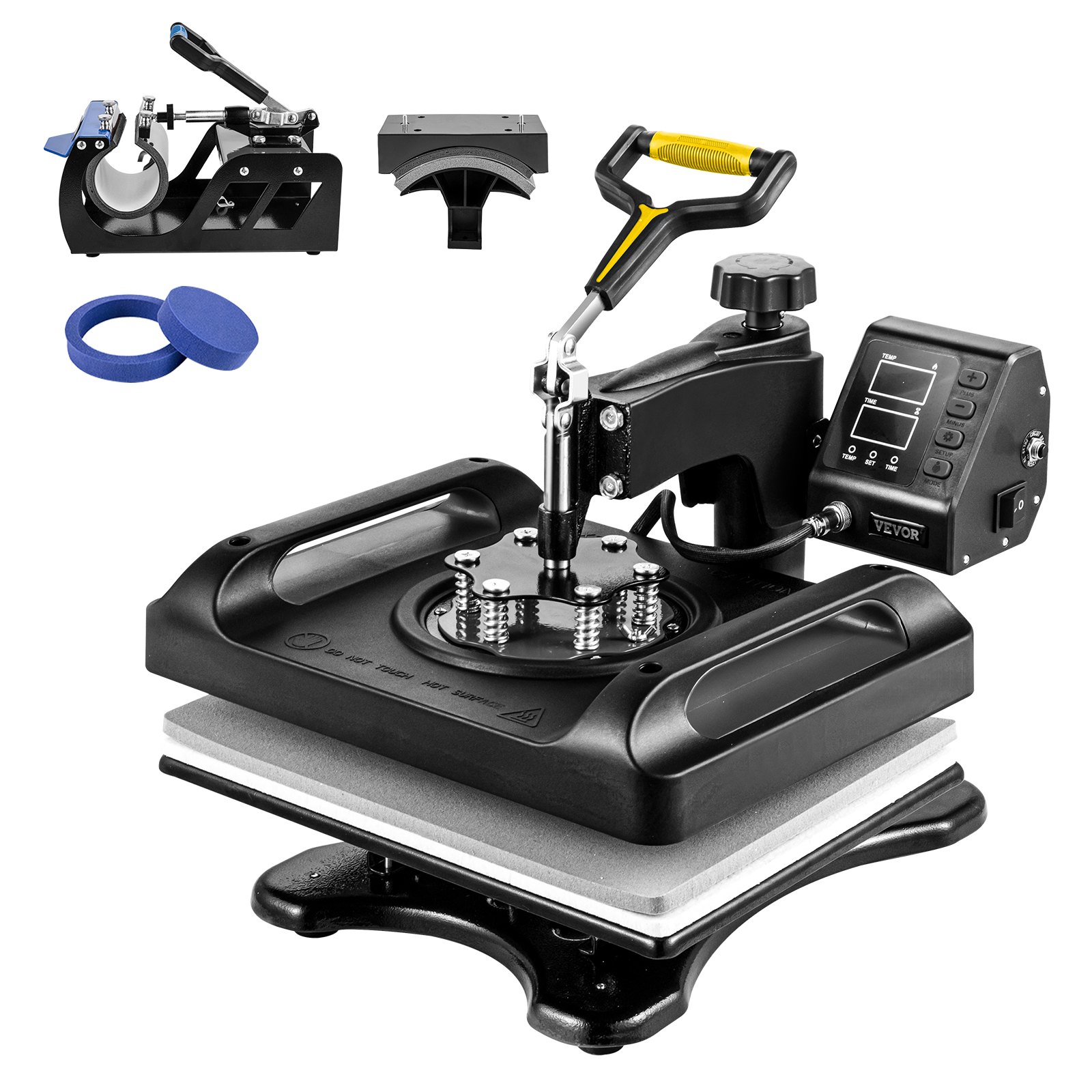
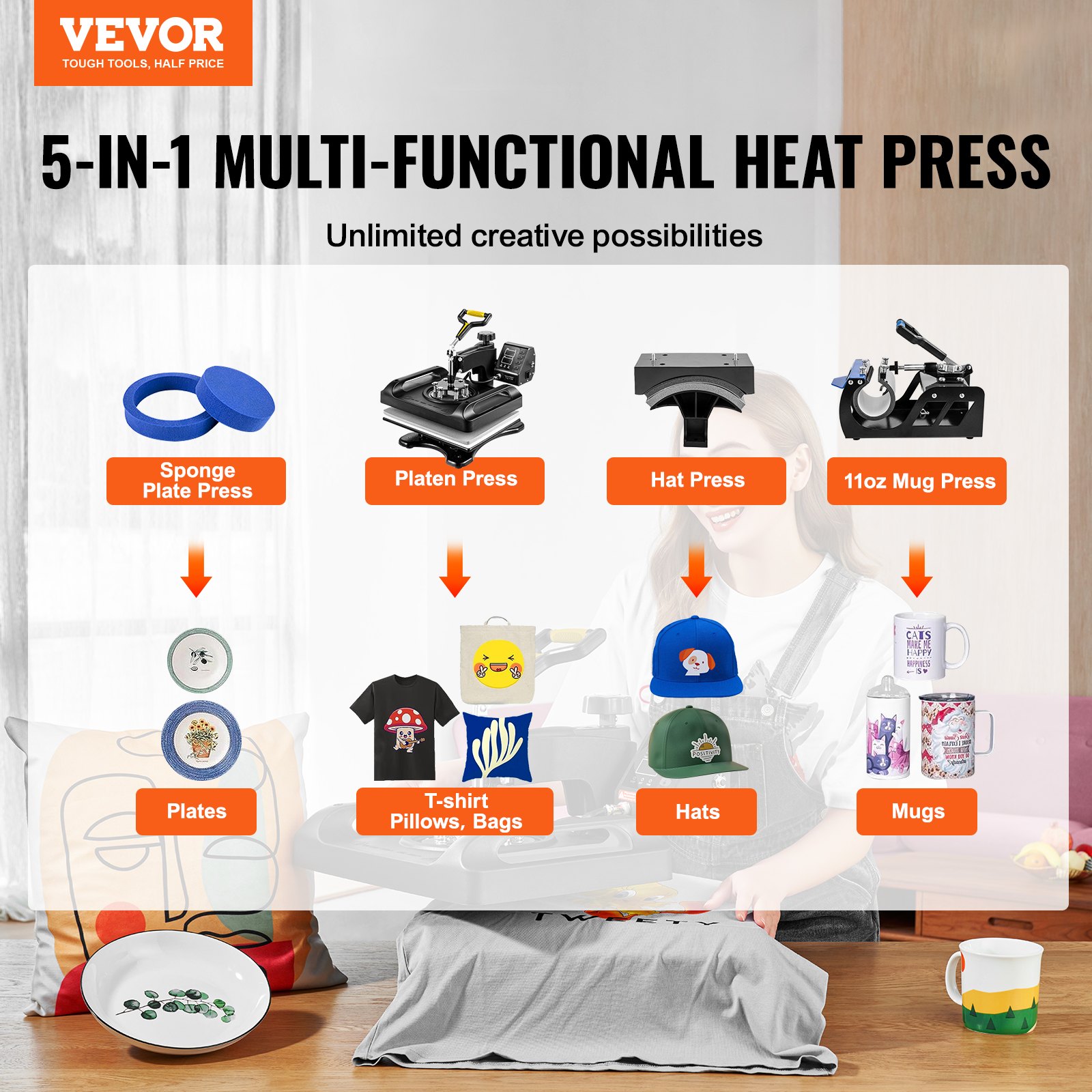

Unlock the full potential of your VEVOR Pro Heat Press Machine, 12 x 15 Inches, with our comprehensive product manual download. Designed with both beginners and professionals in mind, this manual provides step-by-step guidance on setup, operation, and maintenance of your 5 in 1 Combo 360 Swing Away Digital Sublimation T-Shirt Vinyl Transfer Printer.
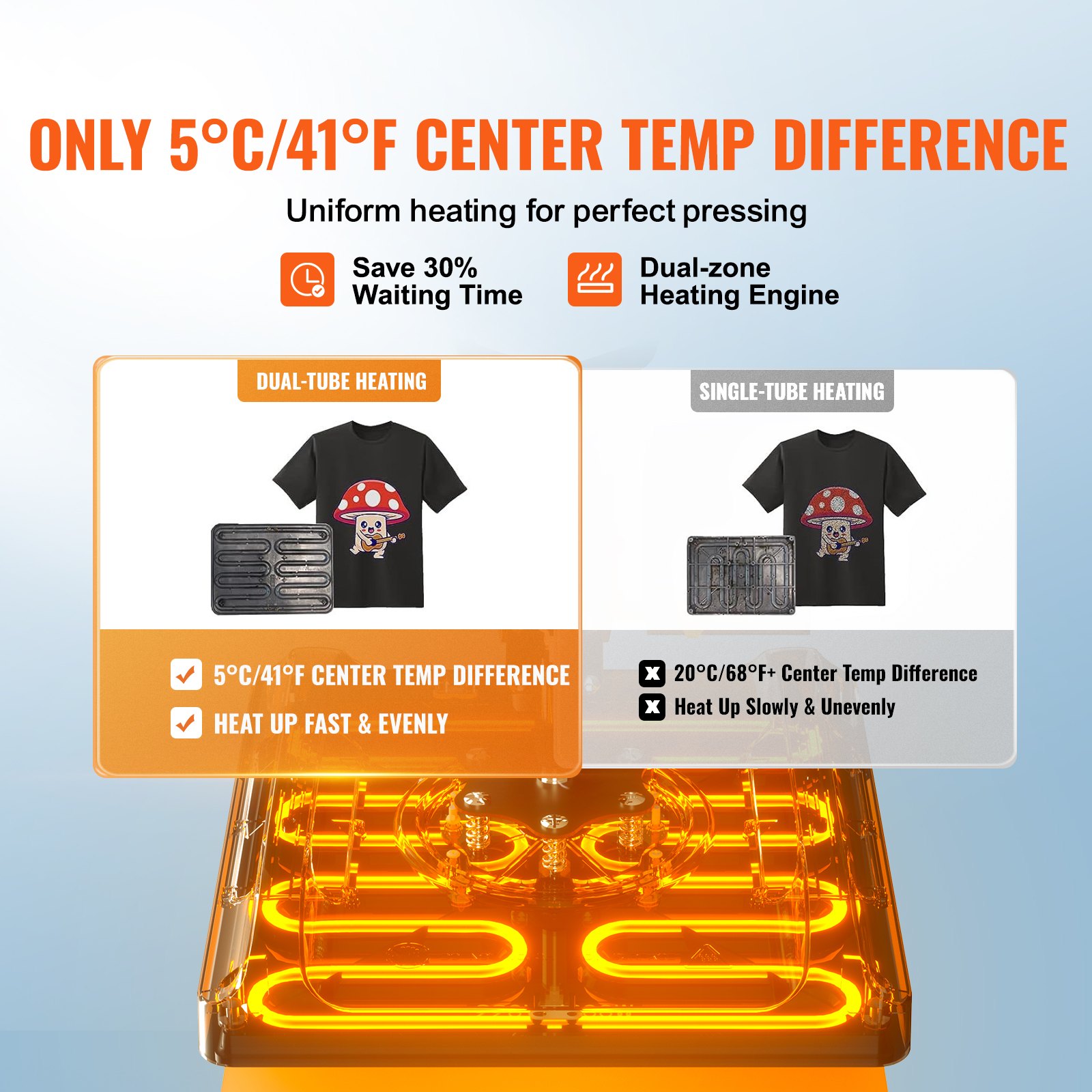
Whether you are transferring designs onto hats, mugs, plates, or T-shirts, this manual ensures you achieve flawless results every time. The Fast Heating feature and Anti-Scald Surface are thoroughly explained to enhance your safety and efficiency.
With troubleshooting tips, optimization techniques, and detailed illustrations, this manual is an invaluable resource for maximizing the performance of your ETL Listed, Black heat press machine. Download now to simplify your printing process and ensure top-notch results.
VEVOR Pro Heat Press Machine Manual
Warnings must be followed carefully to avoid body injury.
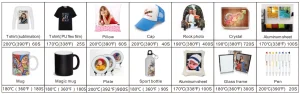
Transfer Parameters (For reference)
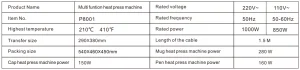
Main Parameters
Troubleshooting the Pro Heat Press Machine
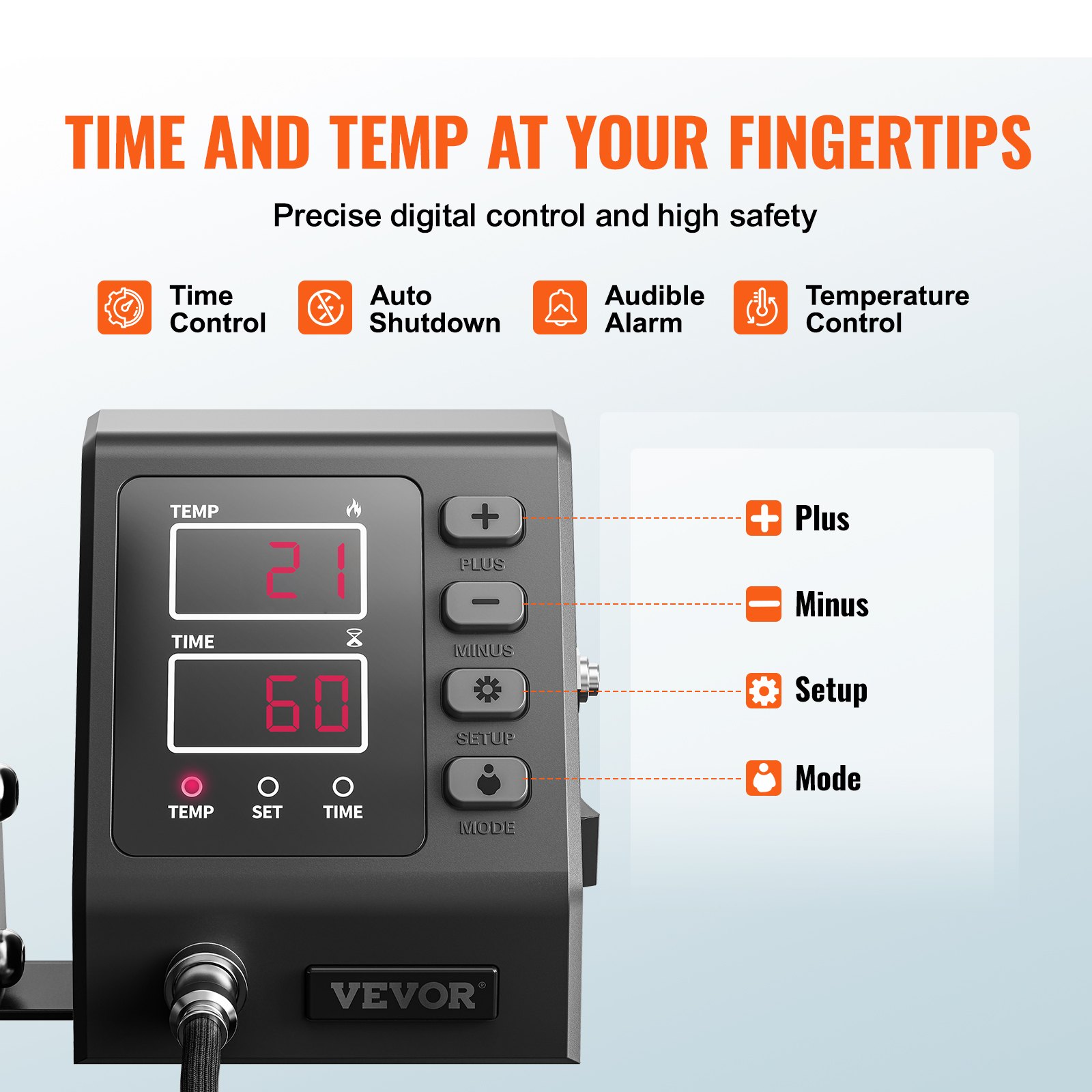
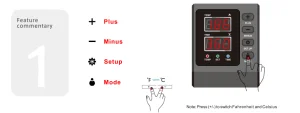
1. How to switch the machine/how to start working?
Press the switch button on the side of the temperature control box to turn it on.
Countdown start button, press once to start the countdown; press again to reset.
2. How to set the temperature/time?
Press once to set the temperature, press again to set the time, press again to exit (Automatically exit without operation within 5 seconds)
3. How to set the temperature/time to increase or decrease?
Set time/temperature value increase
Set time/temperature value reduced
4. How to convert the temperature unit between Celsius and Fahrenheit?
In the power-on state, press “+” and “-” at the same time to switch the temperature unit
5. How to set the automatic shutdown time?
Long press for 5 seconds to set the automatic shutdown time.
(The factory default is 60 minutes, the range can be set from 10 minutes to 120 minutes)
6. How to perform temperature correction?
Press and hold for 5 seconds to enter the temperature correction setting.
(Range +30°C, initial value is 0)
7. How to turn on/off the alert tone?
In the shutdown state, press “-” to turn off the prompt sound, and the display is OFF; Press again to turn on the beep and display as ON
NOTE: The highest setting temperature of this machine is 210°C, and the longest time is 999 seconds
Accessories Installation Diagram
Plate Transfer Process
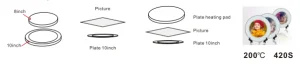
- Select one side that matches the size of the plate to be sleeved with a silica gel pad, and remove the silica gel pad on the other side. Keep the side without the silica gel pad facing upwards and heat it on the machine for 15 minutes.
- Put the hot stamping paper on the plate that wants to print the pattern.
- Remove the heating plate and place it on the plate, keeping the side without the silica gel pad facing upward.
This mug heat press machine is matched with 5-in-1 and 6-in-1.

This mug heat press machine is matched with 8-in-1, 10-in-1, and 11-in-1.

- Connect the cap baking machine to the main machine and set the time and temperature.
- Stick the transferred picture on the hat.
- When the temperature reaches, press the hat into the hat baking machine tightly.
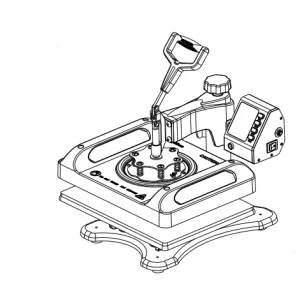
Main Spare Parts
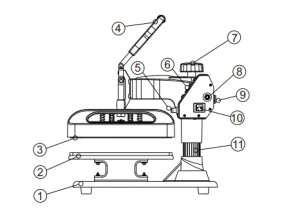
- Pedestal
- Placement
- Heating Plate
- Handle
- Aviation connector
- Button
- Lift Knob
- Overload Protector
- Power Socket
- Power switch
- Column
Guarantee
The products are strictly based on the Consumer Protection Law of the People’s Republic of China and the Product Quality Law of the People’s Republic of China. The services are as follows:
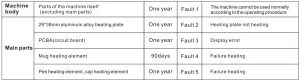
Within 12 months, this product has a performance failure listed in the “Product Performance Failure Table”. It is confirmed by SUNMETA and can be used for maintenance service free of charge. If the machine is out of validity, damage caused by force majeure, or human causes, the machine is not covered by the warranty, and repair is at the customer’s charge.
Safety instruction: Before operating this unit, please read these instructions completely and save them
Notice
- Keep the machine unplugged when moving it.
- Keep unplugged when installing accessories
- Place on a flat and stable platform and operate under ventilated conditions.
- Wear special protective equipment when operating the machine.
Warning
Improper use may result in electric shock, fire, personal injury, and other damage.
- Do not use this machine in a hazardous location
- Do not use when the machine is not working properly
- Do not allow children or adults who do not understand this manual to operate this machine
- Do not disassemble or repair this machine
- Do not use an unsuitable AC outlet
- Do not touch the heating plate when the machine is heating.
Warranty content
Recommended For Your Project
VEVOR Pro Heat Press Machine, 12 x 15 Inches, Fast Heating, 5 in 1 Combo, Black Manual
Reviews
There are no reviews yet.