
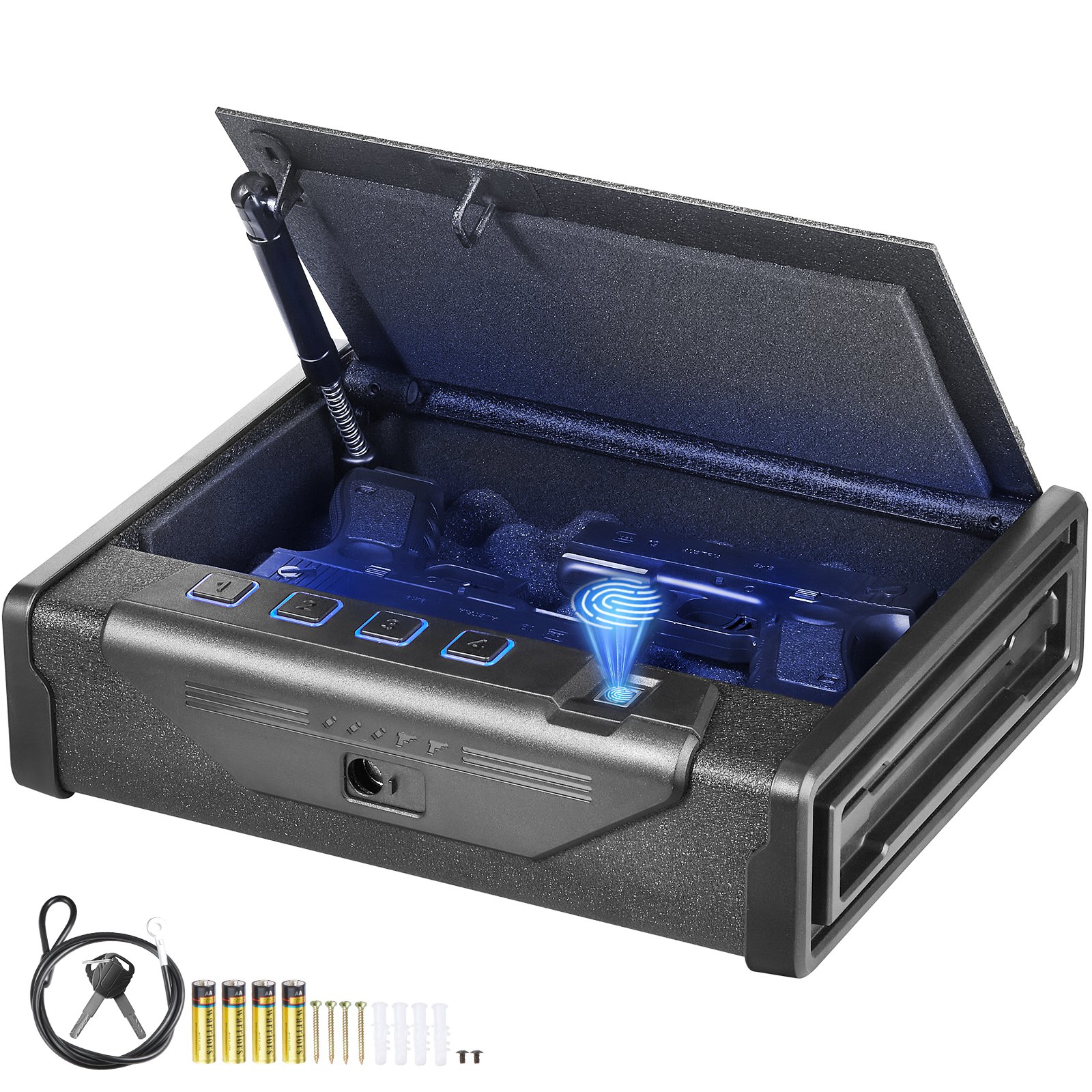
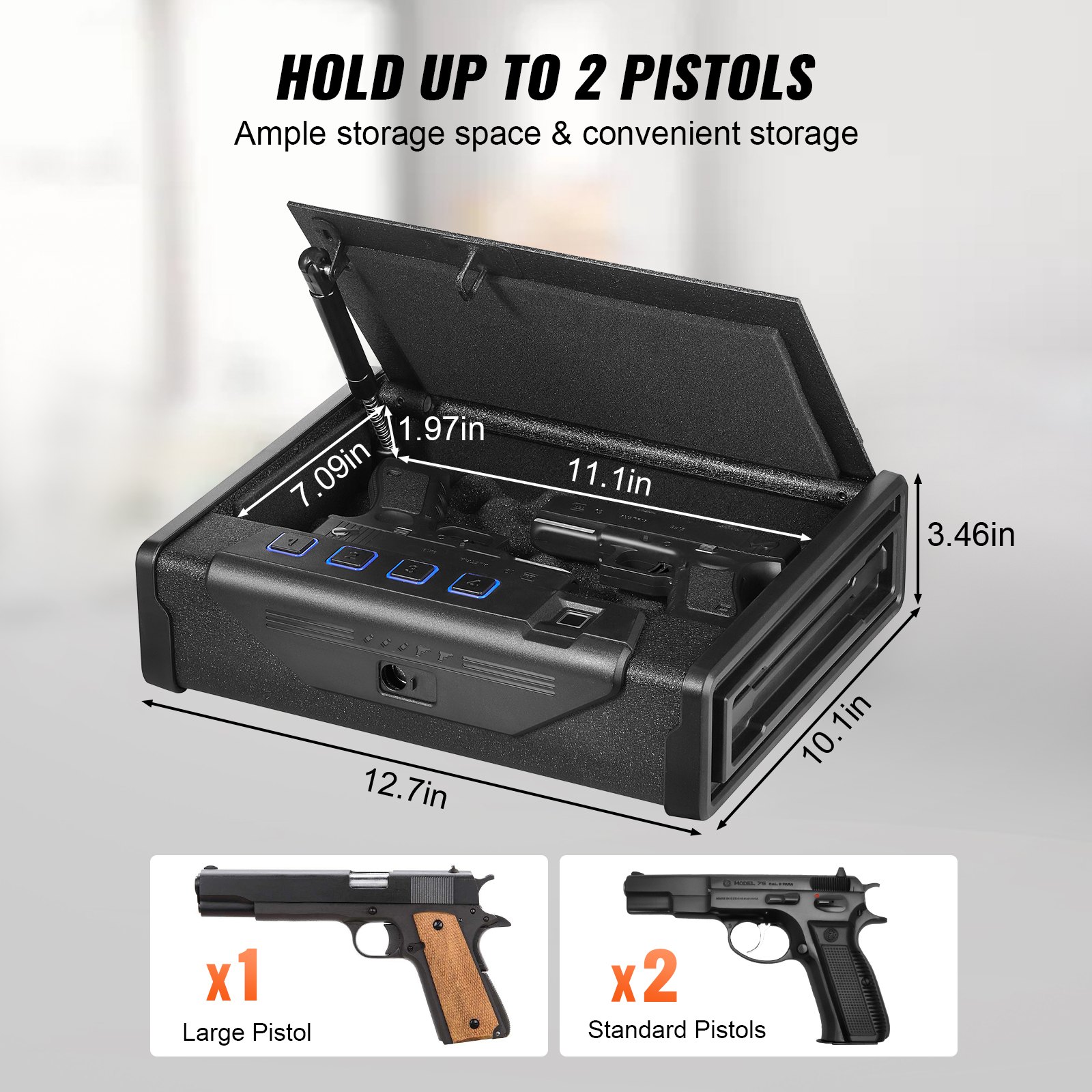
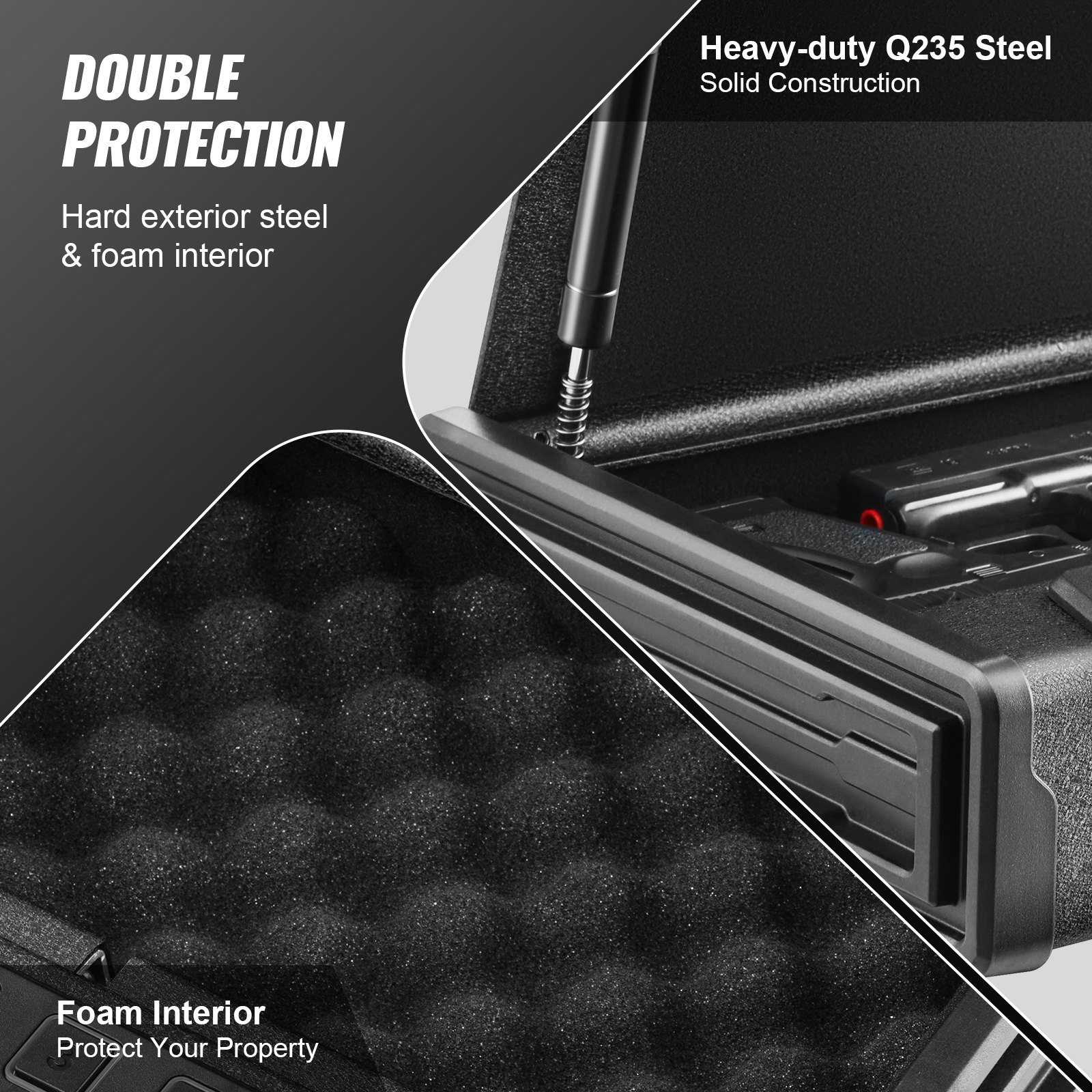
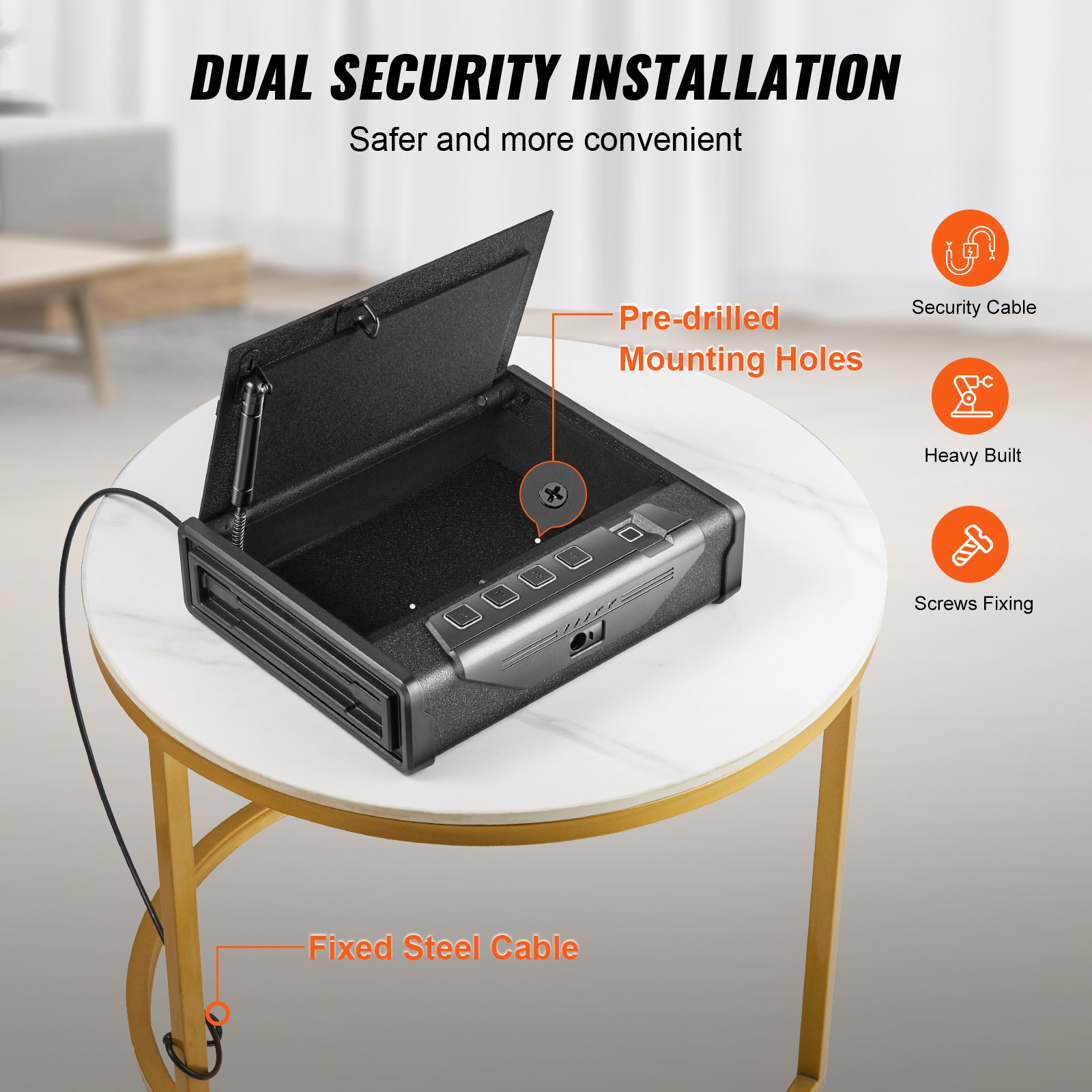
Unlock the full potential of your VEVOR Gun Safe for Pistols with our comprehensive product manual. Whether you’re setting up your Biometric Gun Safe for the first time or looking to optimize its features, this manual is your go-to resource.
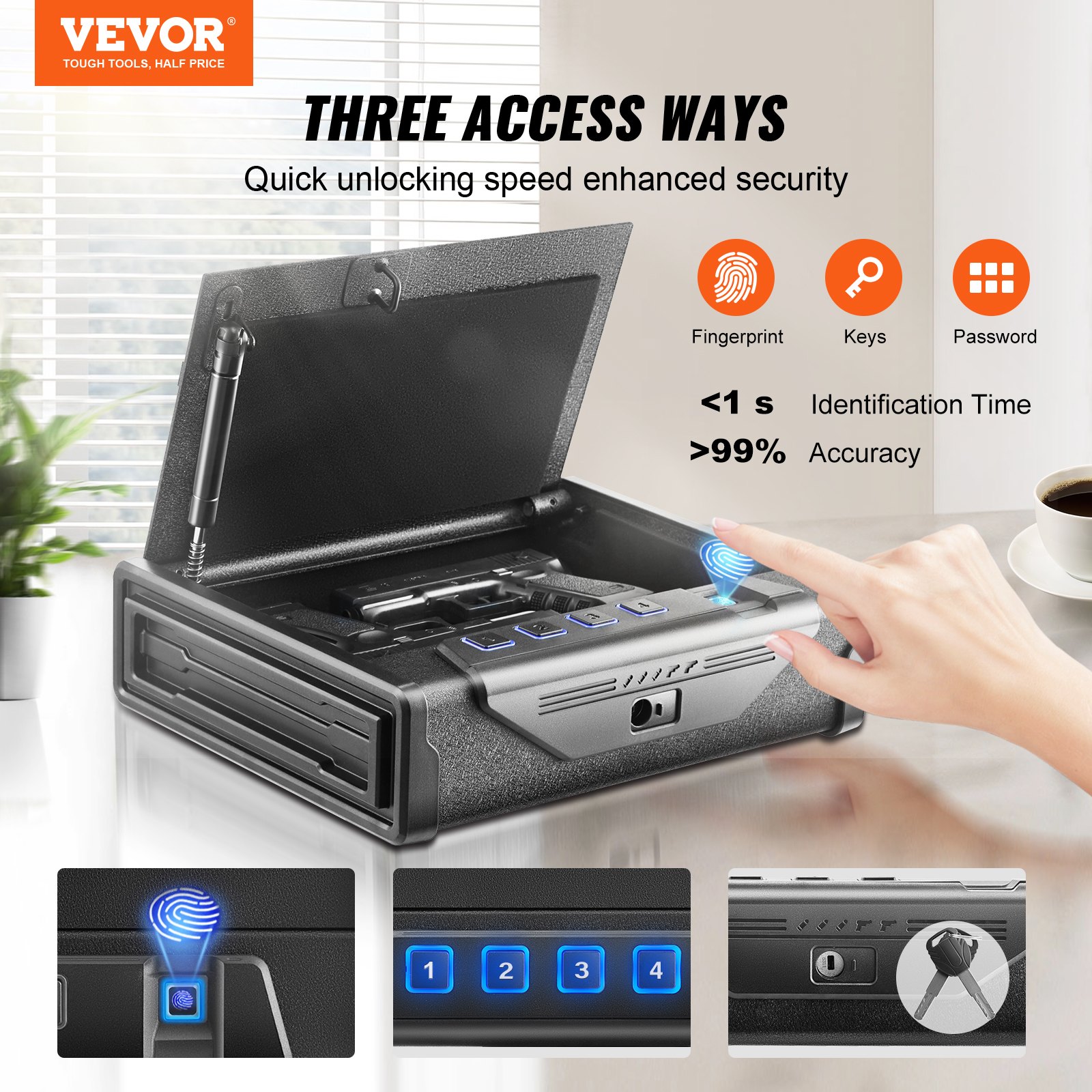
You’ll find detailed instructions on using the three quick access methods—fingerprints, passwords, and keys—ensuring that your handgun safe is both secure and easily accessible.
Our step-by-step guide covers everything from installation and setup to troubleshooting common issues, making it an invaluable tool for any gun owner. Perfect for home, bedside, nightstand, or car use, this manual ensures that your VEVOR Gun Safe operates at peak performance, keeping your pistols secure and readily available when you need them most. Download now and arm yourself with the knowledge to make the most of your handgun safely.
VEVOR Gun Safe for Pistols User Manual
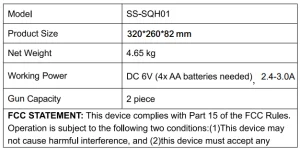
MODEL: SS-SQH01
IMPORTANT SAFEGUARDS
Warning: To reduce the risk of injury, the user must read the instructions manual carefully. Failure to do so can result in serious injury.
- DO NOT SIT, STAND OR CLIMB ON THIS ITEM.
- This product is not a toy. Do not allow children to play with or near this item.
- Use the gun safe as intended only. Keep away from sharp points, blades and other items, so as not to scratch the product.
- Flammable: Keep away from open flames. This product will ignite and burn if it comes into contact with an open flame.
- Battery Replacement: When the batteries are not charged enough, they must be replaced immediately. To replace the batteries, turn off the handgun safe first. Replace the old batteries with new ones of the same type, make sure that the polarity connections are correct (see the polarity indications at the bottom of the battery compartment), and reinstall the battery cover.
INSTRUCTIONS

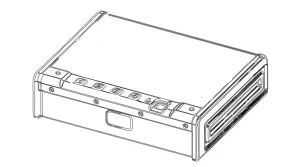
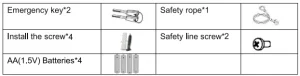
GUN SAFE PARTS LIST
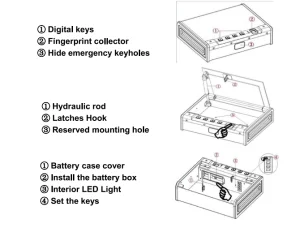
SCHEMATIC DIAGRAM
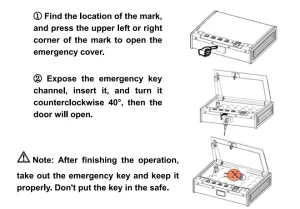
OPENING YOUR SAFE FOR THE FIRST TIME
INSTALLING THE BATTERY
Open the cover plate of the internal battery box and install four AA alkaline batteries in the positive and negative directions. When the buzzer “beeps, the power is connected, and the operation can continue normally.
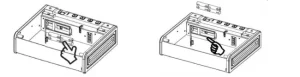
Note: Install four new batteries of the same brand; avoid using lithium batteries.
PRODUCT PERFORMANCE
- After the battery is installed in the internal battery box, the buzzer beeps once, indicating that the power has been connected and the operation can continue normally.
- The blue light in the indicator area indicates the setting and door opening states, the red light indicates the error code alarm state, and the yellow light indicates the battery undervoltage state. (The factory original password is 1234; it can be set to 4-6 digits, and the door cannot be opened with a blank fingerprint.)
- This product has two modes of door opening: a digital password and fingerprint opening. The door can be opened by entering any correct password or correct fingerprint. After the door is opened, the blue light flashes once, the buzzer beeps for a long time, and the lock opens. The lighting inside the box lights up.
SET PASSWORD
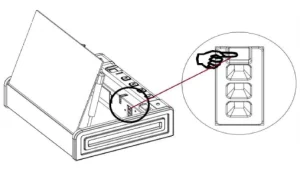
In the standby state, press the setting button once, the blue light will shine, and the buzzer “beep” will sound twice. Enter a new password, press the setting button again, the blue light will light up, and the buzzer “beep” will sound for a long time, indicating that the password has been set successfully.
SET FINGERPRINTS ON THE GUN SAFE
(20 FINGERPRINTS CAN BE REGISTERED)
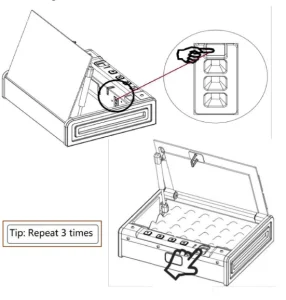
- In the standby state, press the setting button once, the blue light will light up and the buzzer will “beep” twice.
- At this point, put your finger on the fingerprint collector, raise your finger when you hear the “beep” sound, put the same finger back on the fingerprint collector, and press it repeatedly three times.
- At this time, the buzzer “beep”, indicating that the fingerprint is set successfully.
- If the red light is on, the buzzer “beep” twice, indicating that the fingerprint setting was unsuccessful.
MUFFLER FUNCTION
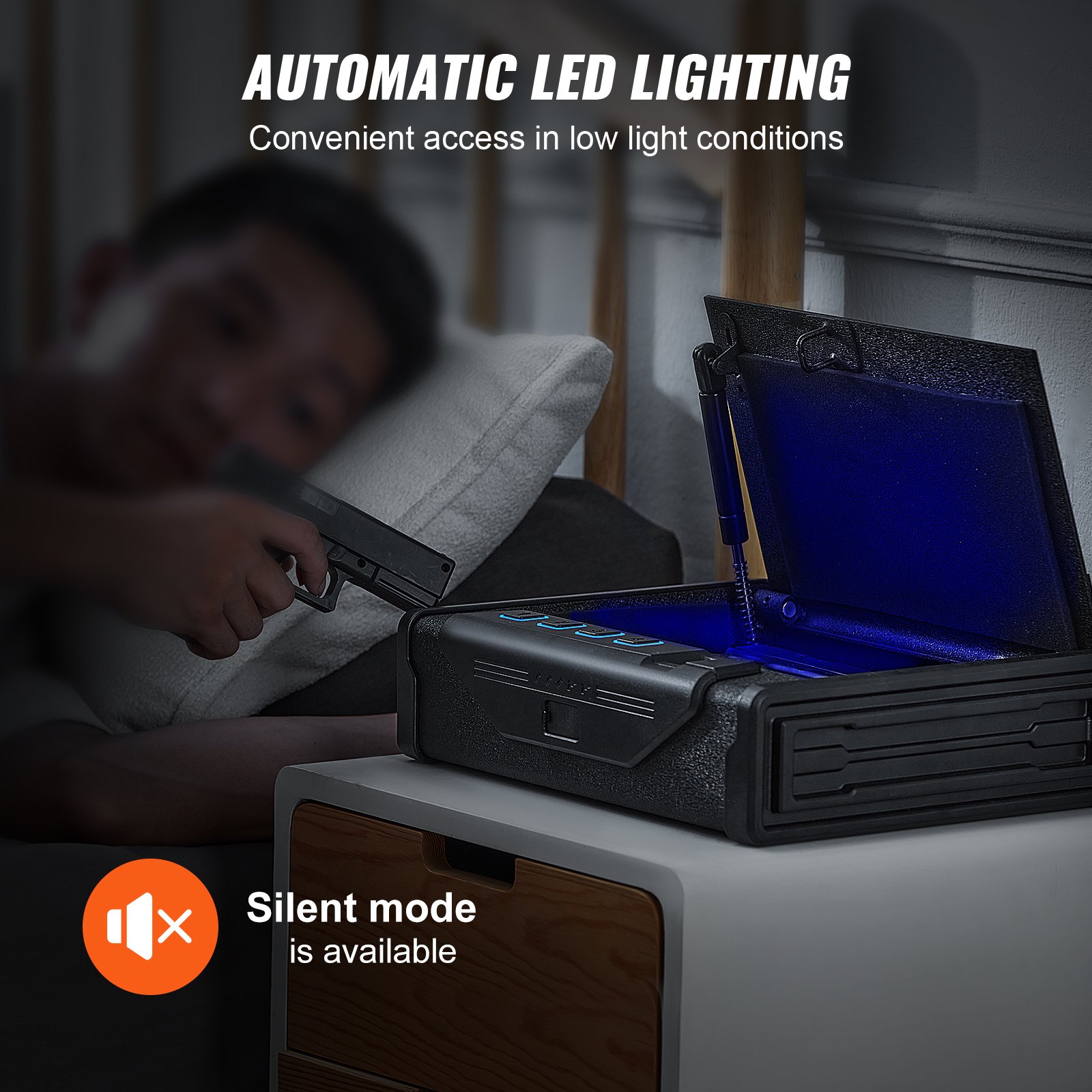
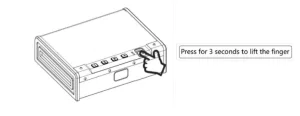
- Long-press the number “I” key (about 3 seconds), the blue light will shine, and the sound will be silenced successfully.
- Long-press the “I” button again (about 3 seconds). The blue light will shine, and the sound will turn on.
(Note: “I” is the muffler button, and it will return to normal without electricity).
ERROR ALARM FUNCTION
When the wrong password or fingerprint is entered, the red light flashes five times, and the buzzer “beeps” five times to alarm. After five consecutive times of the wrong code or fingerprint, the button and fingerprint will self-lock for five minutes. (Both the digital keys and fingerprints are invalid when the alarm is wrong, and they will be returned to normal use after the alarm is over.)
RESTORE FACTORY SETTINGS
Press the setting button for 3-5 seconds, and the blue light will shine, and the buzzer “beep” will ring, indicating that the fingerprint has been removed successfully. The numeric password is reset to the original password 1234. (At this point, any fingerprint cannot be verified.) Reset the fingerprint.
UNDERVOLTAGE FUNCTION
When the voltage is around 4.8V, the yellow light will shine 6 times after opening the door, and the buzzer “beep” will ring 6 times to alarm, reminding the low power to replace the new battery, so as not to affect the normal opening of the door next time.
💡 Tip: Do not use lithium batteries, different brands of batteries.
INSTALLATION AND FIXATION DIAGRAM
- Secure the safe in a place that cannot be moved easily.
- Clamp the screws in the correct position, secure the box body to the board, make sure the installation is in place, then tighten all screws.
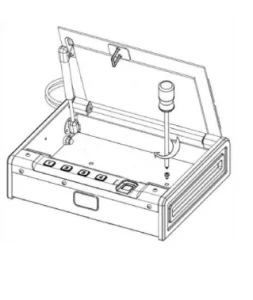
- Note: Use clamping screws when wooden wall surfaces are available. Each product comes with 2 screws.
CORRECT DISPOSAL
This gun safe is subject to European Directive 2012/19/EC provisions. The symbol showing a wheelie bin crossed through indicates that the product requires separate refuse collection in the European Union. This applies to the product and all accessories marked with this symbol. Products marked as such may not be discarded with normal domestic waste, but must be taken to a collection point for recycling electrical and electronic devices.
Recommended For Your Project
VEVOR Gun Safe for Pistols, Biometric Gun Safe Manual


Reviews
There are no reviews yet.