
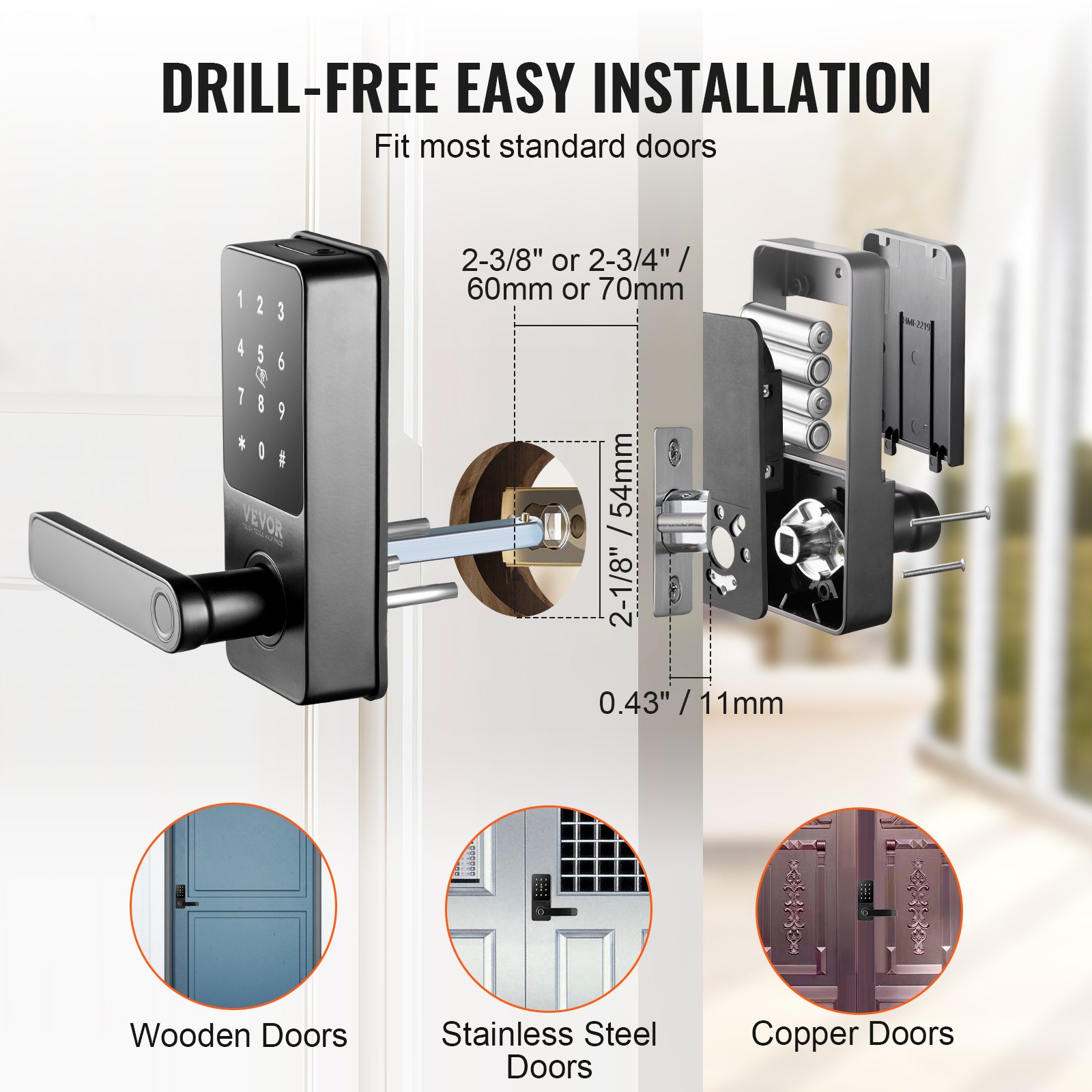

Unlock the future of home security with the VEVOR Smart Lock. This 5-in-1 Smart Door Knob is designed to provide unparalleled convenience and security for your front door. The comprehensive product manual ensures you get the most out of your VEVOR Smart Lock, featuring step-by-step instructions for setup, troubleshooting, and optimization.
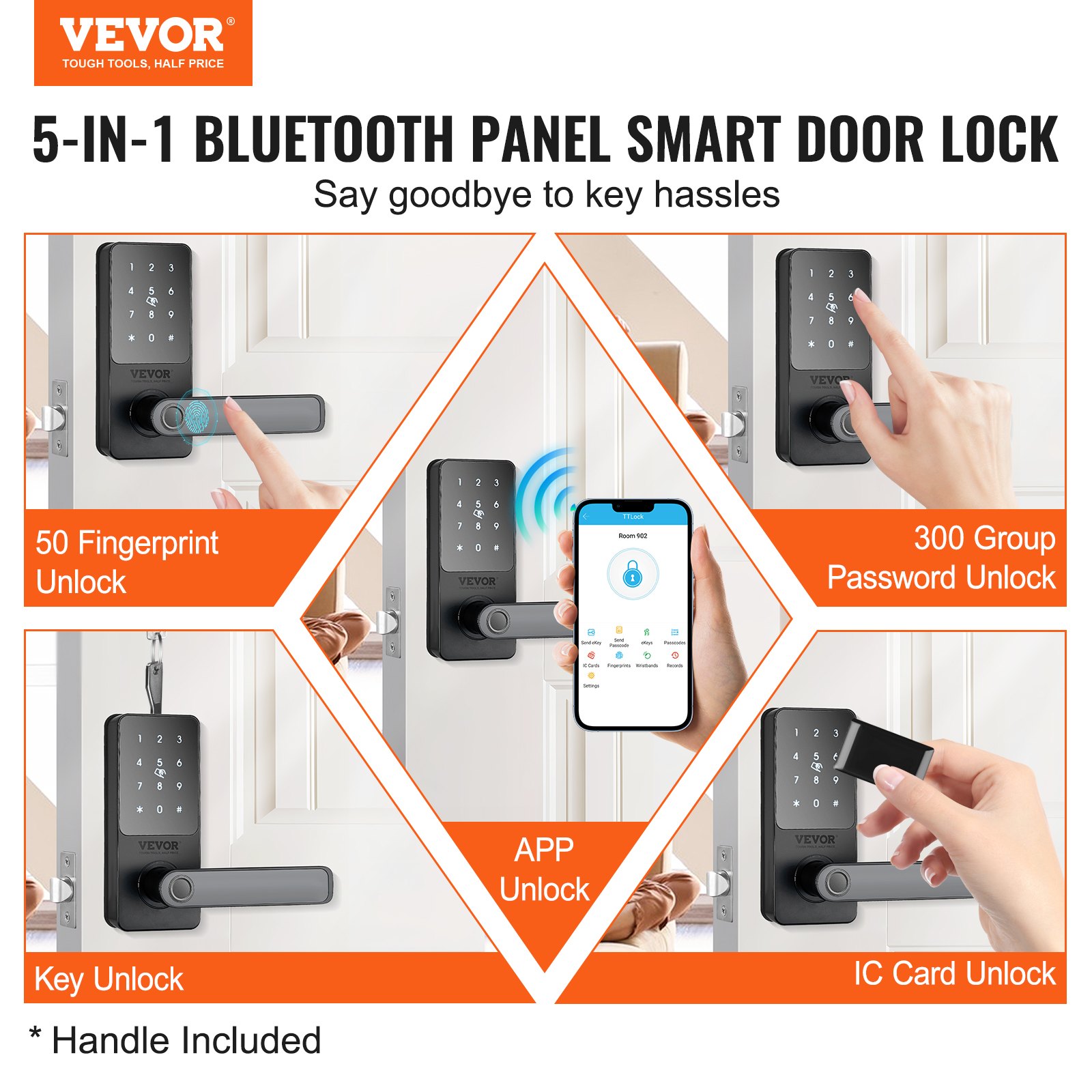
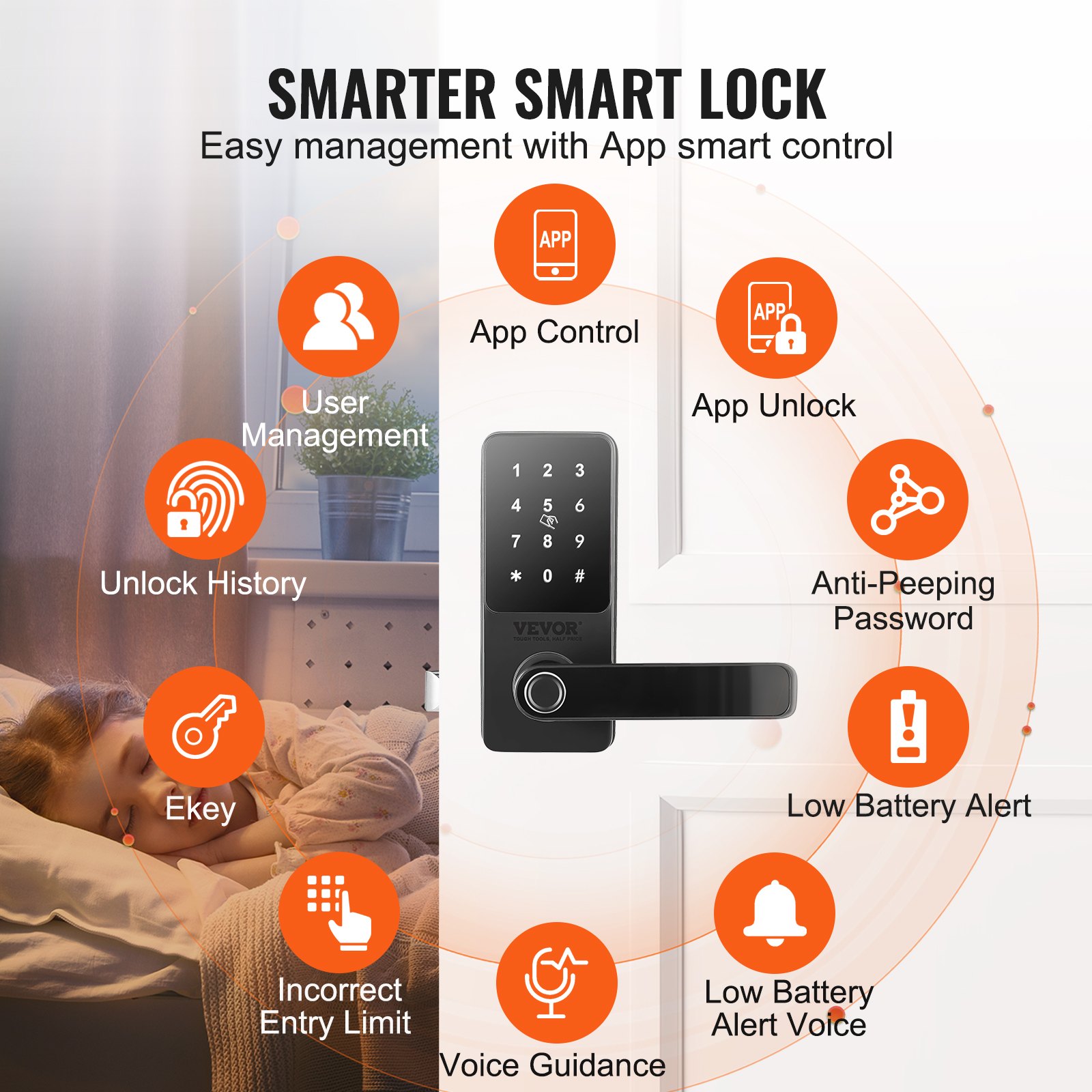
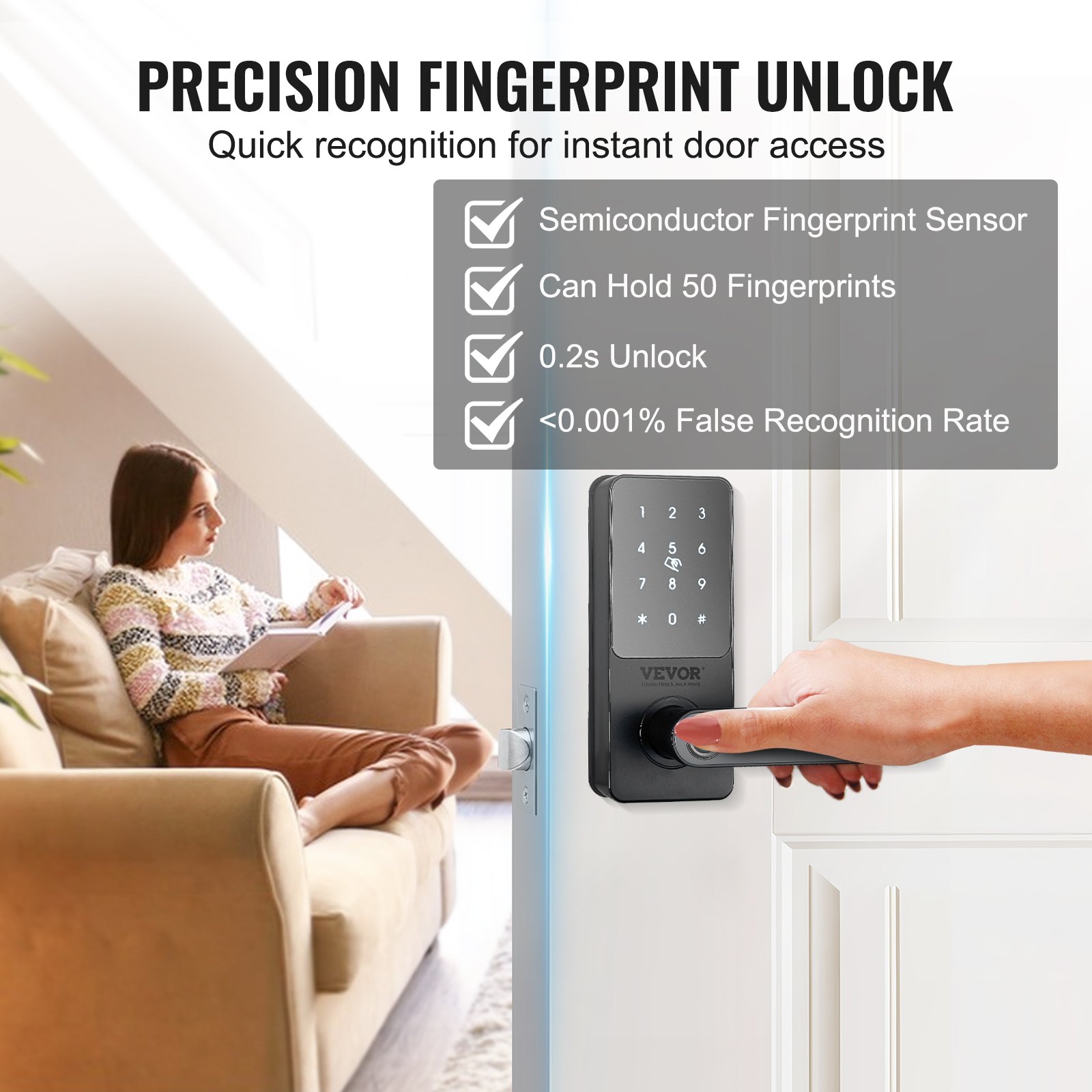
With the Fingerprint Deadbolt and App Control, you can manage access seamlessly via Bluetooth. The Keyless Entry Door Lock with Handle offers biometric access with the added security of a Keypad Digital Door Lock. Whether you’re tech-savvy or a beginner, our manual is crafted to guide you through the entire process with ease.
Download the VEVOR Smart Lock manual today and enjoy hassle-free installation and detailed insights into your Bluetooth Smart Lock’s features. This indispensable guide covers everything from initial setup to advanced troubleshooting, ensuring your Biometric Door Lock performs at its best. Secure your home efficiently and effortlessly with our user-friendly manual.
VEVOR Smart Lock Manual
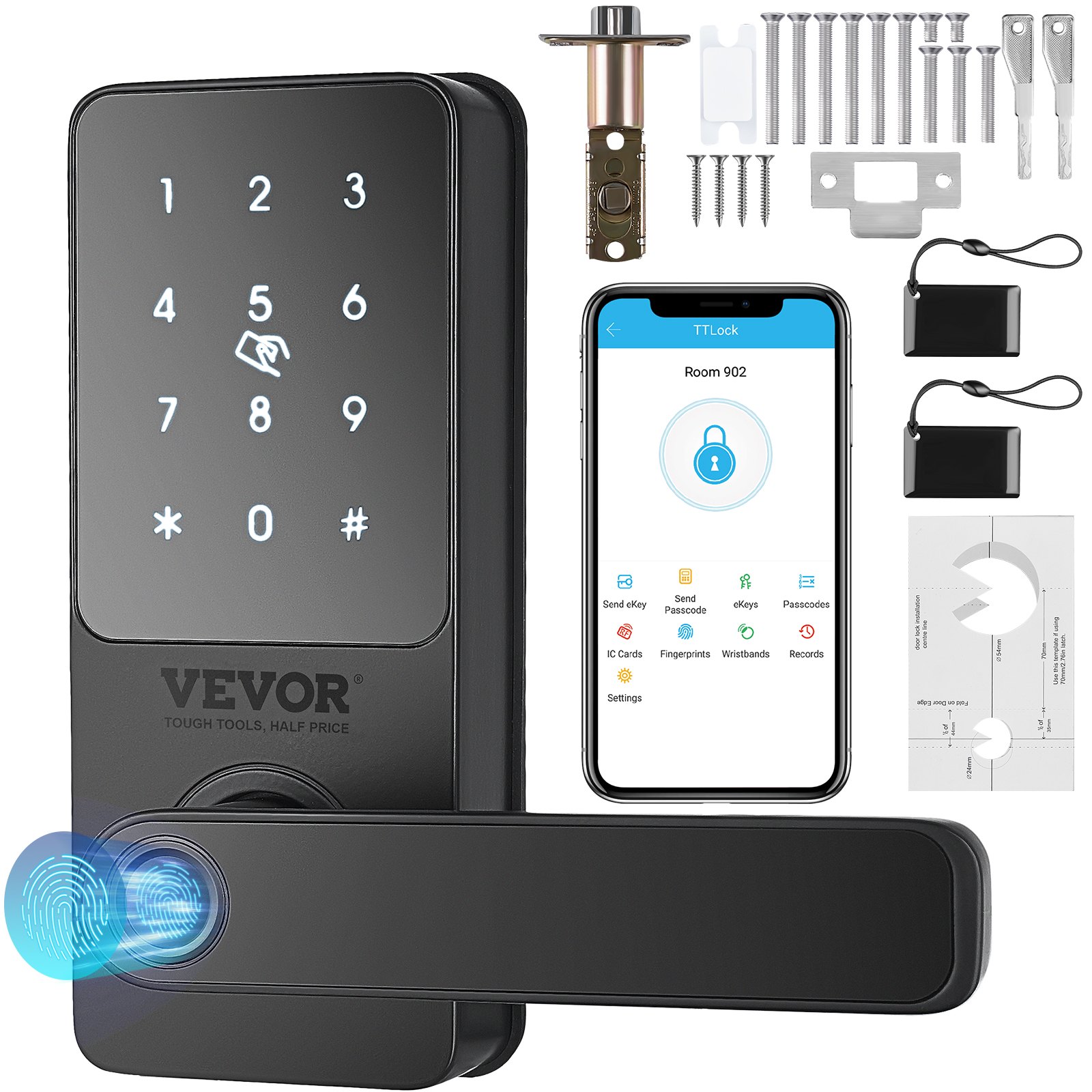
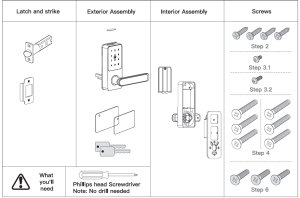
What’s Included
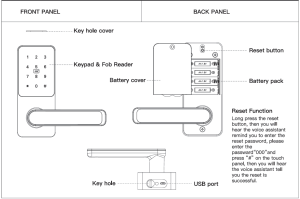
Product Overview
Explosive View
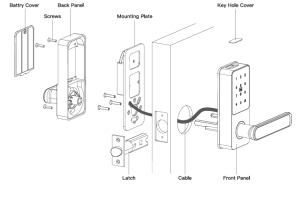
Installing the VEVOR Smart Door Lock
Adjust the backrest of the latch (if needed)
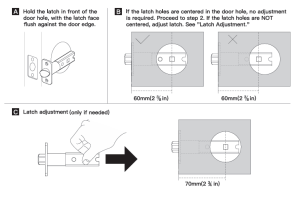
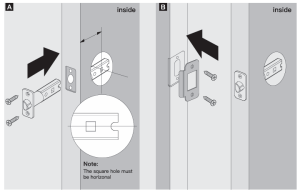
Install the Latch
Adjust the Lock Handle Direction
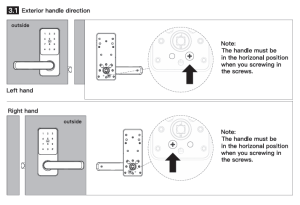
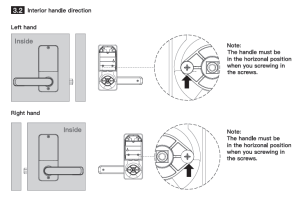
Install the Front Panel
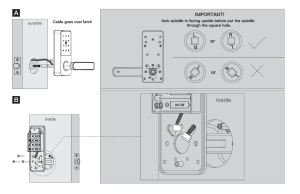
Connect the Wire Connector
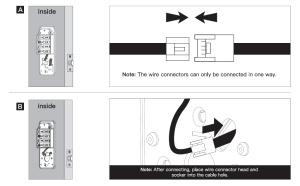
Install the back panel
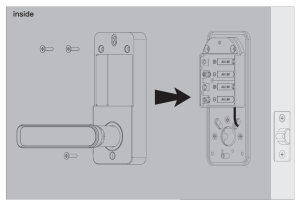
Install Batteries and Battery Cover
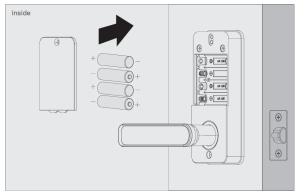
Insert the Key and Test the Installation
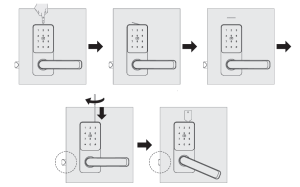
Install the VEVOR lock on Top (Only if needed)
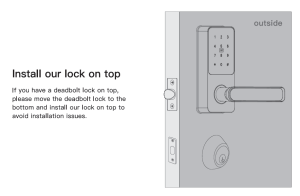
-
Before installation, verify that your door meets the required thickness (35–50 mm) to ensure proper fit and operation.
-
Ensure the door edge is straight and clean, with properly aligned holes drilled for smooth, flush fitting of the lock assembly.
-
Handle internal components, such as the back‑plate and battery pack, carefully to avoid damage during installation.
-
Do not overtighten screws; secure firmly but allow slight movement to avoid compromising the lock’s internal alignment.
-
Follow the installation steps in the manual precisely and verify the latch’s and bolt’s correct orientation before final tightening.
-
Test manual locking and unlocking before powering on or connecting via app, ensuring correct mechanical alignment.
-
After installation, calibrate the fingerprint and keypad functions by testing each method to confirm smooth operation before closing the door.
-
Keep the smart lock away from excessive moisture, direct heat, or electrical interference, especially during and immediately after installation.
-
If replacing a standard lock, ensure compatible wiring or app integration—mount electronics with the door open to avoid trapping cables.
-
Read all instructions thoroughly before starting—improper installation can cause malfunction or security vulnerabilities.
Recommended For Your Project
VEVOR Smart Lock, 5-in-1 Smart Door Knob, Fingerprint Deadbolt with App Control, Bluetooth Smart Lock Manual


Reviews
There are no reviews yet.