
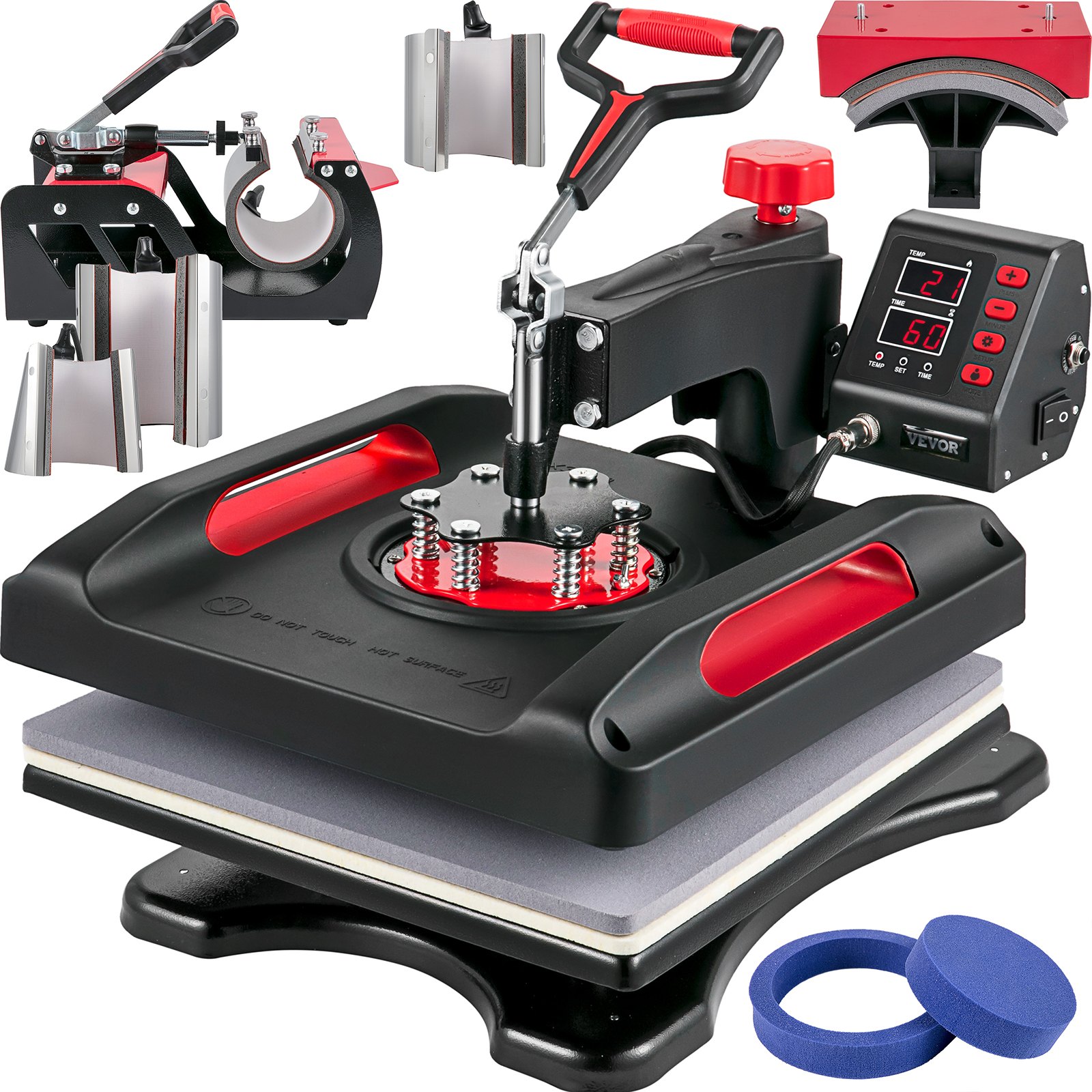
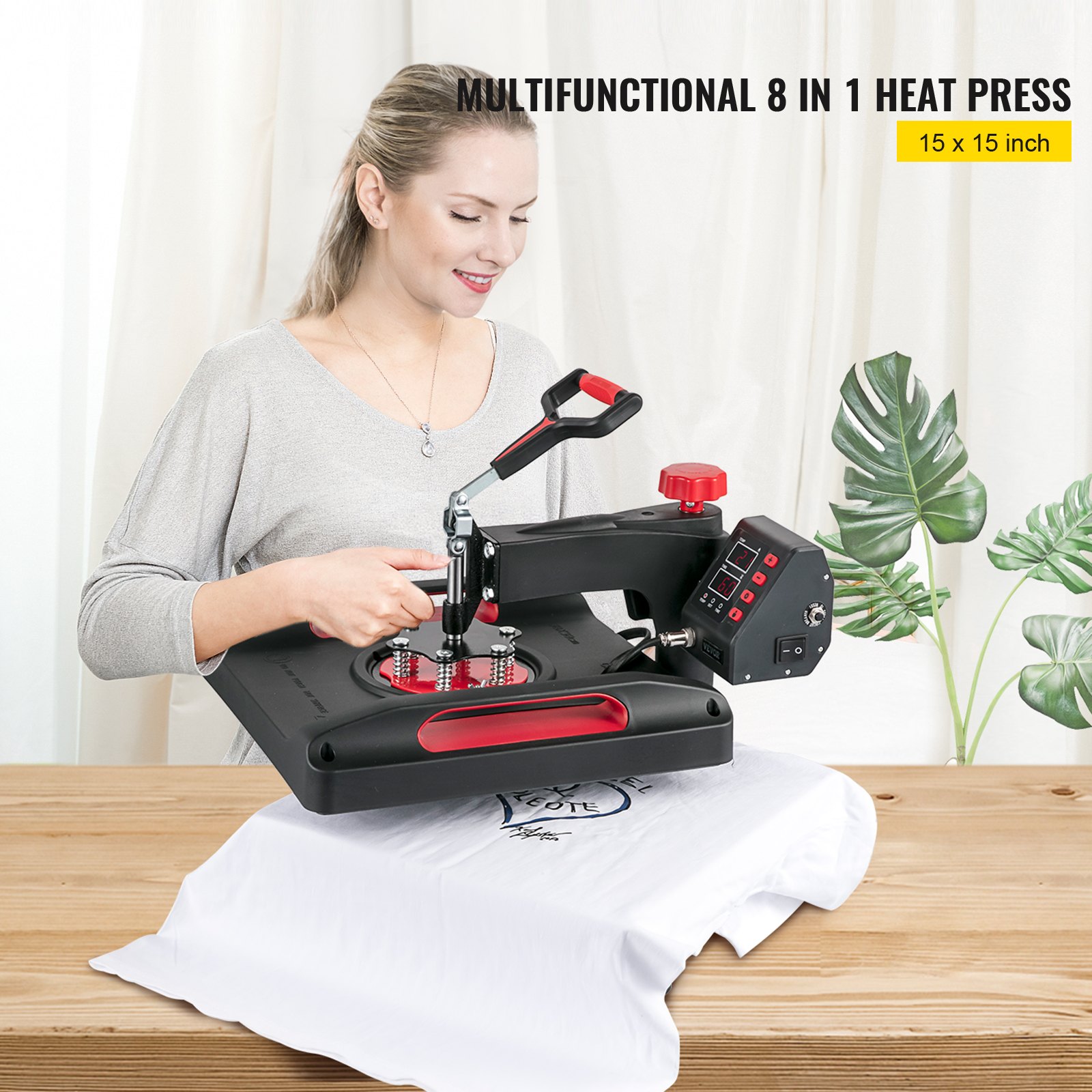
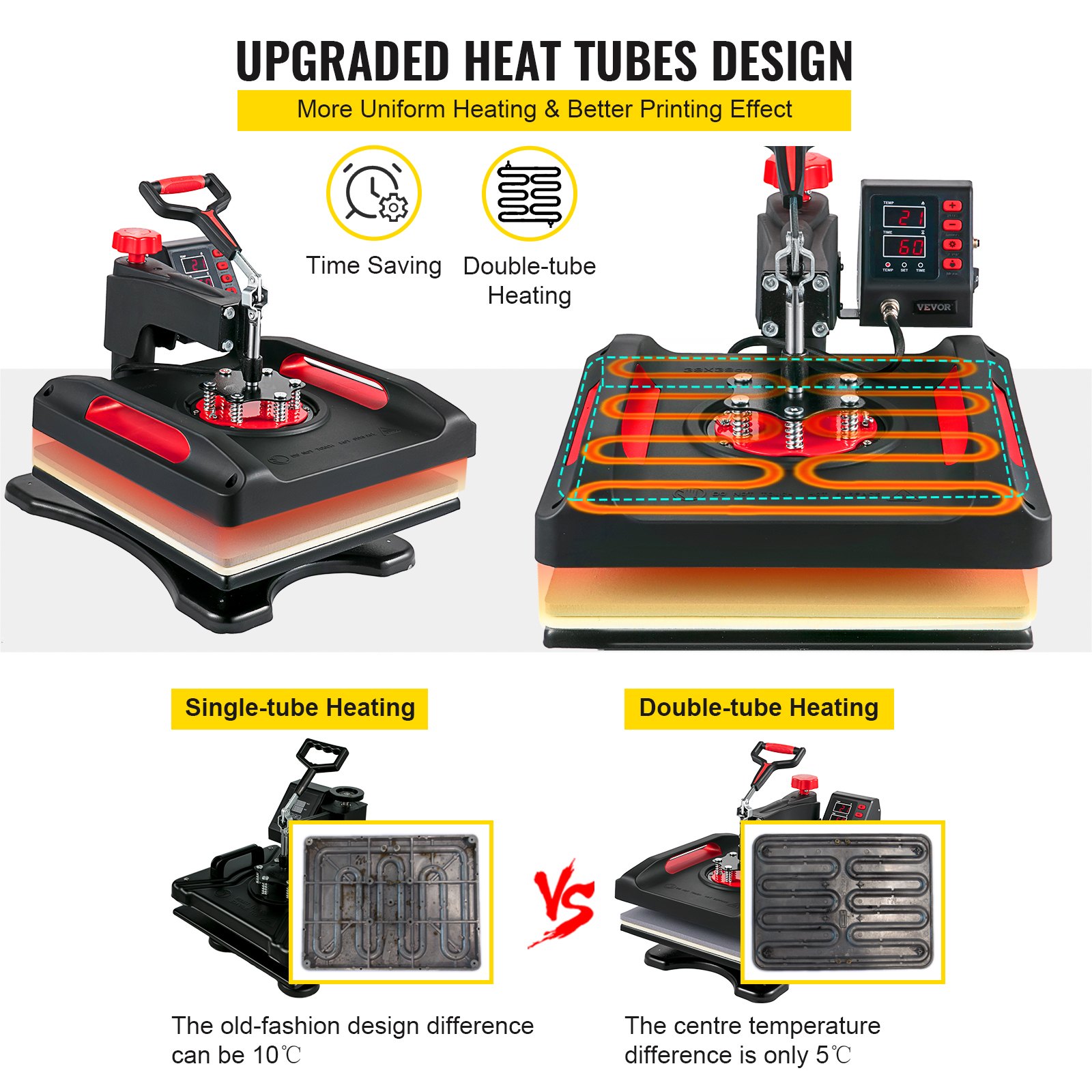
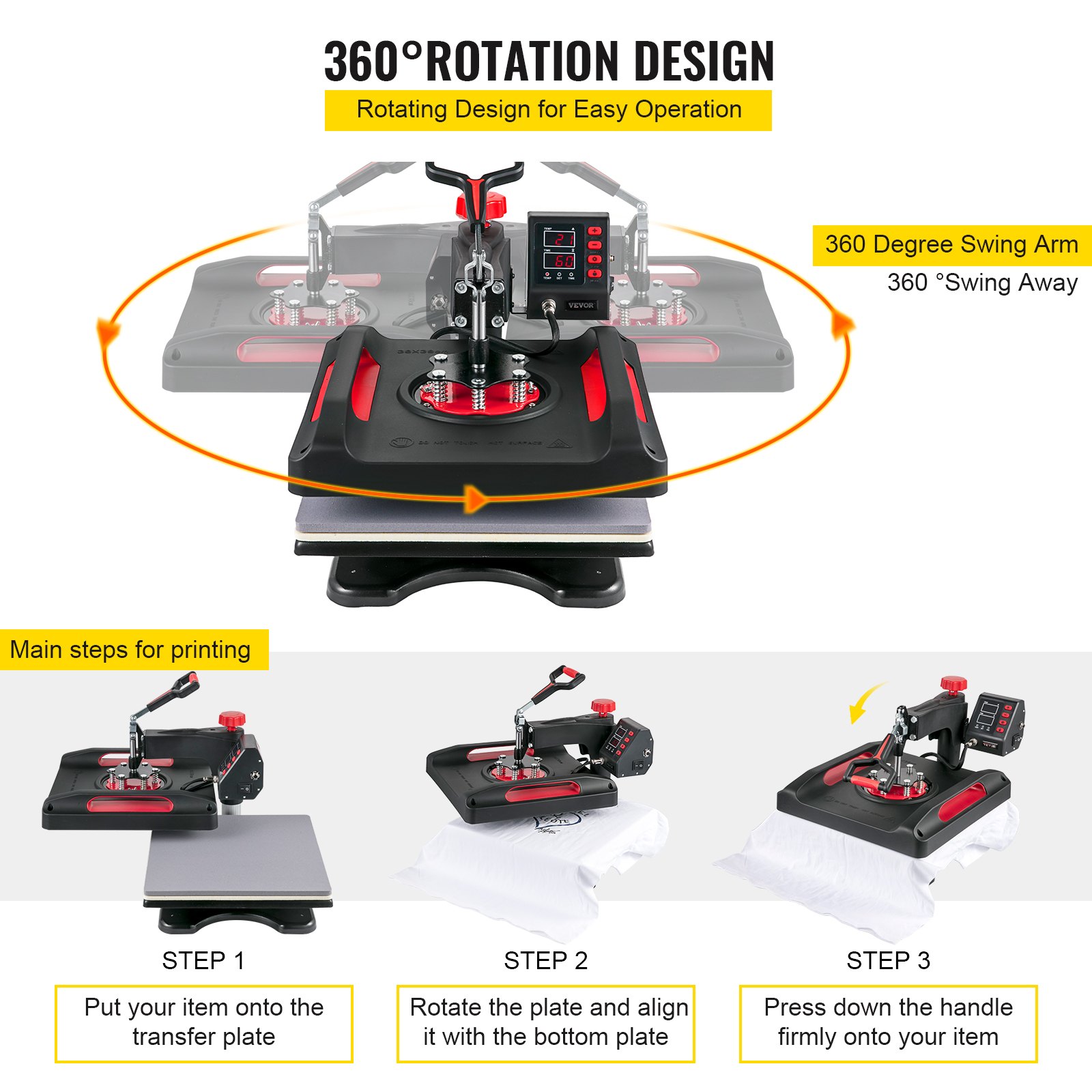
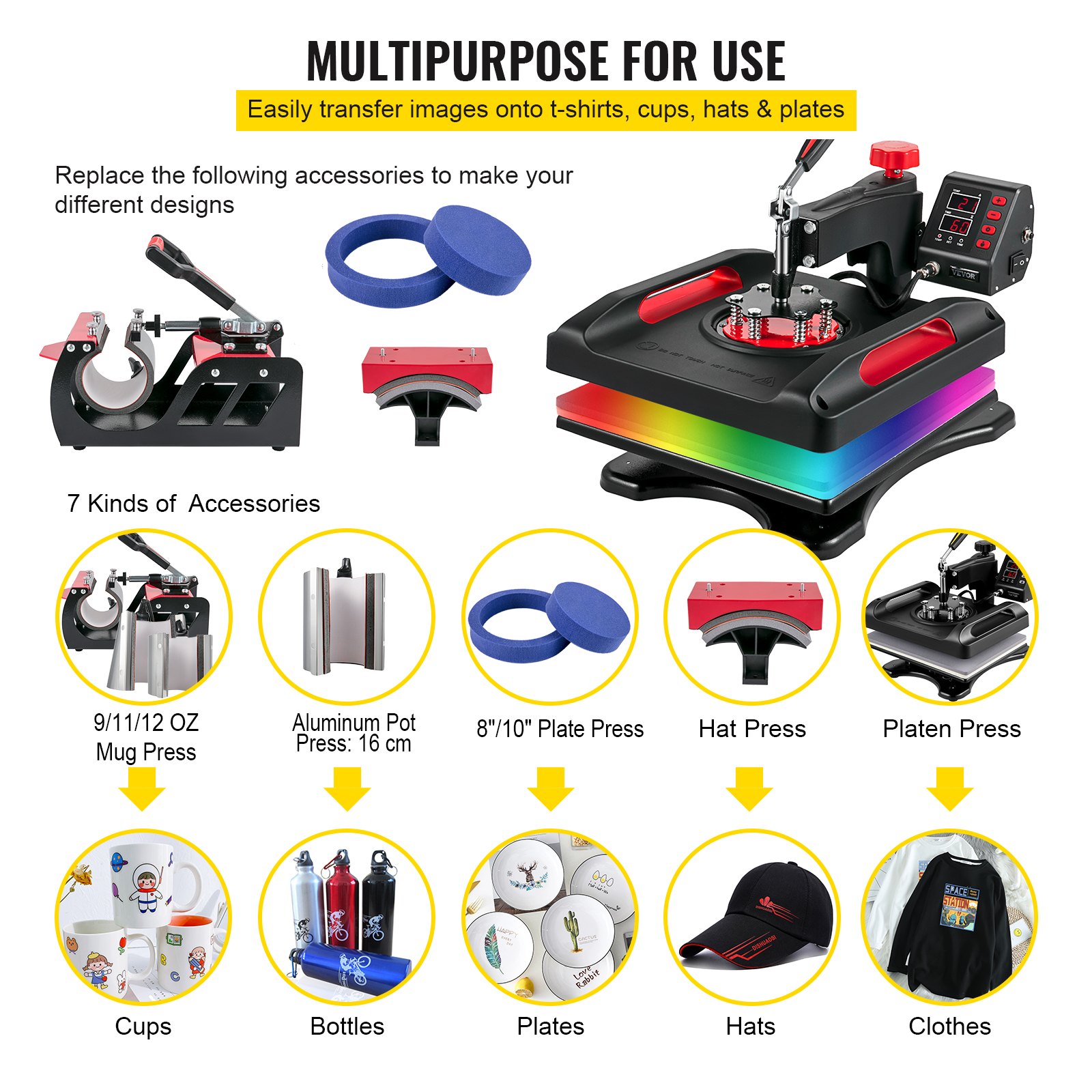
Discover the ultimate guide to mastering your VEVOR Upgrade Heat Press Machine with our comprehensive manual download. The VEVOR Upgrade Heat Press Machine ETL Safety Certification 15 x 15 in 8-in-1 Heat Press Power-Saving Sublimation Machine 360°Rotation Heat Press Shirt Printing Machine for Shirts, Cap & Mugs Red manual is meticulously designed to provide you with everything you need to set up, troubleshoot, and optimise your machine effectively.
This user-friendly manual ensures you maximize the capabilities of your heat press, from its versatile 360° rotation feature to its efficient power-saving mode. Whether you’re a beginner or a seasoned professional, this guide will help you achieve flawless prints on shirts, caps, and mugs.
Download now to unlock the full potential of your VEVOR heat press machine and elevate your printing projects.
HEAT PRESS MACHINE
MODEL: SJY-H15151P/JY-H12151P
WARNING
Warnings must be followed carefully to avoid body injury. Improper use may result in electric shock, fire, personal injury and other damage:
- Keep the heat press machine unplugged when moving it.
- Keep the heat press machine unplugged when installing accessories.
- Place on a fat and stable platform and operate under ventilated conditions.
- Wear special protective equipment when operating the machine.
- Do not use this machine in a hazardous location.
- Do not use when the machine is not working properly.
- Do not disassemble and repair this machine.
- Do not use an unsuitable AC Outlet.
- Do not touch the heating plate when the machine is heating
- Do not use it in a humid environment or in contact with water. Do not infiltrate liquid into the machine to prevent fire or electric shock caused by a short circuit.
- Do not use a power supply that does not meet the rated voltage. The power supply not meeting the specified voltage may cause fire or electric shock.
- Ensure that the machine is grounded so as not to cause harm to the body.
- Do not touch the rotating rod or bearing part with y ur fingers during use in case of injuries.
- If the machine is not used for a long time, please unplug the power cord from the socket.
- Do not use the machine during thunderstorms or lightning to avoid damage to the machine.
- Place the machine smoothly on the flame-retardant table and avoid flammable and explosive items.
- Please stop using it if the machine smokes, emits a peculiar smell, or becomes noisy and in other abnormal conditions.
- This appliance can be used by children aged 8 years and above and persons with reduced physical, sensory or mental capabilities or lack of experience and knowledge if given supervision or instruction concerning using the appliance safely and understanding the hazards involved. Children shall not play with the appliance. Children shall not perform cleaning and user maintenance without supervision.
- Type X attachment: If the supply cord is damaged, it must be replaced by a special cord or assembly available from the manufacturer or its service agent.
- To avoid a hazard caused by the thermal cutout’s inadvertent resetting, this appliance must not be supplied through an external switching device, such as a timer, or connected to a circuit that is regularly switched on and off by the utility.
- Please turn off the power when plugging or unplugging the connector.
FCC INFORMATION
CAUTION: Changes or modifications not expressly approved by the party responsible for compliance could void the user’s authority to operate the equipment!
This device complies with Part 15 of the FCC Rules. Operation is subject to the following two conditions:
This product may cause harmful interference.
This product must accept any interference received, including interference that may cause undesired operation.
WARNING: Changes or modifications to this product not expressly approved by the party responsible for compliance could void the user’s authority to operate the product.
Note: This heat press machine has been tested and found to comply with the limits for a Class B digital device according to Part 15 of the FCC Rules. These limits are designed to protect reasonably against harmful interference in a residential installation.
This product generates, uses, and can radiate radio frequency energy. If not installed and used per the instructions, it may cause harmful interference to radio communications. However, there is no guarantee that interference will not occur in a particular installation.
Suppose this product does cause harmful interference to radio or television reception, which can be determined by turning the product off and on. In that case, the user is encouraged to try to correct the interference by one or more of the following measures.
- Reorient or relocate the receiving antenna.
- Increase the distance between the product and the receiver.
- Connect the product to an outlet on a circuit different from that to which the receiver is connected.
- Consult the dealer or an experienced radio/TV technician for assistance.
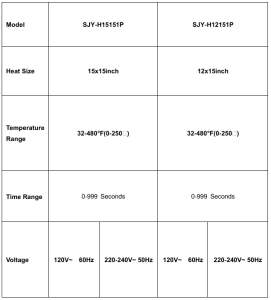
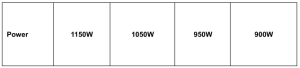
SPECIFICATION
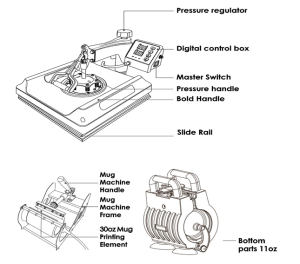
 MACHINE STRUCTURE PRESENTATION
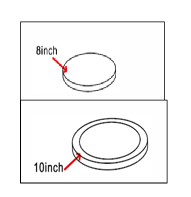
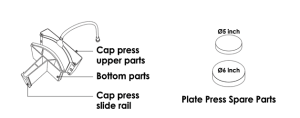
PARTS LIST 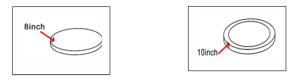
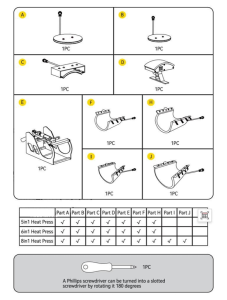
CUP BAKING MACHINE PACKING LIST
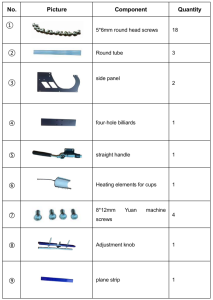
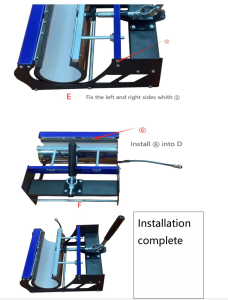
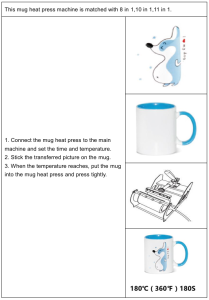
INSTALLATION STEPS FOR CUP BAKING MACHINE
Installation steps
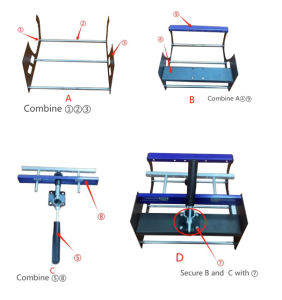
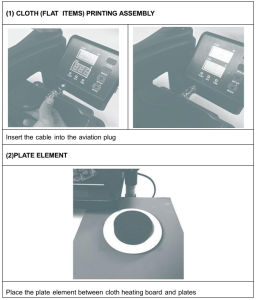
 HEAT PRESS MACHINE OPERATION
METHOD 1
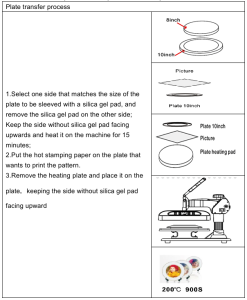
METHOD 2
OTHER ELEMENTS ASSEMBLY
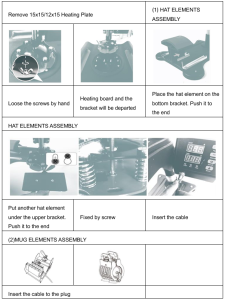
Accessories Installation Diagram
Warning: Please perform all operations after the power is off.
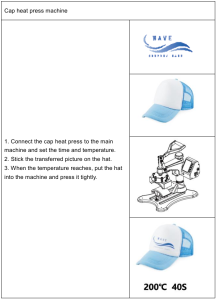
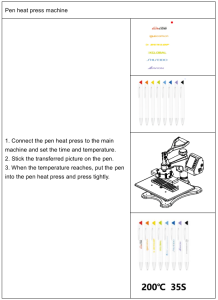
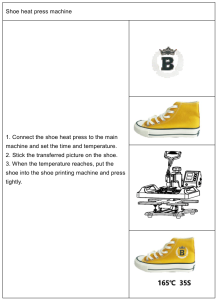
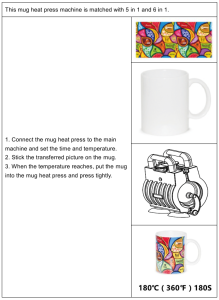
Parameter Setting
1. HOW TO TURN ON/OFF AND HOW TO START?
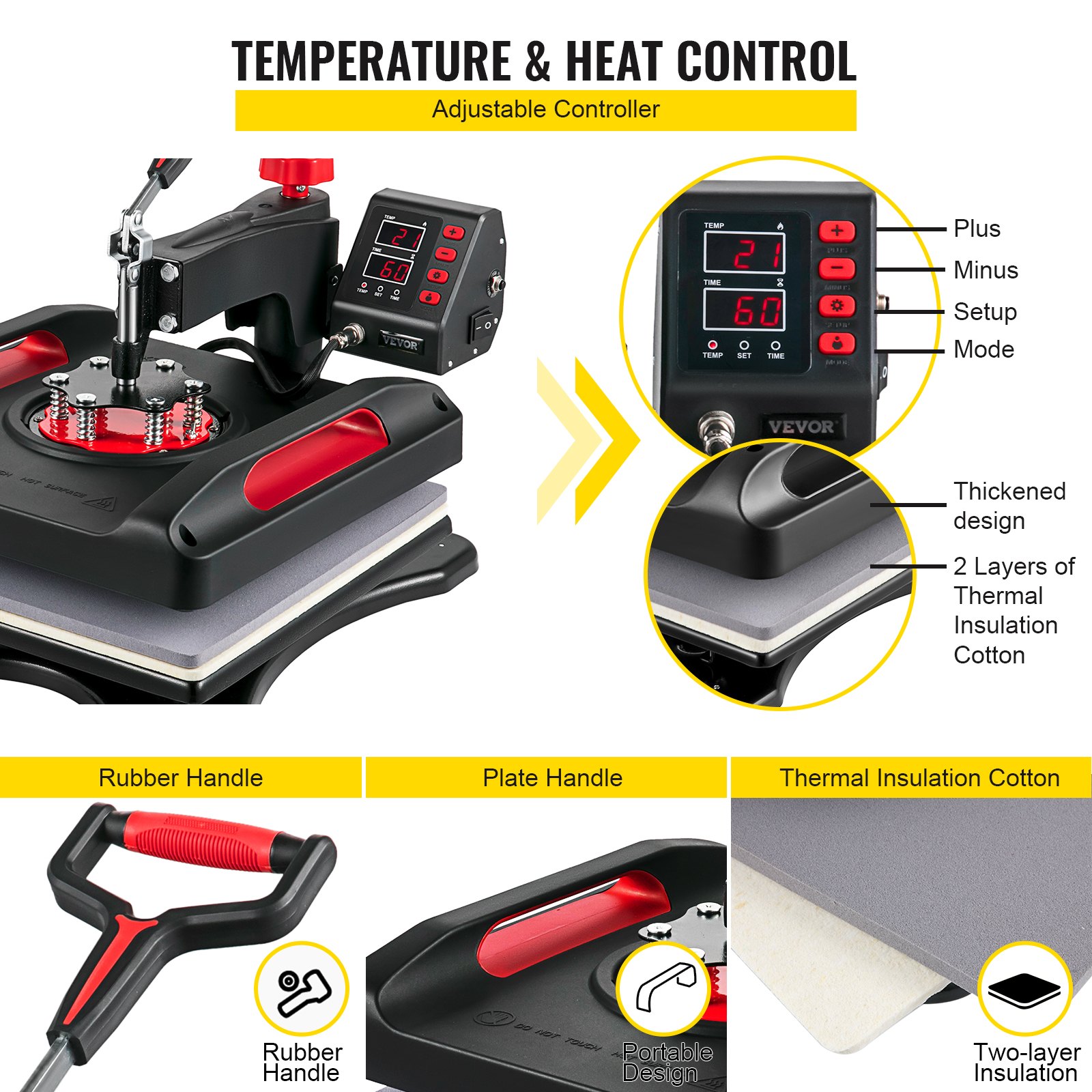
Press the switch button on the side of the digital box to start the machine. After setting the temperature, press the “MODE” button once to count down and again to reset.
2. HOW TO SET THE TEMPERATURE/TIME?
Press once to set the temperature, press twice to set the time, press three times to change temperature unit and press again to exit.
3. HOW TO SET THE TEMPERATURE/TIME TO INCREASE OR DECREASE?
十 Set the time/temperature increase
— Set the time/temperature decrease
4. HOW TO CHANGE THE TEMPERATURE UNIT FROM F TO C?
Press the “SET UP” button 3 times, the display will show C-F, please press “+” or “-” to adjust C(Celsius) or F(Fahrenheit) according to your demands.
5. HOW TO DO TEMPERATURE CORRECTION?
Press and hold for 5 seconds to enter the temperature correction setting. (Range+30℃ or-30°℃, initial value is 0)
HOW TO USE A HEAT PRESS? (FOR EXAMPLE, T-SHIRT PRINTING)
Ensure the wire and the power plug are well connected to the wall socket, then press the power switch to turn on.
Rotate the pressure knob to get the correct pressure required.
Set the temperature and the time you want.
The buzzer will sound when the temperature reaches the setting temperature, then place the object (e.g T-shirt) on press bed, and let the transfer paper with images facing down the object (e.g T-shirt)(PS: Suggest put a white cloth upon the transfer paper to avoid unnecessary mark when set too high temperature.)
Press down the handle (meanwhile, the sound will stop), then press the “MODE” button to count down, and the machine will start to transfer.
The buzzer will sound again when the scheduled time is up, then lift up the handle (the sound will stop), the transfer work is finished.
RECOMMENDED SETTING FOR THE OBJECT
- Clothing transfer: (e.g T-shirt transfer)
- Set temperature:180-200℃ (356-392°F)
- Set time: (Chemical fibre use /Fabric clothing use with sublimation paper: 35- 45 seconds, 100% pure cotton clothing use with transfer paper: 20-25 seconds.
Heat Press Machine Troubleshooting
1. The temperature is out of control: set temperature 180℃(356°F), but the actual temperature is above 200℃ (392°F)
Wait for a while and check. Contact us if the temperature keeps malfunctioning, and we will send you a new digital controller.
2. The temperature drops when the machine starts transferring. It’s normal if the machine drops within 10 °C, as the printed item is considerably cold, part of the heat is transferred from the machine to the printed item, especially when transferring patterns on mugs and plates.
3. Printed effect: The print color is pale or faded. The pressure is not high enough, the temperature is too low, or the pressing time is too short. Please adjust the pressure/temperature or increase the heating time.
4. Printed effect: print color is too darkened, deep or blurred
- Reason 1: The temperature is too high /or the pressing time is too long. Please adjust the temperature or reduce the heating time.
- Reason 2: The pressing time is too short, and the transfer paper is of poor quality. Please increase the heating time or use high-quality transfer paper.
5. The display screen does not turn on, or the display screen is working, but the temperature is not heating up
Pls kindly send us your problems. Our staff will give you instructions according to your specific issues. We will resend you the related spare parts as soon as possible to help solve the problems.
Recommended For Your Project
VEVOR Upgrade Heat Press Machine ETL Safety Certification 15 x 15 in 8-in-1 Heat Press Manual
Reviews
There are no reviews yet.