Homepage » Products » VEVOR Smart Lock, 5-in-1 Smart Door Knob, Keyless Entry Door Lock Manual

VEVOR Smart Lock, 5-in-1 Smart Door Knob, Keyless Entry Door Lock Manual

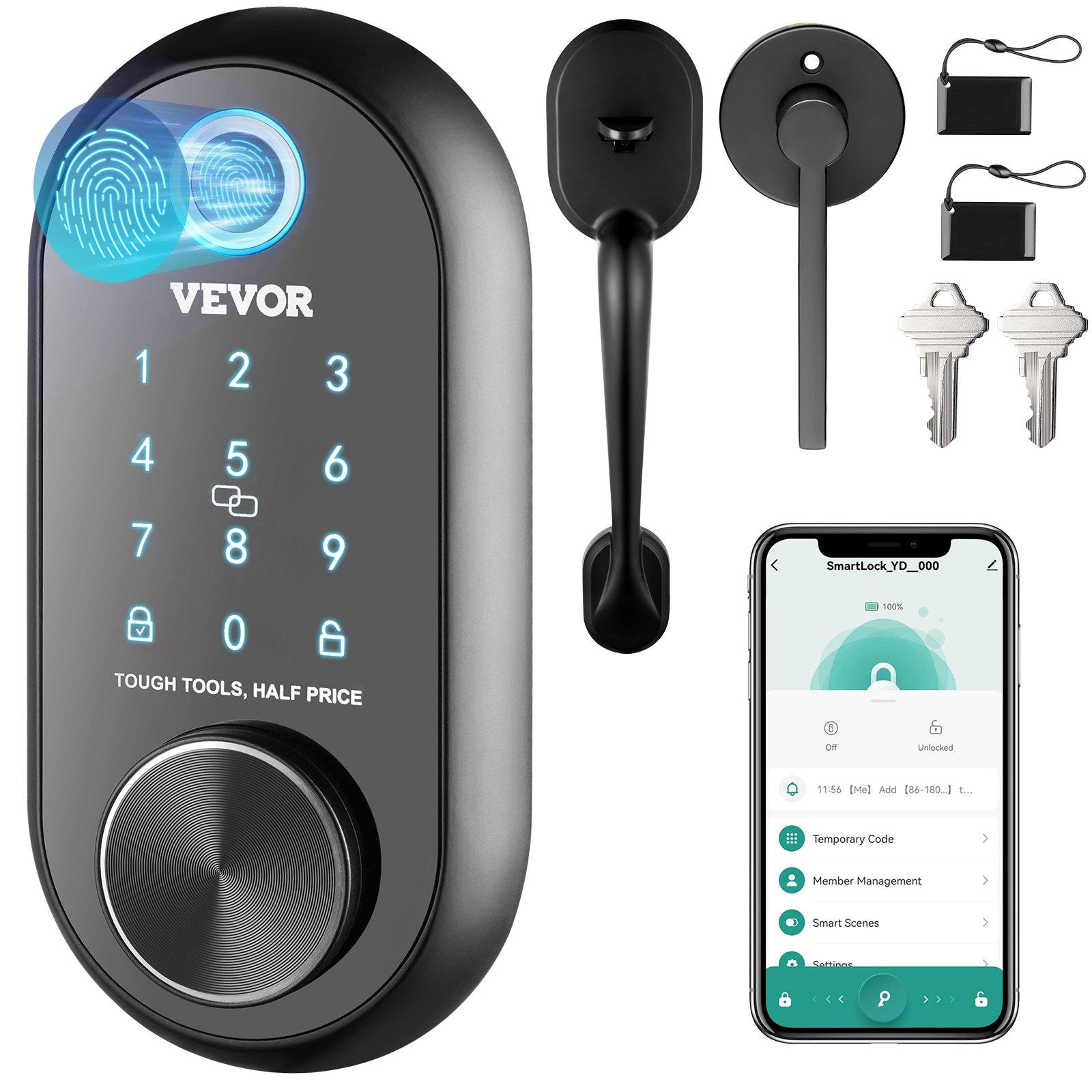
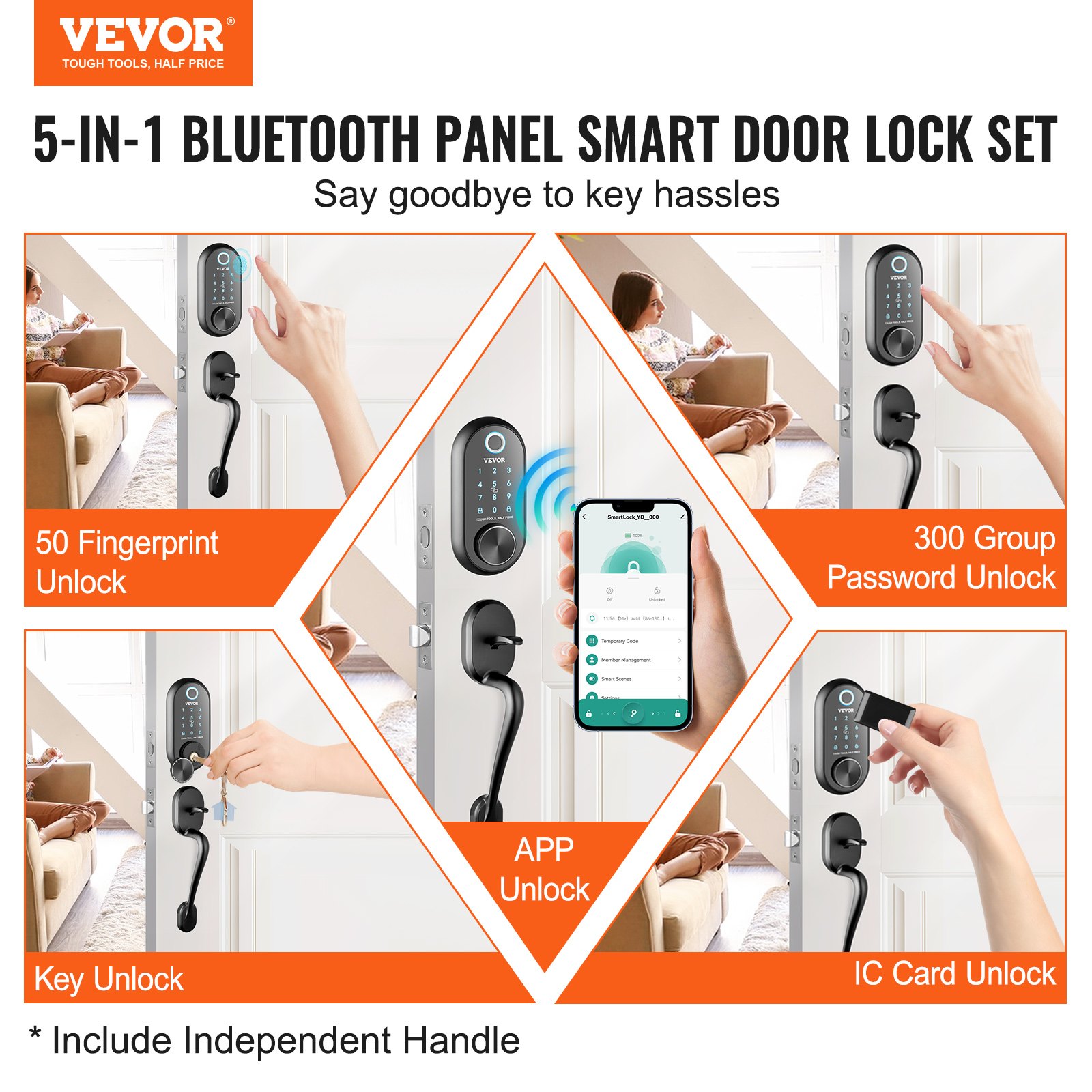
Five Unlocking Methods: Choose from fingerprint, password, app, IC card, or key unlocking based on your preferences. There is no need to concern about losing keys with our smart door knob. Whether it’s at home, in an apartment, office, or hotel, we provide secure and flexible solutions for you.
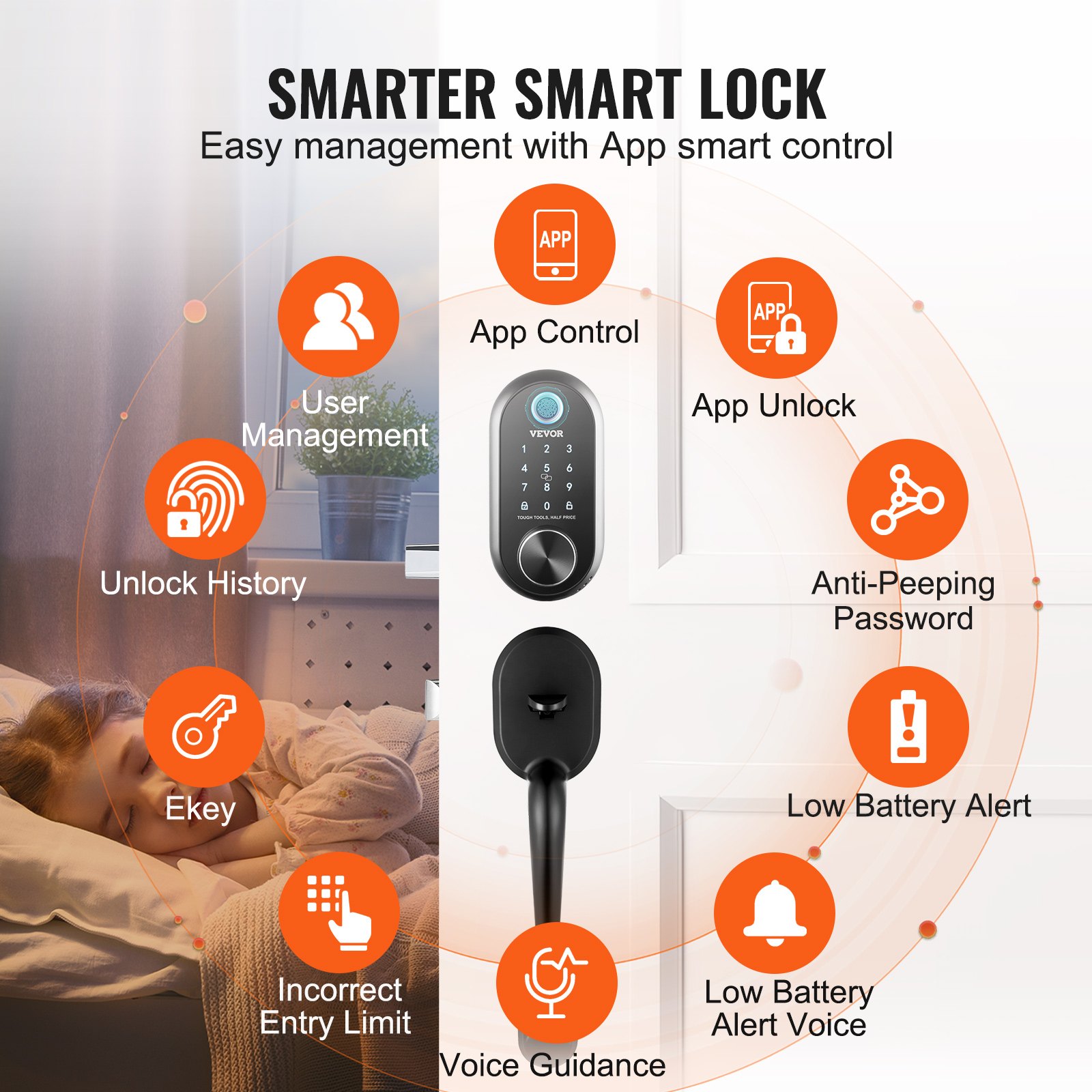
Smart App Control: Gain the ability to unlock through the app, manage passwords, view unlock history, and share Ekeys. You can easily authorize family members, guests, or tenants to use the app, granting them convenient access rights. The convenience control of our smart lock takes home security to a whole new level.
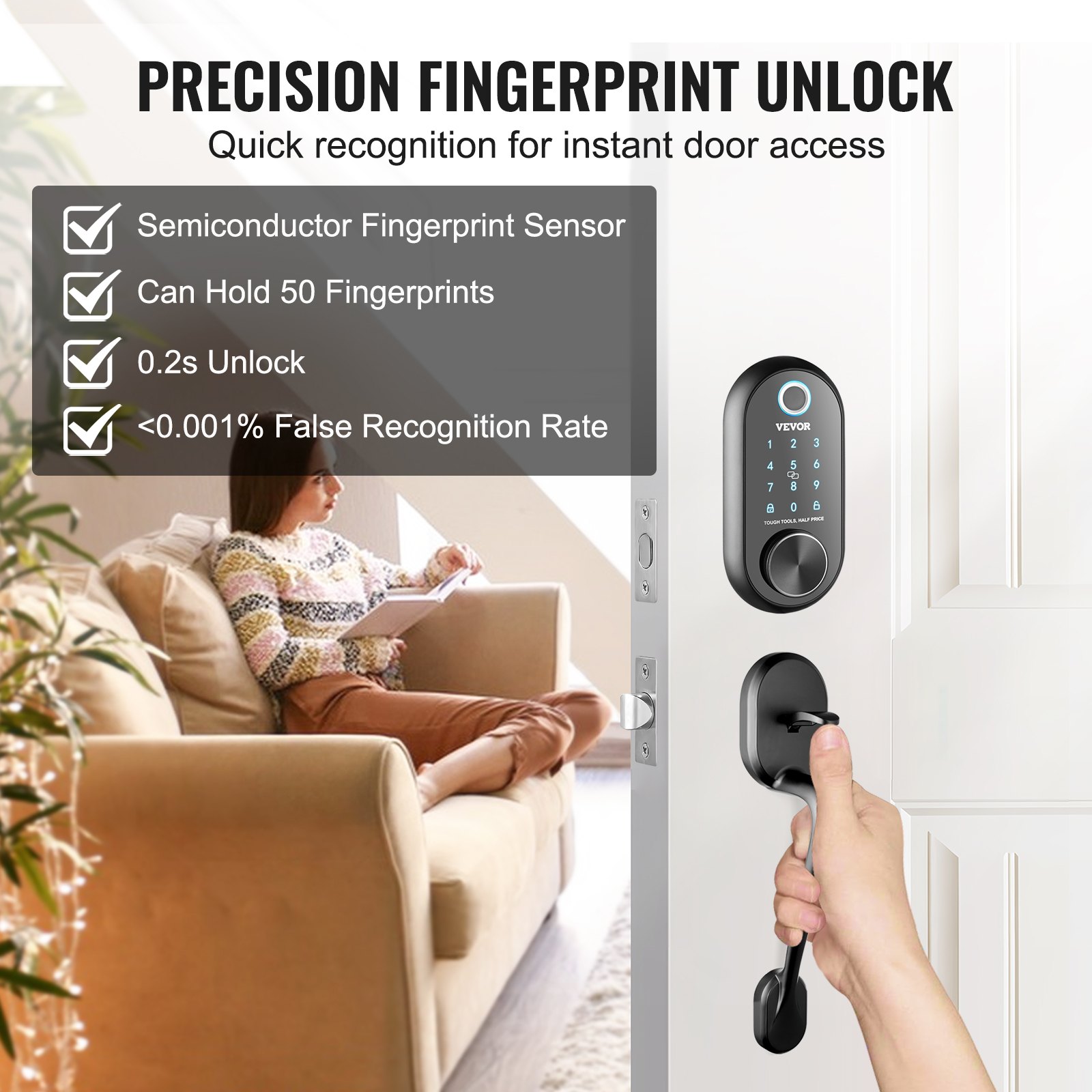
Keyless Entry: You can set up to 50 sets of fingerprints and up to 300 different passwords. You can also create temporary passwords for temporary visitors or guests without sharing the main password. Once the visitors leave, you can easily revoke their access permissions. Our Bluetooth smart lock ensures flexibility without the need for keys.
Auto Locking: Set the duration for the door to automatically lock after entry (5-59 seconds) according to your needs. This feature of our keyless entry door lock frees your hands and suits a fast-paced lifestyle, eliminating worries about whether the door is locked properly.
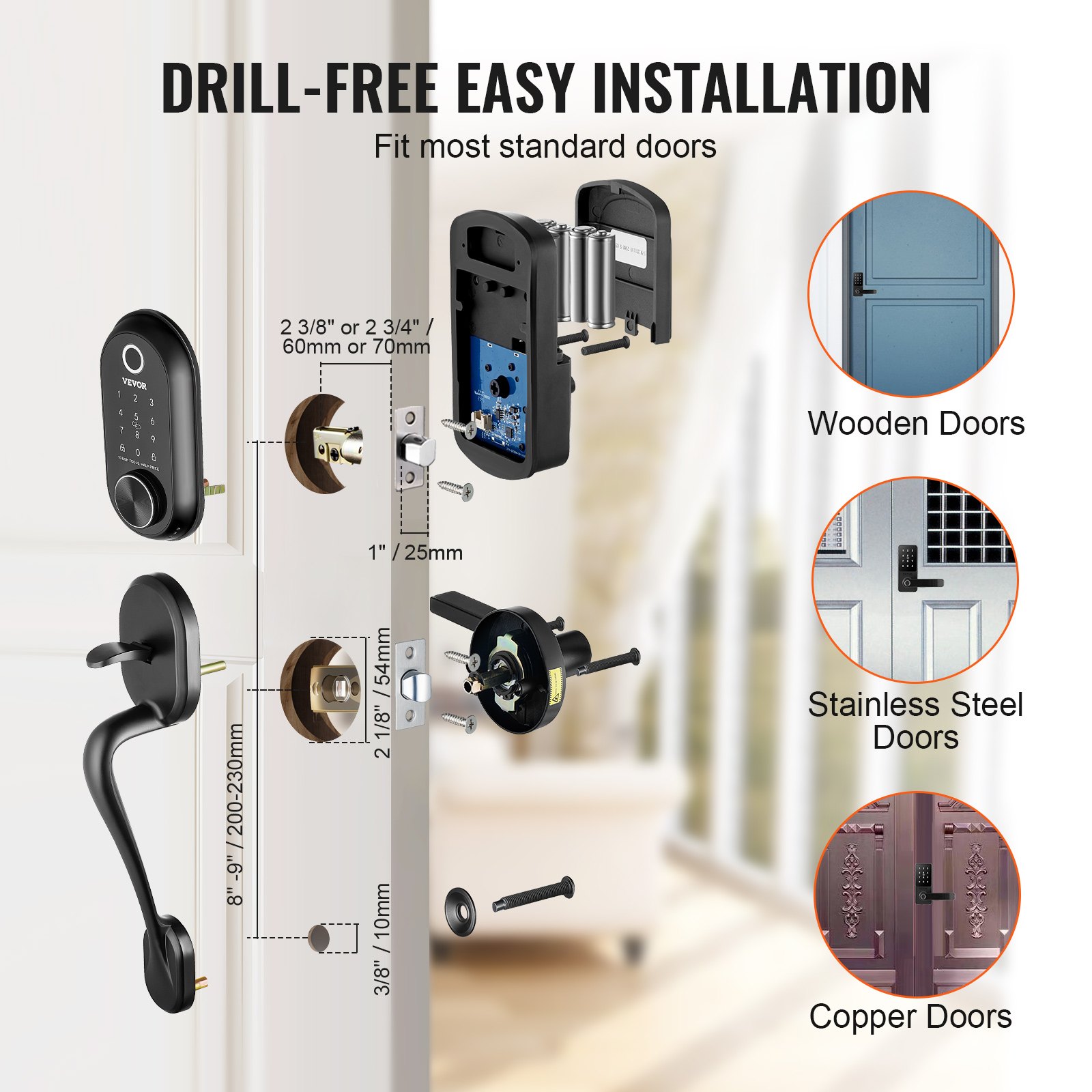
Easy Installation: Our front door lock set is compatible with most standard left-hand and right-hand doors in the United States, requiring no complex drilling. With just a screwdriver, you can easily complete the installation.

Unlock the full potential of your VEVOR Smart Lock with our comprehensive product manual. Designed for the 5-in-1 Smart Door Knob, this guide offers step-by-step instructions for setup, troubleshooting, and optimization.

Our manual covers setting up the Keyless Entry Door Lock with Independent Handle, configuring the Fingerprint Deadbolt with App Control, or pairing your Bluetooth Smart Lock.

Dive into detailed sections on the Biometric Door Lock and Keypad Digital Door Lock to ensure you get the most out of your smart security system. With clear diagrams and user-friendly language, this manual is your go-to resource for enhancing home security with ease. Download it now and experience hassle-free installation and operation.

Smart Lock Installation and User Guide
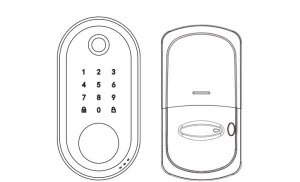
What’s in the Box
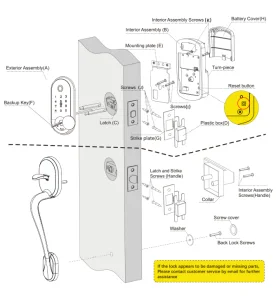
Installation Instructions
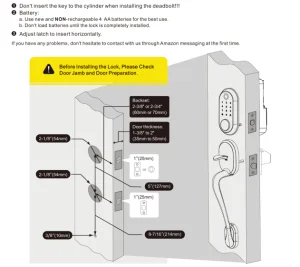
Simple Flowchart of Installation
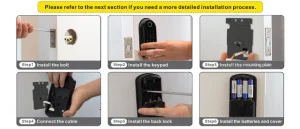
1. Remove the existing deadbolt

  • Do not discard old lock + hardware until the new Lock has been installed.
  • Remove the lock from the door, including the old latch.

2. Prepare the door and check dimensions
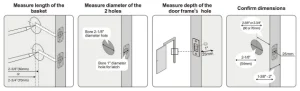
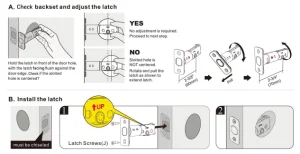
3. Install the latch and strike plate
4. Install the exterior keypad and the interior assembly
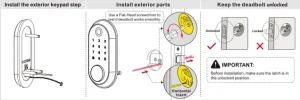
5. Install interior assembly
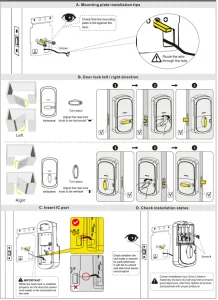
PROGRAMMING INSTRUCTIONS

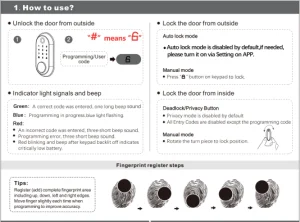
How to Use
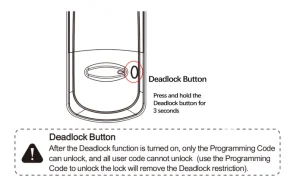
Privacy Mode
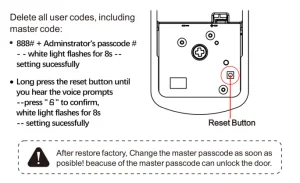
Restore Factory Settings
Smart Lock Features

  • Five ways to access: code, key, fingerprint, IC card and Tuya APP.
  • Low power consumption, 4 AA batteries can work for 1 year or 50,000 times
  • Backlit keypad for use in low-light environments.
  • 1 Programming Code and 300 user codes (Including 50 Fingerprints and 50 IC cards).
  • Built-in disguise feature to protect your codes from prying eyes.
  • Low battery warning indication.

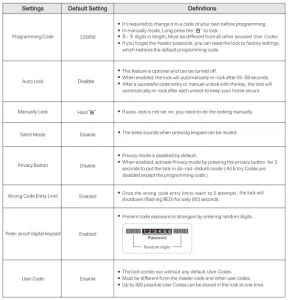
Setting Definitions
Warranty

Lifetime Limited Mechanical and Finish Warranty and 1-Year Limited Electronics Warranty Subject to the terms and conditions of the warranty, We extend a lifetime limited mechanical and finish warranty and a one-year limited electronics warranty to the original consumer user (“Original User”) of our brand product against defects in material and workmanship, as long as the original User occupies the residential premises upon which the product was originally installed.

Warning

This manufacturer advises that no lock can provide complete security by itself; it may be defeated by forcible or technical means or evaded by entry elsewhere on the property. No lock can substitute for caution, awareness of your environment, and common sense.

Builder’s hardware is available in multiple performance grades to suit the application. To enhance security and reduce risk, consult a qualified technician or other security professional.

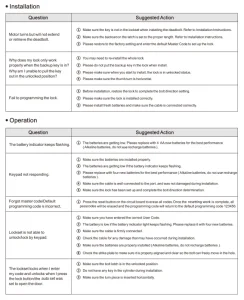
Troubleshooting
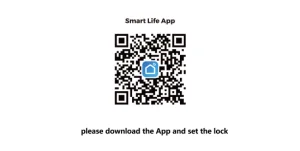
See APP Operation Guide
VEVOR Smart Door Knob, Biometric Door Lock Bluetooth Smart Lock, Fingerprint Smart Lock with APP Control, Easy Installation Door Lock, for Home Bedrooms, Cloakroom, Hotels, Apartments Offices, Black
VEVOR Smart Lock, 5-in-1 Smart Door Knob, Fingerprint Deadbolt with App Control, Bluetooth Smart Lock, Keyless Entry Door Lock with Handle, Biometric Door Lock, Keypad Digital Door Lock for Front Door
VEVOR Air Purifier, H13 HEPA Layer, 1200 ft²/h Smart Air Purifier with Speed Control & Child Lock Guard, Efficient Air Cleaner with Convenient Touch Panel & 23 dB Sleep Mode, Fit for Home & Office
VEVOR Air Purifier, H13 HEPA Layer, 2018 ft²/h Smart Air Purifier with Speed Control & Child Lock Guard, Efficient Air Cleaner with Convenient Touch Panel & 23 dB Sleep Mode, Fit for Home & Office
VEVOR Air Purifier, H13 HEPA Layer, 3139 ft²/h Smart Air Purifier with Speed Control & Child Lock Guard, Efficient Air Cleaner with Convenient Touch Panel & 23 dB Sleep Mode, Fit for Home & Office

Recommended For Your Project


VEVOR Smart Lock, 5-in-1 Smart Door Knob, Keyless Entry Door Lock Manual
Reviews

There are no reviews yet.

Be the first to review “VEVOR Smart Lock, 5-in-1 Smart Door Knob, Keyless Entry Door Lock Manual”

Your email address will not be published. Required fields are marked *

Scroll to Top