
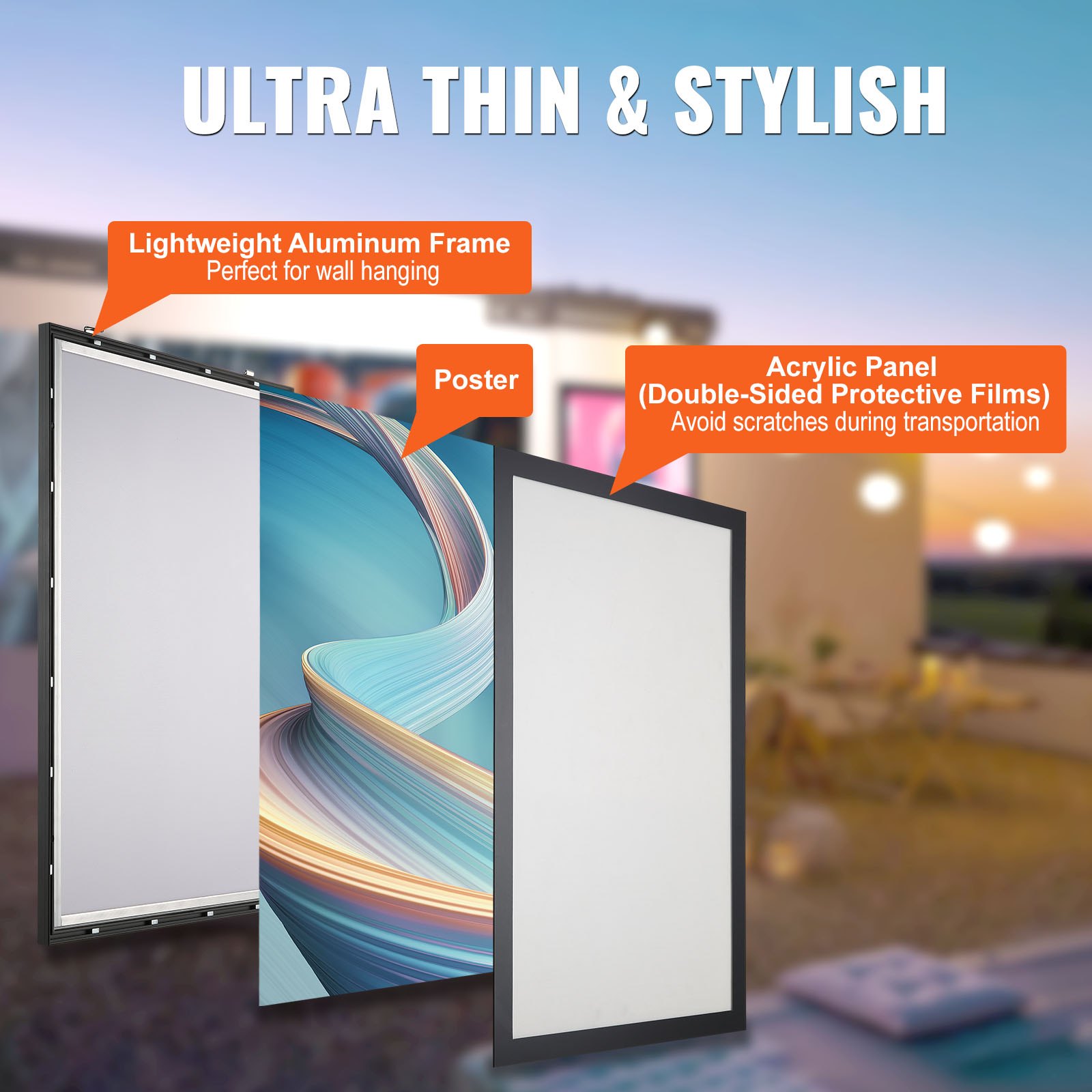
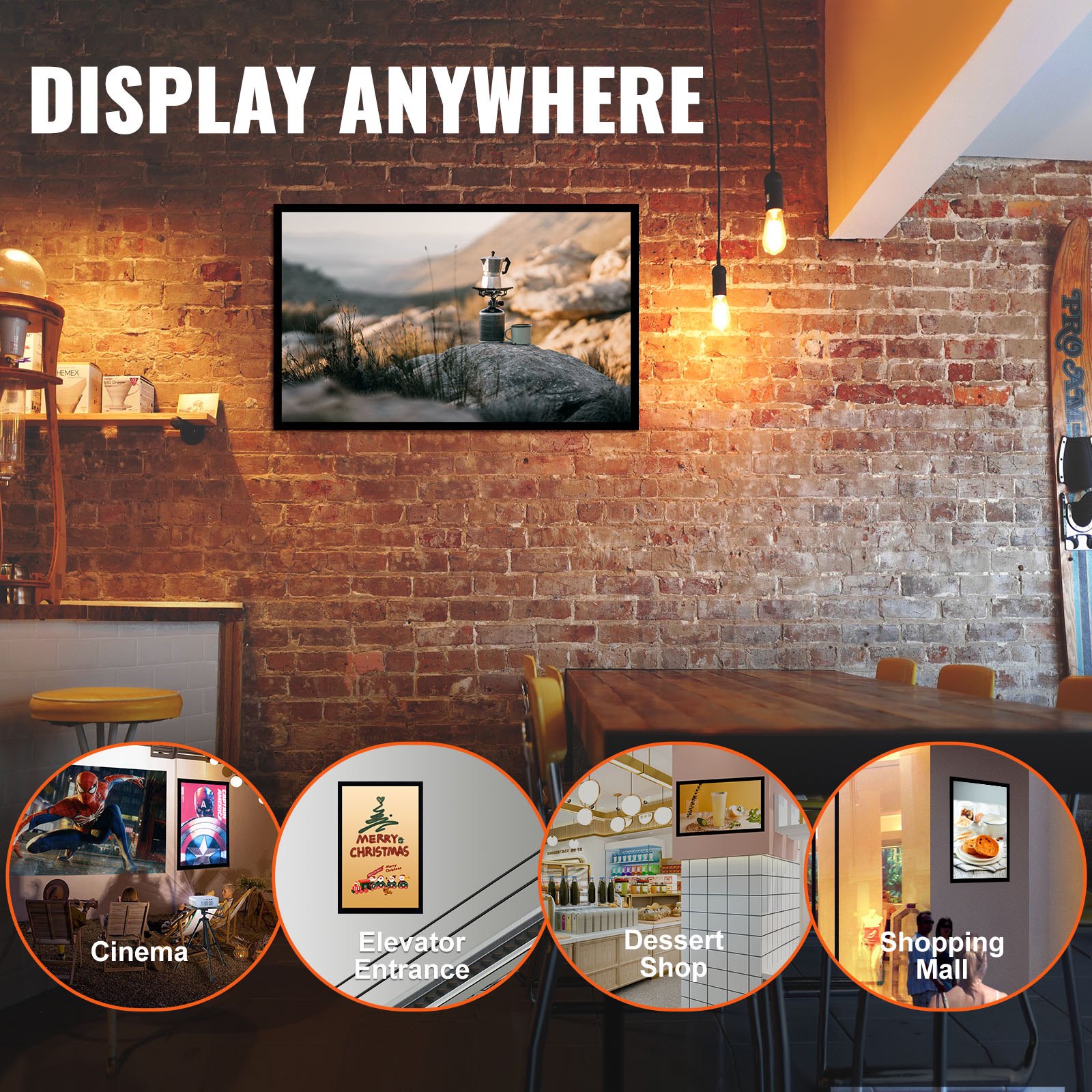
Unlock the full potential of your VEVOR LED Poster Frame in Black with our comprehensive product manual. Designed to guide you through every step, this manual ensures that you can set up, troubleshoot, and optimize your 24″ x 36″ Photo Frame with ease.
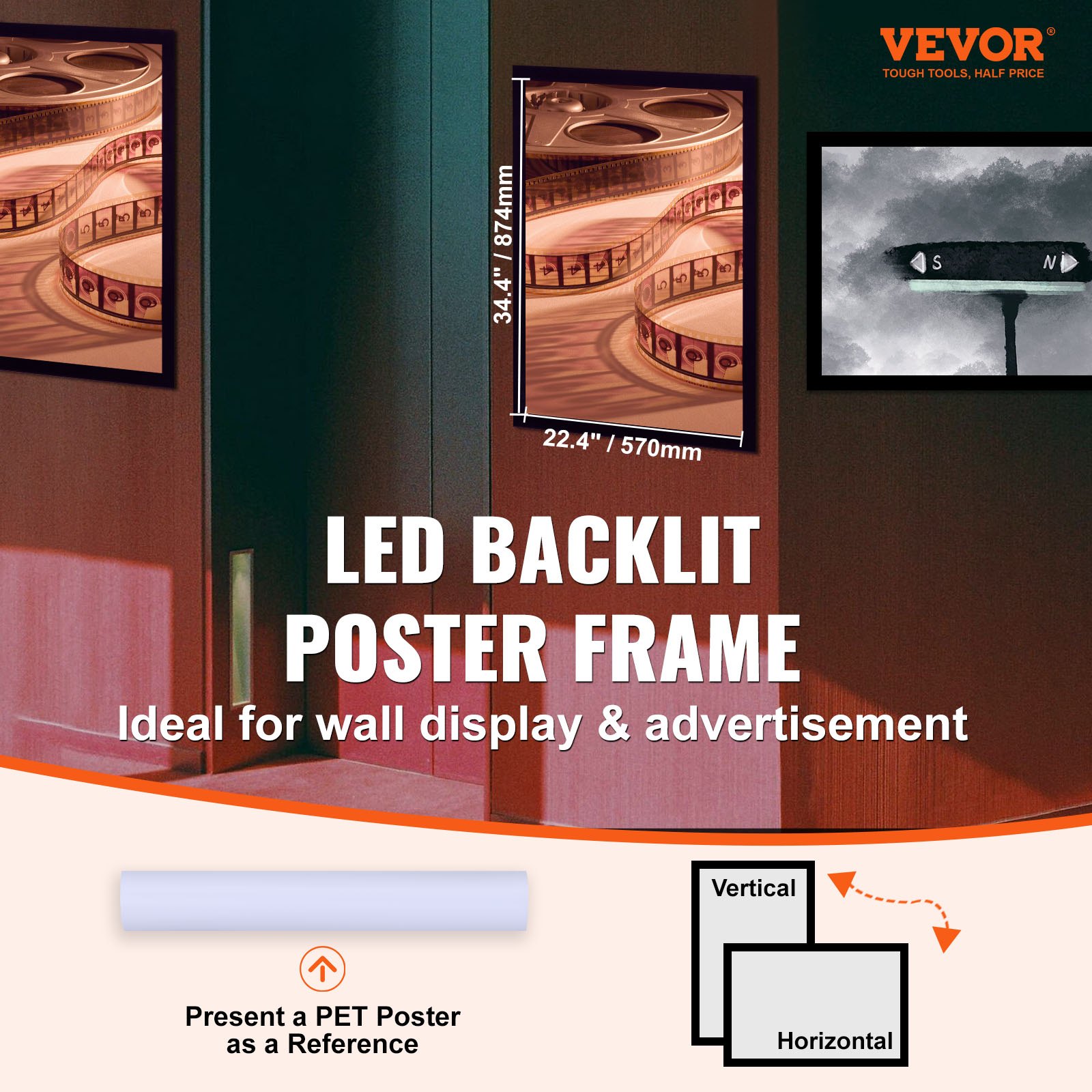
Whether you’re using it as a Sidewalk Sign for Advertising Display or a Picture Aluminum Frame with Backlighting LED Light Box, our manual covers all the essential details. Learn how to switch between Horizontal and vertical Formats for Wall displays and get the most out of your single-frame setup.
The user-friendly instructions are crafted to make your experience seamless and enjoyable, providing you with valuable insights to enhance your advertising and display efforts. Download the manual today and experience the perfect blend of functionality and style with your VEVOR LED Poster Frame in Black.
VEVOR LED Poster Frame User Manual
Model: 1530

PRODUCT PARAMETERS
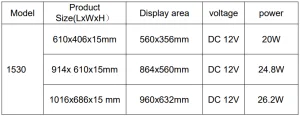
Thank you for purchasing the LED poster produced by my company. After opening the product packaging, check whether the product is intact, whether the accessories are complete, and whether it can shine normally after powering on.
USE PRECAUTIONS
WARNING:
- TO PREVENT SERIOUS INJURY AND DEATH FROM TIPPING: This product is not a toy. Do not allow children to play with or approach this item.
- Use as intended only. Do not stand on the product.
- TO AVOID ELECTRICAL SHOCK, DO NOT put liquid containing the electrical components in the Main Unit Housing.
- When installing and using, check whether the nails installed on the wall are firm
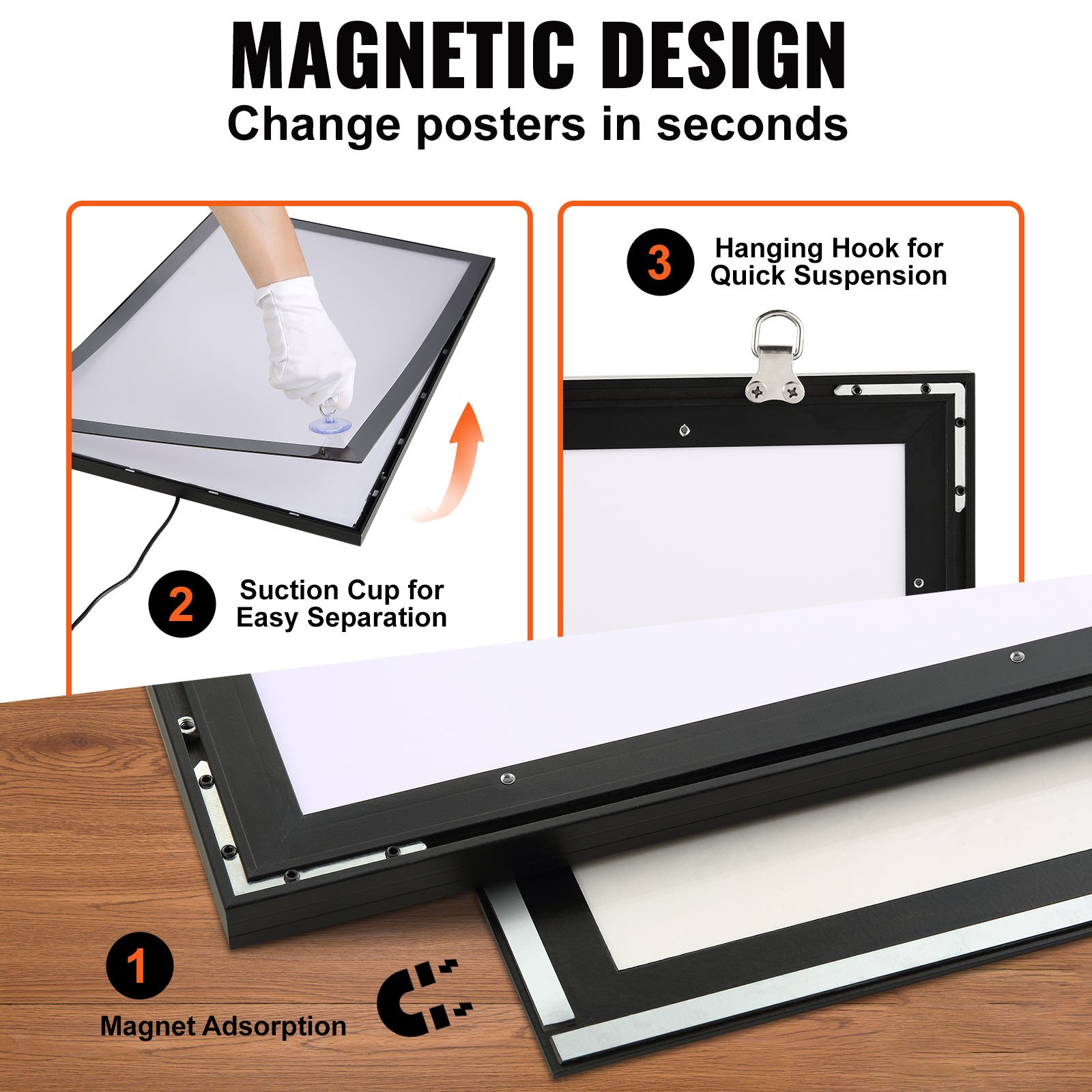
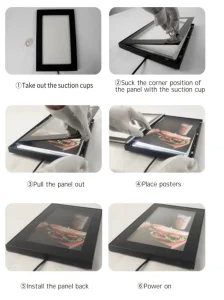
- When replacing a poster, disassemble the product and place it on a table or floor before replacing the poster.
- For your safety, please do not disassemble or modify the product
SAVE THESE INSTRUCTIONS
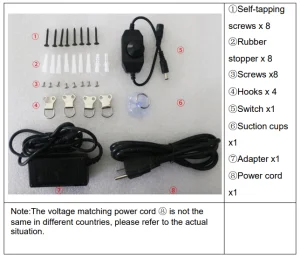
PARTS LIST
LED POSTER FRAME INTRODUCTION
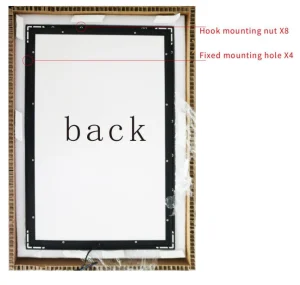
- Configure 8 nuts, 4 on the short side and 4 on the long side (For mounting hooks, nut adjustable, position left and right)
- Equipped with 4 wall mounting holes, 2 on each side (for fixing to the wall)
INSTALLATION
Way 1: Use screws for wall mounting
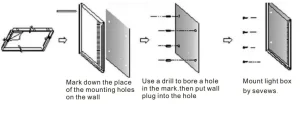
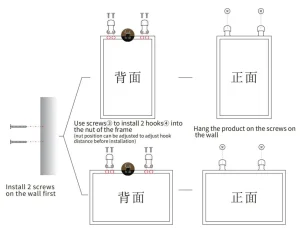
Way 2: Use hooks to mount
POSTER REPLACEMENT
POSTER INFORMATION

- Poster size (green line) and width 40mm smaller than light box(20mmon one side)
- The main content of the poster is controlled inside the windowsize(yellow line).
- The poster recommends PET material
LED POSTER FRAME CLEANING AND MAINTENANCE
- For cleaning, wipe the surface with a damp (not wet) cloth or wipe dry with a clean lint-free cotton cloth.
- When wiping, pay attention to choosing a soft cloth or towel to avoid scratching the panel and affecting the display quality.
Recommended For Your Project
VEVOR LED Poster Frame in Black, 24" x 36" Photo Frame Manual



Reviews
There are no reviews yet.