
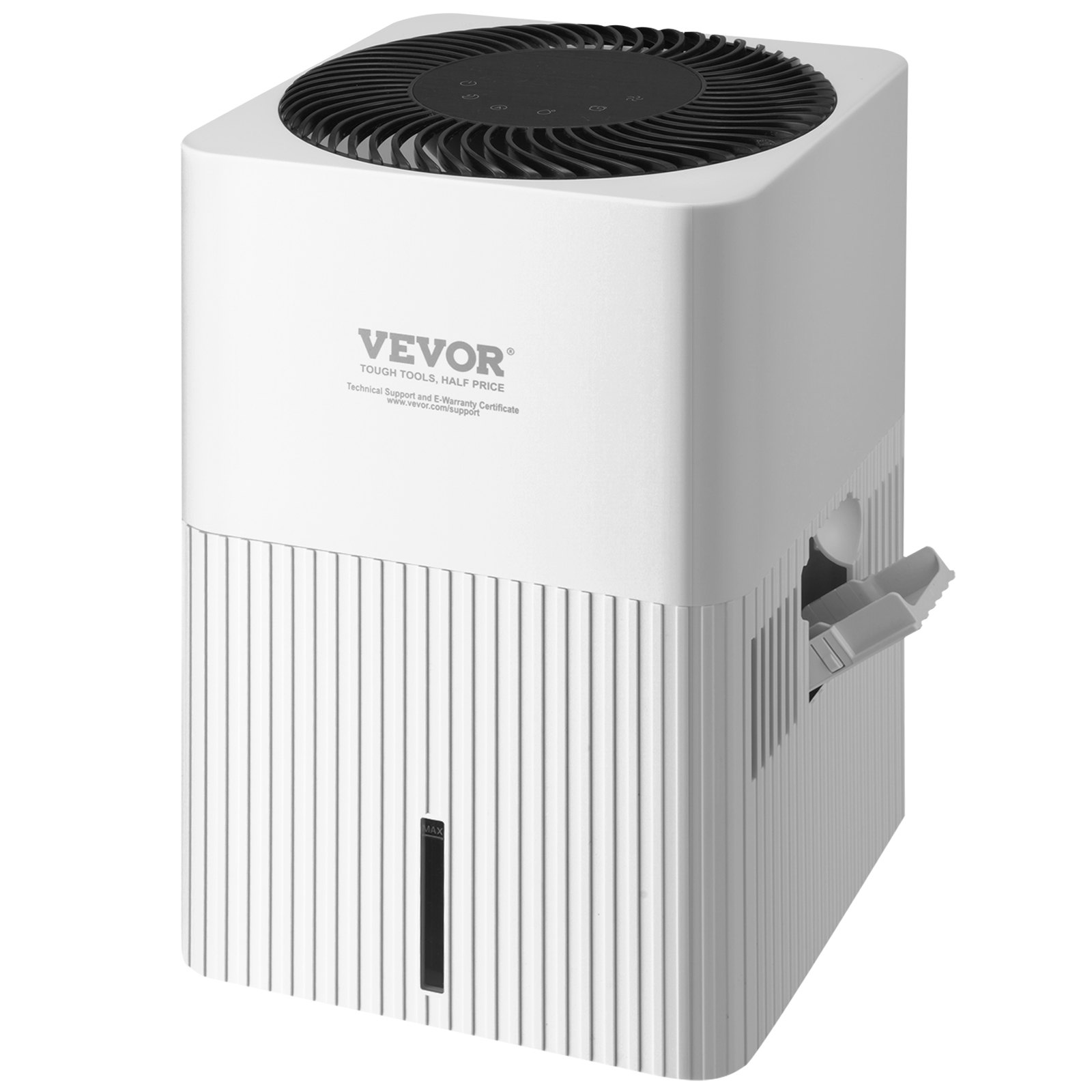
Unlock the full potential of your VEVOR Evaporative Humidifiers Mist-Free 3L, 300 ml/h Cool Moisture Humidifier and Air Purifier with our comprehensive product manual download. This detailed guide is designed to enhance your experience, providing step-by-step instructions for setup, troubleshooting, and optimization of your humidifier.
Ideal for whole-house use up to 473.6 sqft, this humidifier features 4-speeds and a 1-12h timer setting, ensuring you achieve the perfect indoor climate. The premium filter guarantees clean air, making it perfect for bedrooms and homes. Our user-friendly manual ensures you can easily navigate through the features, maximizing the efficiency and lifespan of your device. Download now to experience hassle-free operation and superior air quality.
VEVOR Evaporative Humidifier User Manual
MODEL: CF-6318
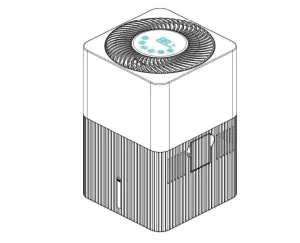
WHEN USING ELECTRICAL APPLIANCES, BASIC SAFETY PRECAUTIONS SHOULD ALWAYS BE FOLLOWED TO REDUCE THE RISK OF FIRE, ELECTRIC SHOCK, AND INJURY TO PERSONS, INCLUDING THE FOLLOWING:
Safety information
Please carefully read this operating manual prior to the first use of the humidifier.
The device is not intended for commercial use.
Attention!
- Please ensure, before start-up operation, that the voltage information corresponds to the local mains voltage.
- This device may be used by children over the age of 8 and persons with reduced physical, sensory, or mental abilities or with a lack of experience and knowledge only if they are supervised or have been instructed in the safe use of the device as well as the resulting risks. Cleaning and maintenance may not be performed by children who are not supervised. Children may not play with the device.
- Do not add hot water. Use only cold water (tap water, distilled water, mineral water, or other drinking water)
- Do not drink the water used in the water basin and do not use it for animals or plants. Empty the water basin into a drain.
- The power plug must be connected in such a way as to avoid risks if the humidifier is tipped over or liquid is spilled.
- Do not operate the device if the power plug or cord is defective.
- Do not spray flammable materials near the humidifier, e.g., pesticides or fragrances.
- Ensure that the air intake and air outlet are not covered.
- If the power outlet used to operate the humidifier is not connected correctly, the device’s power plug will get hot. Ensure that you are using a properly connected power outlet for the humidifier.
- Do not place any objects on top of the humidifier and do not sit on it.
- Use only the original wick filter by manufacturer, which is specifically suited for this humidifier.
- Do not use the humidifier after using incense for insect protection or in places with oil residue or chemical vapors or where incense sticks are burnt.
- Do not use the humidifier near heaters, fireplaces, or gas-powered devices.
- Do not add water through the air outlets on the top side of the humidifier.
- If the humidifier is not used for a long time, bacteria and mould can form on the wick filter. Inspect the wick filter before using it again, and if it has stains, change it.
- Clean the water basin and wick filter every week to ensure optimum hygiene.
- Fill the water basin only with water.
- Do not stand on the device.
- NEVER tilt, move, or attempt to empty the unit while it operates.
- Shut off and unplug before removing the upper housing and moving the unit.
- DO NOT attempt to repair or adjust this unit’s electrical or mechanical functions. Doing so will void your warranty. The inside of the unit contains no user-serviceable parts. All servicing should be performed by qualified personnel only.
- NEVER use detergents, gasoline, glass cleaner, furniture polish, paint thinner, or other household solvents to clean any part of the humidifier.
- Never place housing under water flow or immerse in liquids.
SAVE THESE INSTRUCTIONS
Before first use
- Place the device upright on a solid, level, and moisture-resistant surface. For best results, keep it at least 10cm from walls.
- To ensure optimum device performance, please ensure that the air inlets and outlets are not covered.
- Inspect the power cord to ensure that it is not damaged.
- Lift the upper housing from the bottom housing.
- Remove the packaging from the wick filter and insert the wick filter into the bottom housing.
- Place the upper housing back on the lower housing and ensure it is placed securely and correctly.
- Fill water from the opening and ensure the water level does not exceed the MAX mark.
- Connect the power cord to a power outlet.
Evaporative Humidifier Daily use and operation
Switching on and off (ON/OFF)
Touch the key (K1) to turn the device on or off. When turned on, the display will display the current ambient relative humidity, no timing setting, no humidity setting. (At first use, the device starts at Medium humidification level).
Setting the night light
Touch the key (K2) to set the desired
Night Light or Sleep Mode.
- 1st touch: night light circulates through 7 colors automatically.
- 2nd touch: night light is fixed at one color.
- 3rd touch: The device enters sleep mode.
- 4th touch: Cancel sleep mode and resume to default operation.
Automatic setting
The automatic setting (K3) monitors the room’s air humidity and adjusts the output to maintain an ideal air humidity of 50%. When the ambient humidity reaches 50%, the fan works in a low setting, and when it is less than 45%, the fan automatically works in a high setting.
Setting the target humidity
Touch the key (K4) to set the desired humidity in %. The value will be shown on the display while you set it. After a few seconds, the display automatically switches to the currently measured value. We recommend a relative air humidity between 40 % and 60 %.
The device operates at a low level and continuously humidifies when the measured value exceeds the set relative humidity. The device keeps working when the measured value is lower than the set relative humidity and in continuous operation (CO). The target relative humidity can be set from 40% to 75% in 5% increments:

Setting the operating time
Touch the key (K5) to set the desired operating time. Select from 1 to 12 hours or CO for continuous operation of the device:

The display shows the remaining time.
Changing the fan speed
Touch the key (K6) to select the fan speed and thus the desired intensity of humidity output:
Low – Medium – High – Turbo
The water level is low
A white symbol(two bars) appears on the display if the water level is low in the basin, and the device shuts off automatically after two modes below:
Under normal mode, the fan rotates for 7 hours at medium speed, and the two white bars twinkle.
Under sleep mode, the fan rotates at low speed for 10 hours, and the two white bars light continuously.
A white symbol(two bars) appears on the display when the main body leaves the reservoir.
Resetting the wick filter’s operating time meter
The combination wick filter should be replaced after 4,320 operating hours when the display shows “FR”. To reset the operating time meter, touch and hold the power key (K1) for 3 seconds until a signal sounds.
Replacement of the wick filter is described in the following chapter.
Cleaning and care
Proceed as follows to clean the device:
- Turn the device off and disconnect the power plug.
- Lift the upper main body and float from the bottom housing.
- Remove the wick filter.
- Rinse the bottom housing with warm water and a soft cloth.
- Place the upper main body and float back on the lower housing and ensure that it is placed securely and correctly.
Cleaning the Evaporative Humidifier housing
Clean the humidifier’s housing with a slightly damp cloth.
Useful cleaning information:
Use a solution of 50:50 vinegar and water or a 3:1 solution of vinegar essence and water. Do not use abrasive or corrosive cleaners.
Daily maintenance
Fill the bottom housing with clean water. Clean it with warm water and a soft cloth once every 1 to 2 days.
Replacing the wick filter
Use only the original supplied wick filter! Proceed as follows to change the wick filter:
- Turn the device off and disconnect the power plug.
- Lift the upper main body and float from the bottom housing (1.1).
- Remove the wick filter (1.2).
- Insert the new wick filter.
- Place the upper main body, float back on the lower housing, and place it securely and correctly.
- Transport and storage
Transport
WARNING!
Always switch the device off before transporting it, disconnect the power plug from the power outlet, and transport the device only when it is empty.
Storage
We recommend carefully cleaning the humidifier before storing it. Ensure that all parts are clean and dry prior to storing the device. Do not leave water in the lower housing. Water that remains in the humidifier may result in mineral deposits and promote undesired micro-organisms’ growth. Store the humidifier in a cool and dry location.
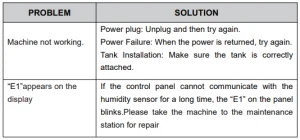
Evaporative Humidifiers Troubleshooting
The device does not work.
- Ensure that the device is connected to a power source.
- Ensure that the water tank is filled with water and that the container is inserted correctly.
Air humidity does not change
- Ensure that the wick filter is inserted correctly.
- Ensure that the wick filter is clean. Please clean the wick filter if it is heavily soiled.
- Ensure that your room is not excessively ventilated and close windows and doors.
- Ensure that the size of your room corresponds to the recommended size for this device.
VEVOR Evaporative Humidifiers Troubleshooting Guide
Recommended For Your Project
VEVOR Evaporative Humidifiers Mist-Free 3L Manual
Reviews
There are no reviews yet.