
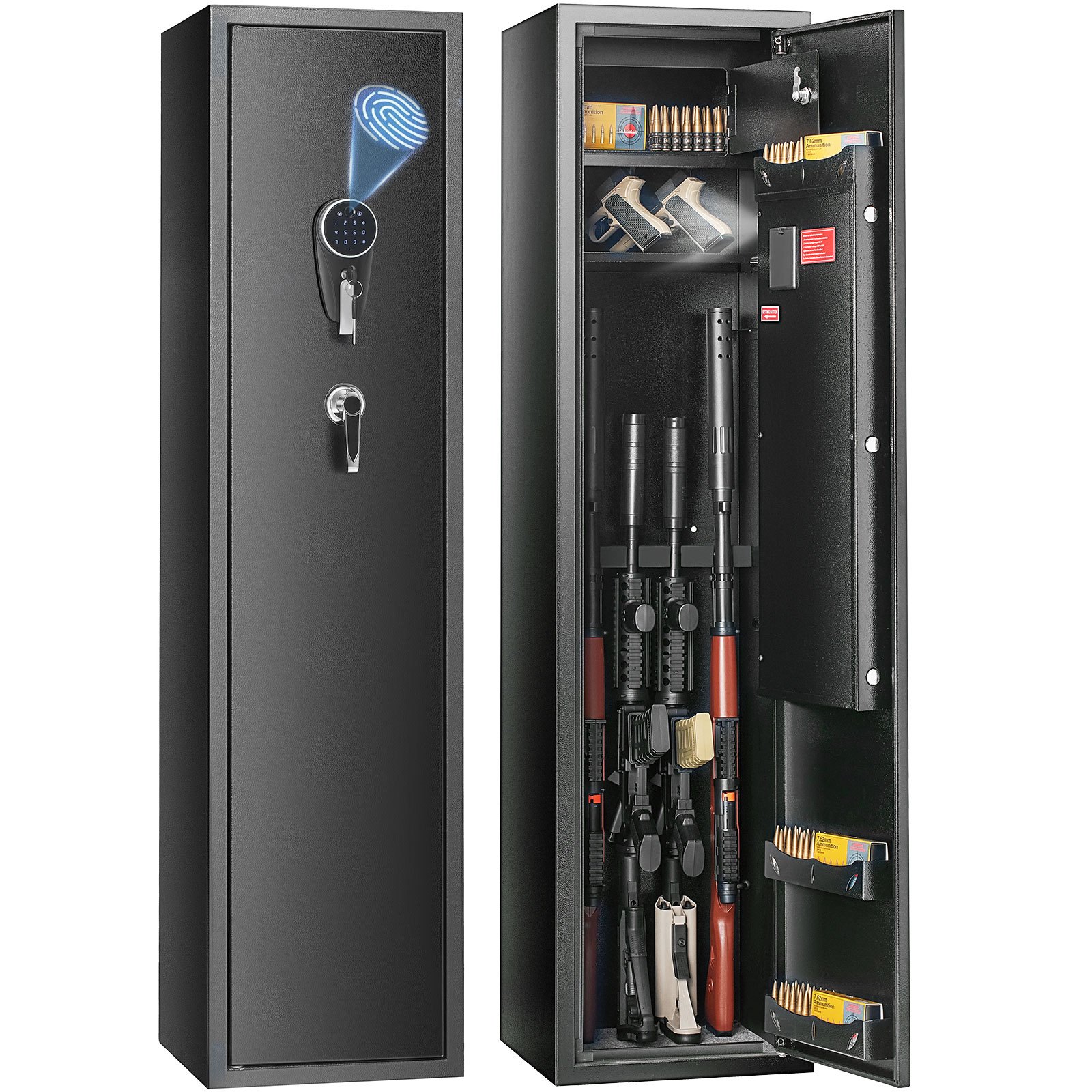
Unlock the ultimate security and organization for your firearms with the VEVOR 6 Gun Safe. Our comprehensive product manual download provides detailed instructions on setting up, troubleshooting, and optimizing your Gun Security Cabinet.
This manual is designed for ease of use, guiding you step-by-step through installing the Fingerprint & Digital Keypad Lock system. It also covers the utilization of the built-in storage locker and removable storage shelf, ensuring you maximize the capacity and functionality of your Gun Storage Cabinet.
Whether you’re a novice or an experienced gun owner, our manual is invaluable for safeguarding your pistols and long guns at home. Download now to ensure your VEVOR 6 Gun Safe is set up for optimal security and convenience.
VEVOR 6 Gun Safe User Manual
MODEL: SS1447-ZW
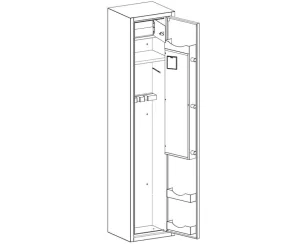
Instructions
Thank you very much for choosing this safe box. Please read all instructions before using it.The information will help you achieve the best possible results.
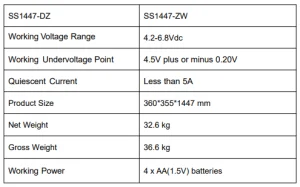
Technical Parameters
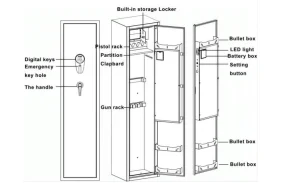
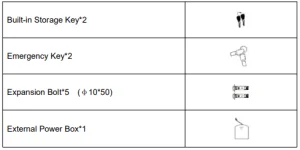
Parts List
Warning
1. Danger of Tipping Over
- A child or adult can tip the safe and be killed or seriously injured.
- Serious injury may occur to children and adults if the safety is not secured before installation.
- Children should not play with or around the safe at any time.
2. Please Do Not Put the Emergency Key, the External PowerBox, in the Safe BOX
Getting Started
- Move down the silver part of the keyboard lock to reveal the emergency keyhole.
- At this time, the emergency key channel is exposed.
- Insert the emergency key into the keyhole and turn it 35° counterclockwise.
- Turn the Handle clockwise to open the safe.
- Tip: Use the emergency key when opening the door for the first time. After installing the battery, set the fingerprint and digital password.
Install Batteries in the 6 Gun Safe
- Take up the battery box cover.
- Install 4 AA batteries and pull the battery cover back. (Caution: Do not use lithium batteries or other rechargeable batteries.)
- Continue to the next step.
The Original password is: 123456#. No fingerprint recognition is set for the factory blank fingerprint.
Password Setting Methods
- Setting management code: After unlocking, touch to reset the screen. Press number 00, press the green setting button in the box, enter the new password, and end with #.
The password has 3-12 digits. - Setting personal code: After unlocking, touch to the rouse the screen. Press number 11, press the green setting button in the box, enter the new password, and end with #. The password has 3-12 digits.
Tip: In standby mode, press the green button in the box (fingerprint delete key)for about 5 seconds. A long “Di” sound indicates that fingerprints and passwords are deleted successfully, and factory settings are restored. Any fingerprint can lock it.
Set Fingerprint
Tip: Any fingerprint can identify the door if the fingerprint is not set successfully. (30 fingerprints are stored)
- When the door is open, press the setting button.
- After hearing two short sounds of “beep”, the scanner light is on. At this time, fingerprints were collected on the scanner four times.
- When two short “beep” follow by a long “beep”, indicating fingerprint registration is set successfully.
- Setting failure: Such as three short sounds “beep”, it means failure to register.
Setting failure cause
- Weak current situation; solution: Change the battery.
- Finger peeling, solution: Replace the finger.
Open the Safe
- Enter the correct user password, the electromagnet pulls, the screen displays lock status, and turn the handle clockwise to open the doors successfully.
- Press the correct fingerprint, the electromagnet pulls, the screen displays lock status, and turn the handle clockwise to open the doors successfully. (Blank fingerprint is not allowed to open the door)
- If the identification is successful, the screen display will show the unlock status.
Alarm Function
- In the standby state, press “*”, and you will hear “beep” sound, the digital pad is off, which indicates that is in the alert status. These will alarm if it vibrates, you can enter the password or scan the fingerprint the door, and the alarm will be relieved automatically—the warning sound will last 30 seconds.
- If you scan the wrong fingerprint five times and input the wrong password three times. The warning sound will last 30 seconds.
Tips: After the alarm, enter the correct fingerprint or password. Then, the electromagnet closes for 5 seconds, and the alert will be automatically lifted.
Noise Elimination Function
Touch the touch pad to wake it up. Press “11#” to turn on or off all sounds.
Undervoltage Indication
- The gun safe needs four 1.5V alkaline batteries
- If the door voltage is insufficient, the buzzer will make a “beep”sound, reminding the user to replace the battery in time.
Note: Using ordinary batteries, avoiding lithium batteries, or using a different brand is recommended.
Mounting Instructions
- The safe could be mounted to a wall or floor.
- Drill the appropriate-sized holes for the anchors you are using.
- Mount the safe by running screws from inside the safe and securing to anchors. Ensure the safe is mounted securely on the floor.
- Use proper drill tools depending on the type of floor you are mounting (wood, tile, or concrete).
Recommended For Your Project
VEVOR 6 Gun Safe, Gun Security Cabinet Manual


Reviews
There are no reviews yet.