
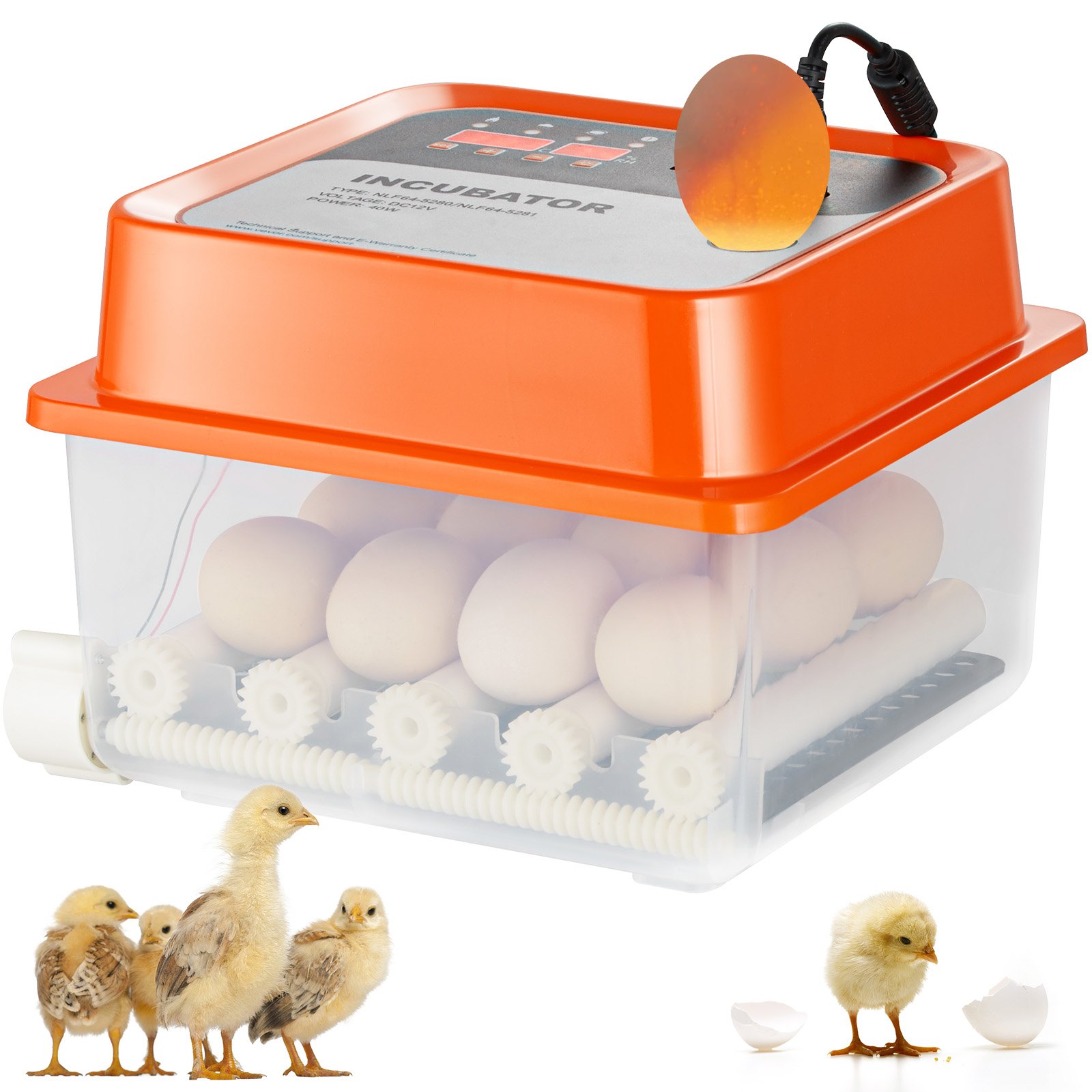
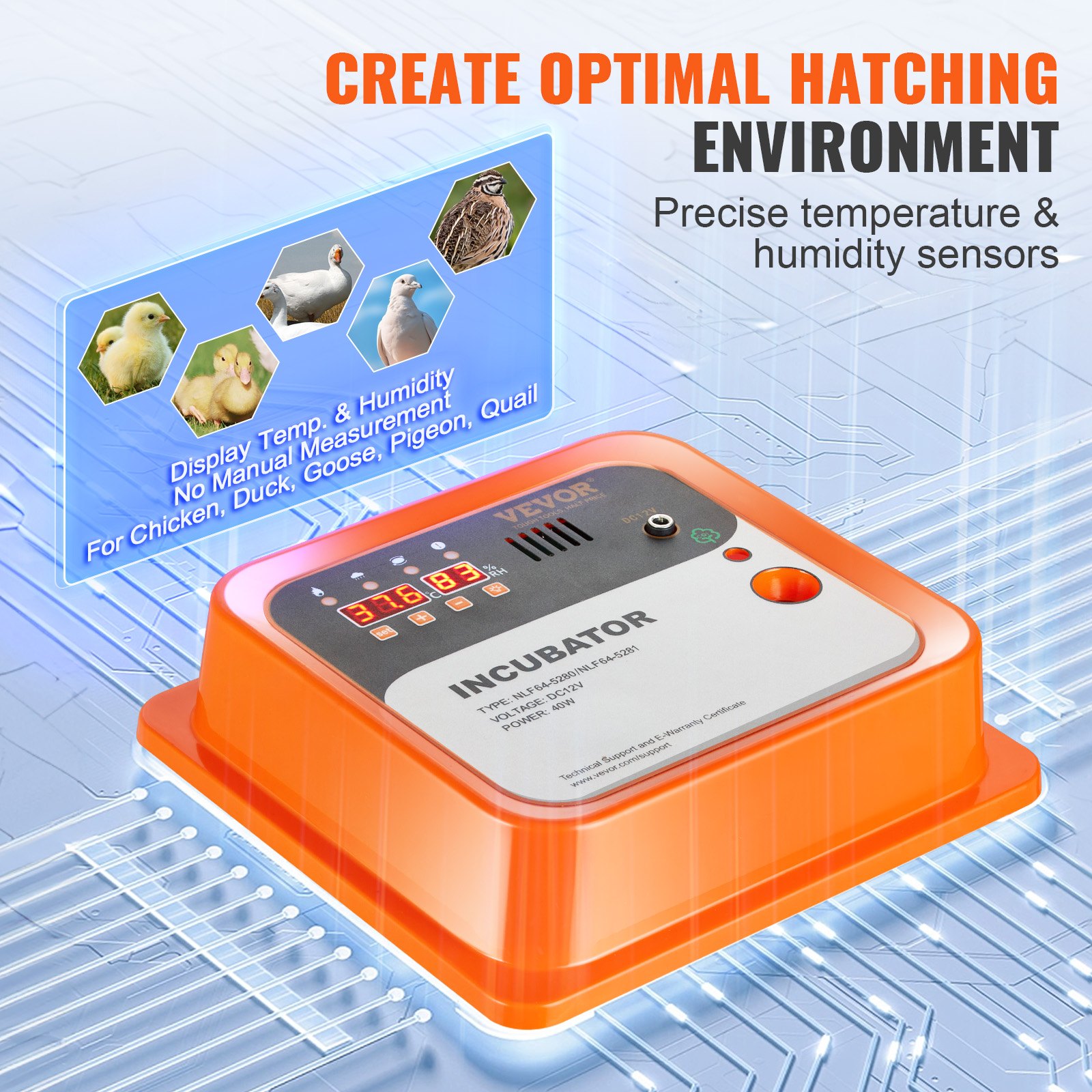
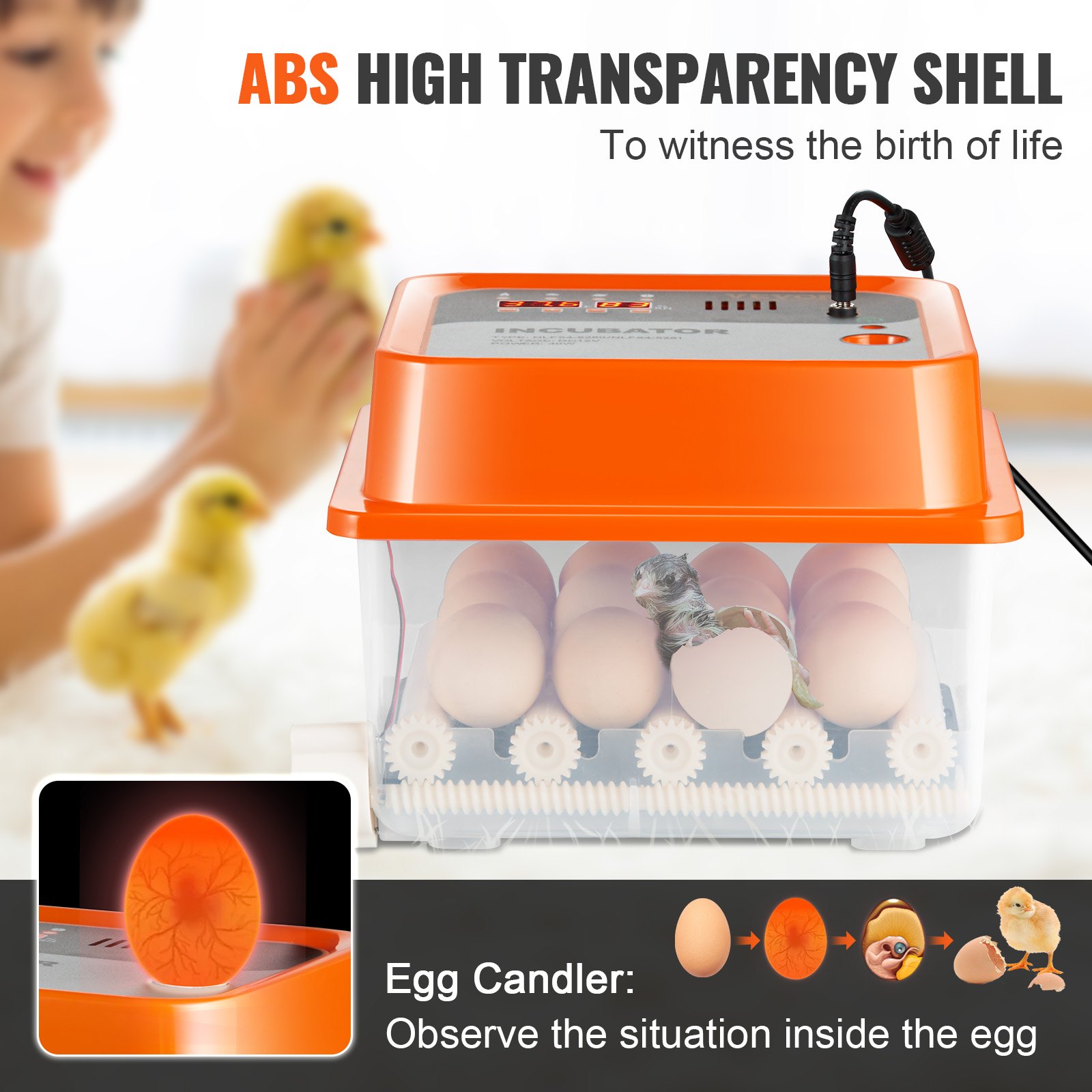
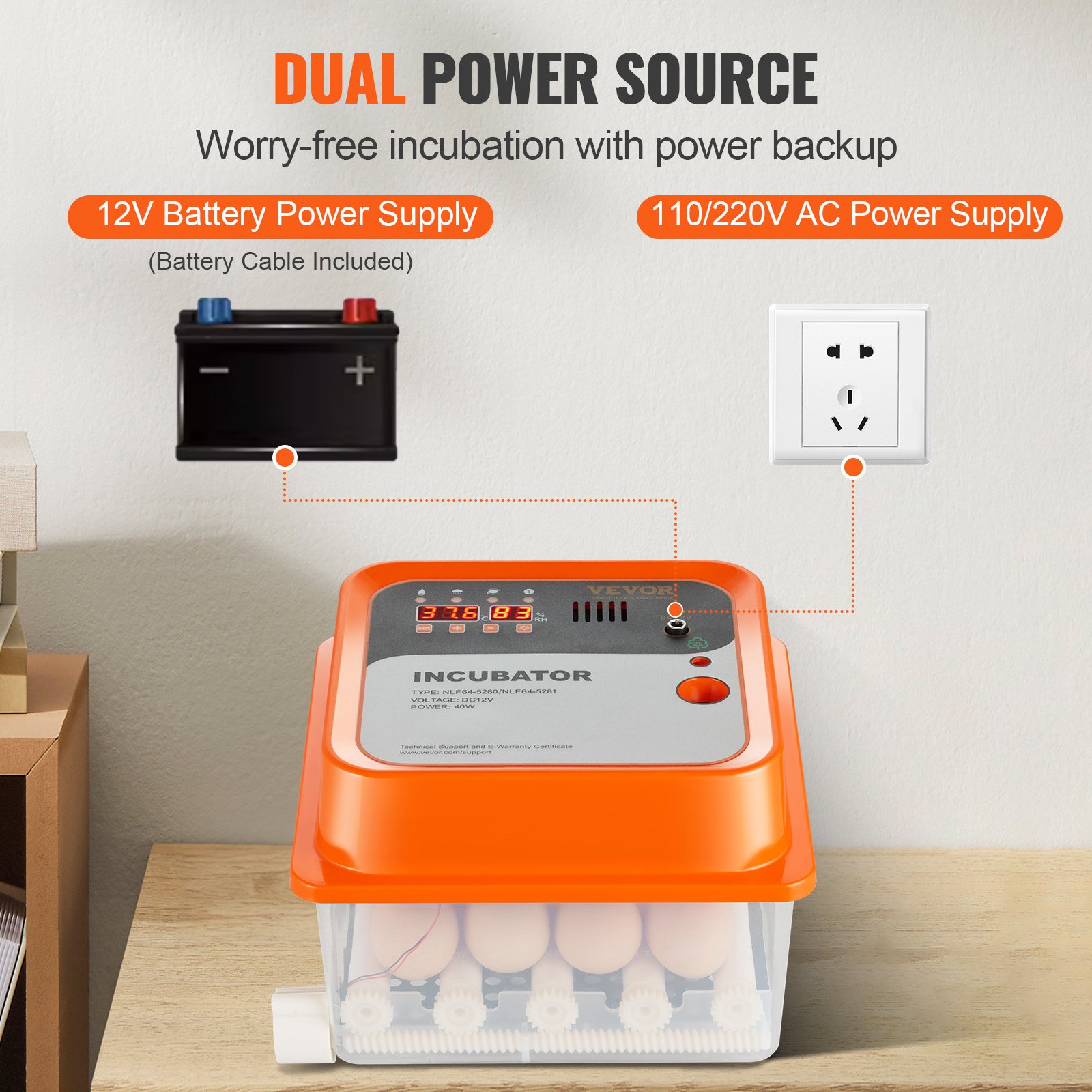
Discover the ultimate guide to mastering your VEVOR Egg Incubator with our comprehensive product manual. Designed specifically for the VEVOR Egg Incubator, this manual provides detailed instructions for setup, troubleshooting, and optimization of your incubator.
Whether you are hatching eggs for chickens, ducks, or quails, our manual covers all aspects of the process, from using the automatic egg turner to controlling temperature and humidity.
The VEVOR Egg Incubator manual is easy to follow and packed with valuable tips to ensure successful hatching every time. With clear, step-by-step instructions and a user-friendly layout, you’ll have all the information you need at your fingertips. Download the VEVOR Egg Incubator manual today and take the first step towards efficient and effective egg hatching.
VEVOR Egg Incubator User Manual
Model: NLF64-5280
Important Safeguards
WARNING: Read all safety warnings, instructions, illustrations, and specifications provided with this electrical appliance.
Failure to follow all instructions below may result in electric shock, fire, and/or serious injury.
- This product is connected to the power supply through an adapter.
- Do not use this product in areas exposed to water or other liquids.
- Unplug this product from the wall outlet before cleaning. Do not use liquid aerosol cleaners. Use a damp cloth for cleaning.
- Do not disassemble this product to reduce the risk of electric shock. Please take it to qualified service personnel when service or repair work is required. Opening or removing adapter covers, like the rear cover plate, may expose you to dangerous voltages or other risks. If the cover is damaged, the adapter may no longer be used.
- Do not operate the unit in areas with high temperatures or humidity, since it may prevent it from working correctly.
- This appliance can be used by children aged 8 years and above, and persons with reduced physical, sensory, or mental capabilities or lack of experience and knowledge, if they have been given supervision or instruction concerning using the appliance safely and understand the hazards involved.
- Children shall not play with the appliance.
- Children shall not make cleaning and user maintenance without supervision.
- For indoor use only.
SAVE THESE INSTRUCTIONS
Main Technical Indexes
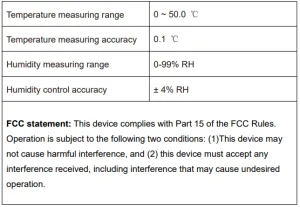
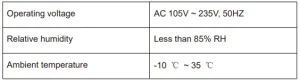
Egg Incubator Operation Conditions
Screen Settings
Introduction of the display screen
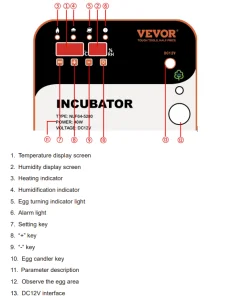
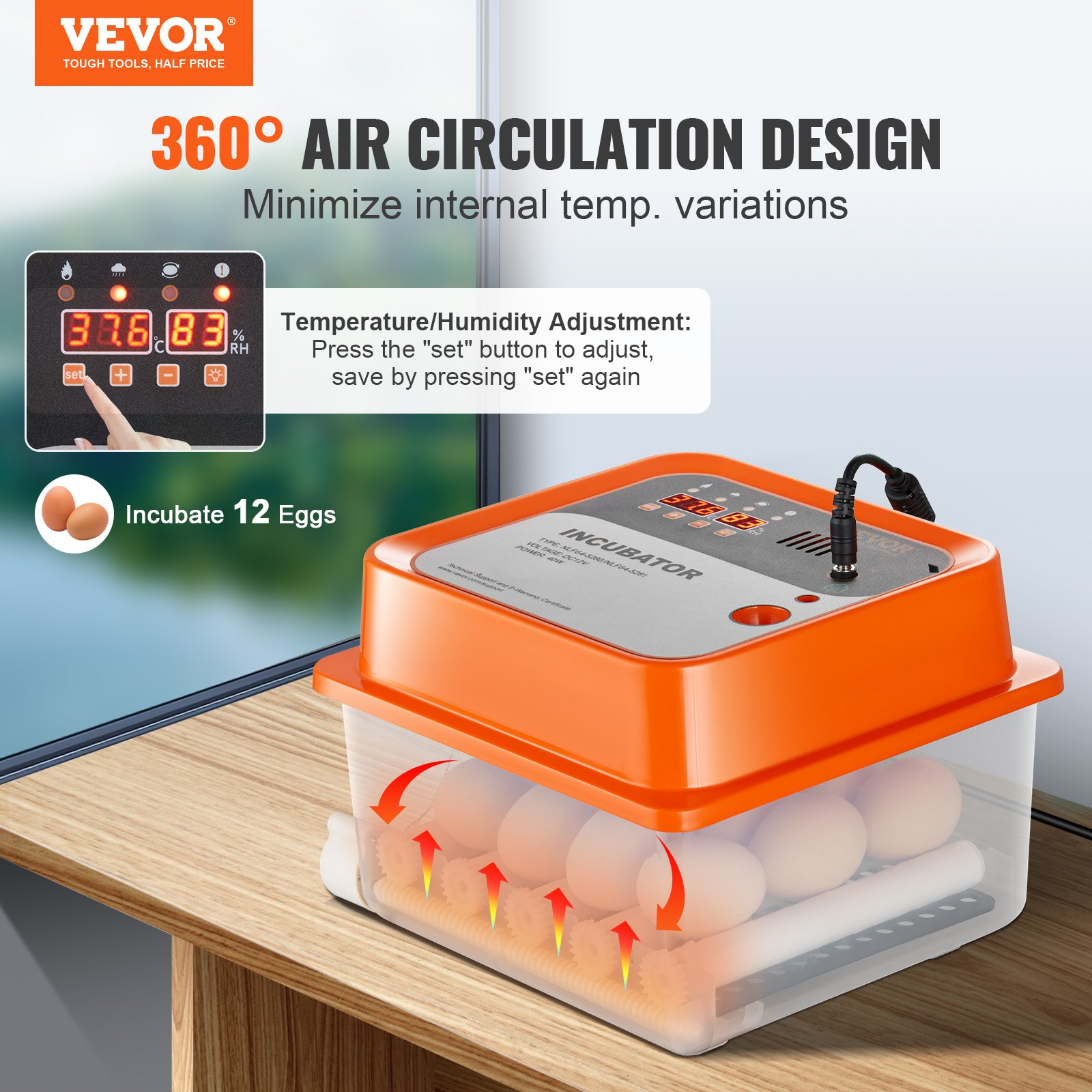
1. Setting the method of temperature and humidity
Temperature setting method: Under normal working conditions, press the “Setting” button to enter the temperature setting.
At this time, the temperature display flashes. Press “+” or “-” to adjust the temperature.
After the adjustment, press the “Set” button to save the temperature setting. At this time, the screen will display all “8” to indicate that the parameter setting is successful, and automatically enter the humidity parameter setting.
At this time, the humidity display flashes. Clicking “+” or “-” will increase or decrease the flashing value until you reach the required humidity value.
After the adjustment, press the “Set” button to save the humidity. At this time, all “8” is displayed on the screen, indicating that the parameter setting is successful.
Note: Long press “+” or “-” to quickly increase or decrease the value;
2. Setting methods of temperature and humidity-related parameters, egg turning cycle, egg turning time, and days of incubation.
NOTE: Please use this function with caution; it is not suggested to adjust under normal circumstances.
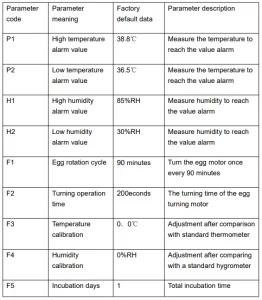
Under normal working conditions, press the ” Setting” key (about 5seconds) to enter the temperature and humidity-related parameters, egg turning cycle, egg turning time, and incubation days setting—the humidity display shows the code “P1”, and the temperature display flashes.
Click on the “+” or “-” flashing value to increase or decrease accordingly until you need the P1 high-temperature alarm value parameter.
After adjustment, press the ” Setting ” key to save the high-temperature alarm parameter settings and automatically enter the “P2” heating upper limit Value setting. The meaning and code of all parameters are shown in the following table:
After all the associated parameters have been set, press the” Temperature setting key ” button to exit.
Note: the machine configuration sensor is more accurate than the market’s ordinary thermometer, and generally, no deviation occurs.
Please make sure that the deviation is indeed to be adjusted. Even if the adjustment is not too large, it may impact hatching.
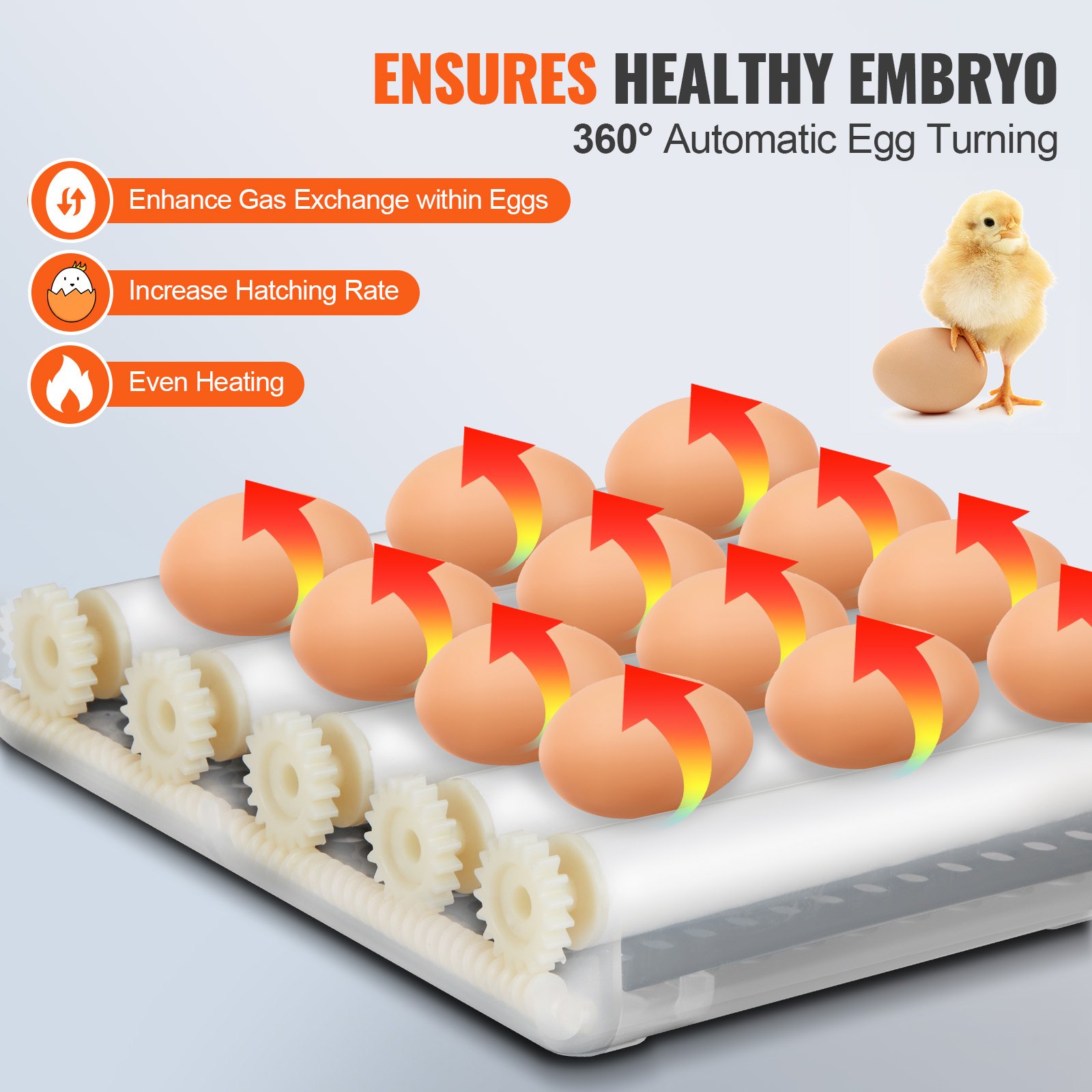
3. Manual egg-turning operation
Under normal display state, pressing the “+” button can achieve manual eggturning.
4. Alarm sounds off
Under normal display conditions, when the instrument detects temperature or humidity abnormally, the instrument will send a “drop, drop, drop”…” alarm sound.
You can now click the “-” key to lift the alarm sound. Under normal circumstances, the humidity alarm is not significant. If the temperature is alarming, please find the reason in time.
5. Restore factory settings
Restore the factory settings in the normal working state while holding the”+”-“key” for about 8 seconds until all the screen displays “8” and hear the buzzer “drop” and let go.
The machine is to restore the factory default value. Or merge the “Restore Factory Settings” button to quickly restore the factory settings.
Correct Disposal
This product is subject to the European Directive 2012/19/EC provisions. The symbol showing a wheelie bin crossed through indicates that the product requires separate refuse collection in the European Union. This applies to the product and all accessories marked with this symbol.

Products marked as such may not be discarded with regular domestic waste, but must be taken to a collection point for recycling electrical and electronic devices.
Recommended For Your Project
VEVOR Egg Incubator Automatic Egg Turner Manual


Reviews
There are no reviews yet.