
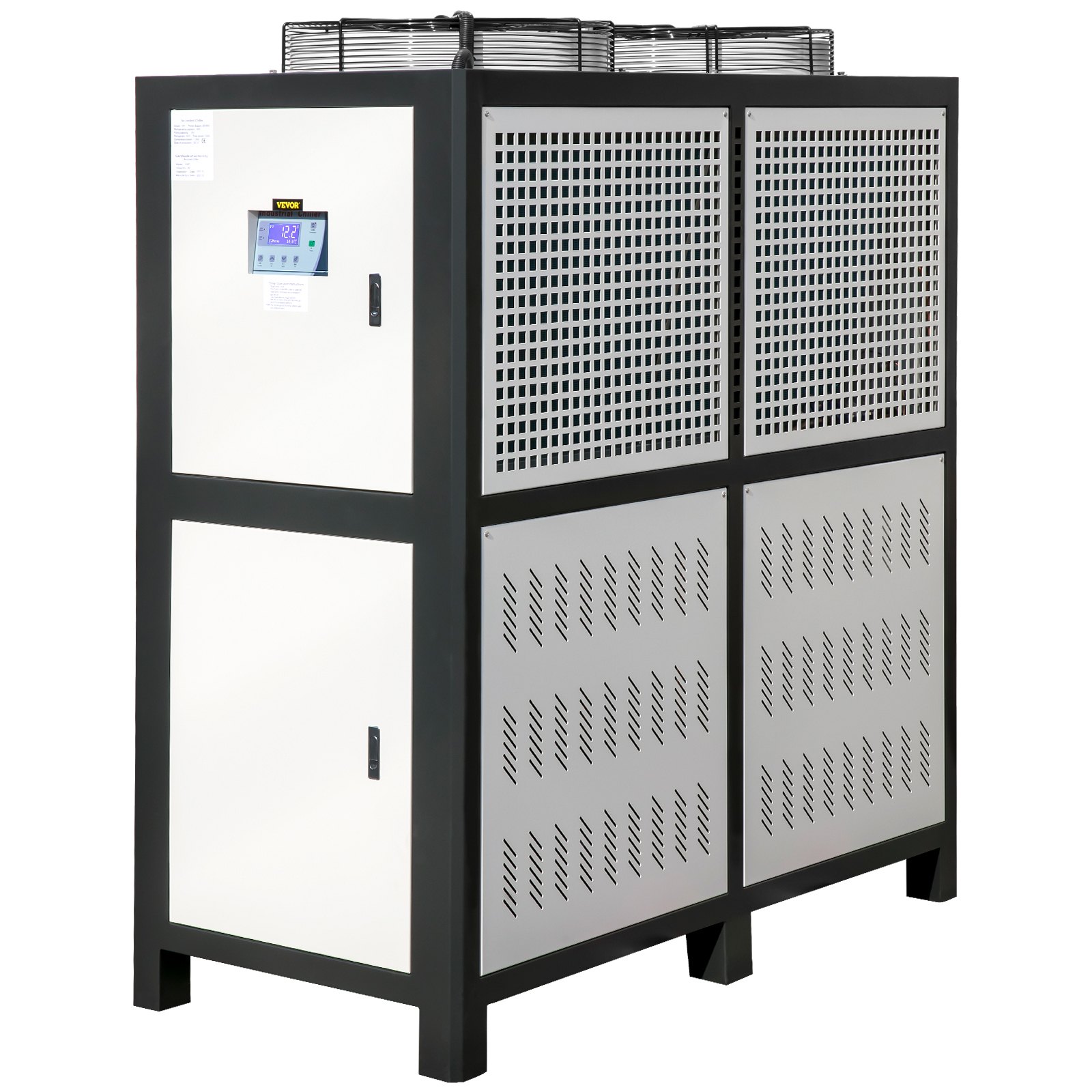
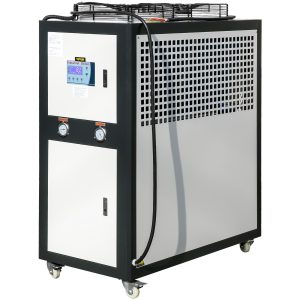
Unlock the full potential of your VEVOR Water Chiller 15Ton with our comprehensive product manual download. This detailed guide covers every aspect of your Capacity Industrial Chiller 15Hp, from initial setup to advanced troubleshooting and optimization techniques.
Our manual ensures you fully understand the functionality of the Air-Cooled Water Chiller, featuring a finned condenser and a micro-computer control system.
The stainless steel water tank chiller machine is essential for cooling water in various industrial applications, and our guide will help you maximize its efficiency and longevity. User-friendly and meticulously detailed, this manual is a must-have resource for anyone looking to get the most out of their VEVOR Water Chiller 15Ton. Download today and ensure your equipment runs smoothly and efficiently.
VEVOR Water Chiller User Manual
Model: GW531B
Instructions
Dear Customer:
Thank you for choosing VEVOR products!
For your convenience, please read the instructions carefully and follow the steps in the Manual.
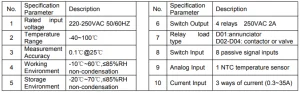
VEVOR Water Chiller Specifications
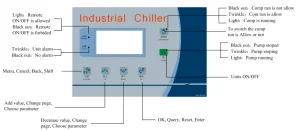
Panel Diagram
First Power-on
The controller needs to be configured when powered on for the first time. Please refer to the Configuration guide for specific operations.
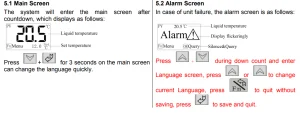
Common Screens
Commonly used screens include the main screen and the alarm screen.
Common Operation
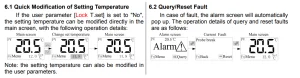
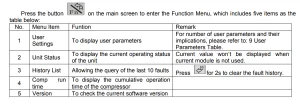
Function Menu
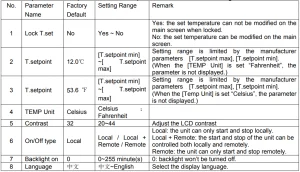
Parameter Operation

User Parameters Table
The implication of each parameter in the user parameters is listed in the following table:
Manufacturer Menu

Procedures for Entering the Manufacturer Menu

Details of Manufacturer Menu
The details and function of the manufacturer’s menu are as follows:
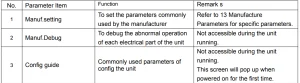
 Note: Press UP + DOWN in the manufacturer menu for 2 seconds, and the accumulated operation time of the compressor will be reset.
Manufacturer Debugging
Manufacturer debugging is mainly used to test whether the operation of each electrical part of the unit is regular, which is not accessible when the unit is running.
Method: to determine whether the unit is normal by testing three-phase power input, seven alarm inputs (10 alarm inputs for two compressors) and 5 relay outputs.
For alarm input, it only displays the test result. If the result is normal, the wiring is good, and the parameter settings are correct. If it alarms, it will display alarm characters. Then, check whether the external wiring is good and the parameter settings are suitable.

Configuration Guide
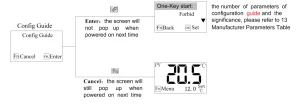
Configure the common parameters of the machine. For the number of parameters of the configuration guide and the significance, please refer to the 13 Manufacturer Parameters Table. Access is not available during the unit operation.
Refer to the Parameter Operation for the specific configuration method. The Configuration guide screen will pop up when powered on for the first time. And if you click “Cancel” operation without configuring at this time, the Configuration guide screen will still pop up when powered on next time.
Once you have entered the Configuration guide, the Configuration guide screen will not pop up when powered on, and you can only enter the Configuration guide through the Manufacturer Menu.
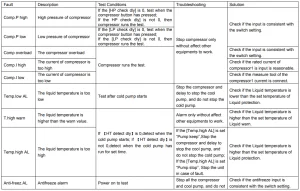
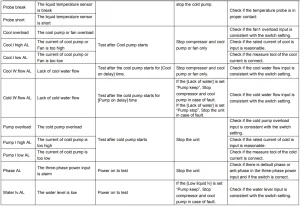
VEVOR Water Chiller Fault List

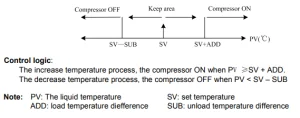
Control
Logic of the compressor
Logic of pump freeze protection

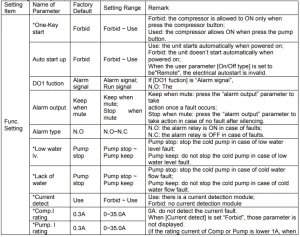
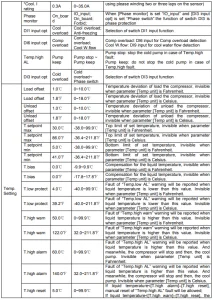
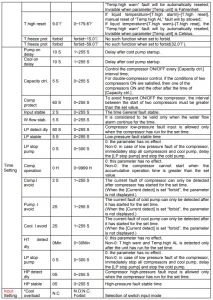
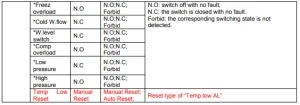
Manufacturer Parameters Table
Parameters set by the manufacturer and parameter meanings are listed as follows: (“*” is for parameters of the configuration guide.)
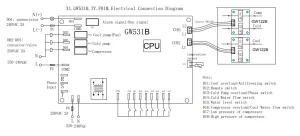
VEVOR Water Chiller Electrical Connection Diagram
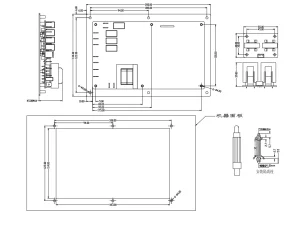
Installation Dimensions
Recommended For Your Project
VEVOR Water Chiller 15Ton, Capacity Industrial Chiller 15Hp, Air-Cooled Water Chiller Manual
Reviews
There are no reviews yet.